
Article
podcast studio software that books, researches and records
1 November 2026 · 9 min read
Post on X
most podcast studio software starts at the moment your guest clicks the link. the recording is the easy part. the work is everything around it: finding someone worth talking to, getting them to say yes, finding a time, knowing enough about them to ask a good question, and then, once it's recorded, getting it in front of people. underway's podcast studio puts all of that on one page, beside the recorder.
this page walks through what's on it, how to use each part, and how to wire it into your calendar so guests book themselves. it's written for a founder who wants a podcast to be part of how they promote the business, not a second job.
what the podcast studio software does
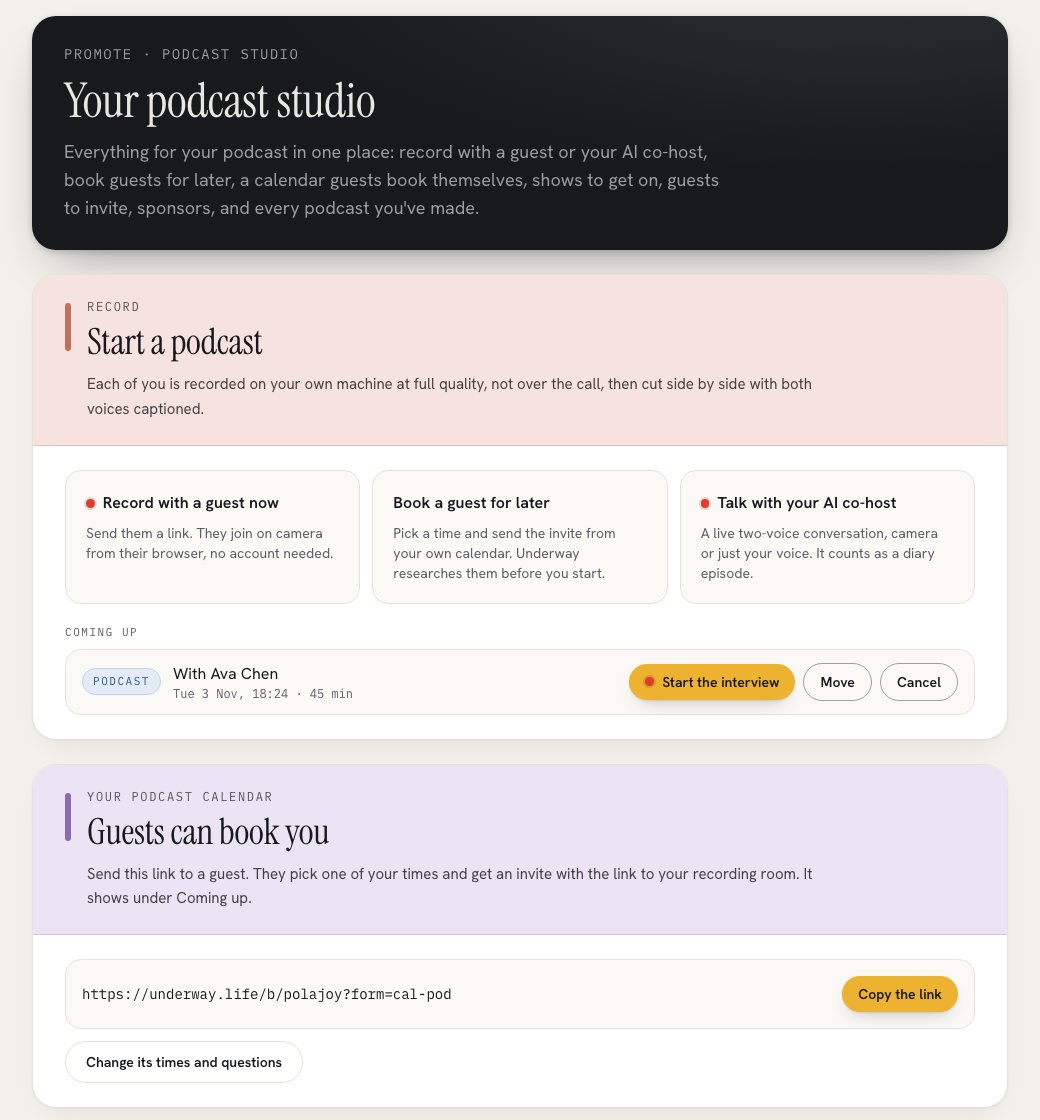
open Promote and choose Podcast studio. everything for your podcast is on that page, in the order you'd use it:
- Record: start a podcast with a guest now, book one for later, or talk with your AI co-host.
- Coming up: every guest you've booked, with Start the interview when it's time.
- Your podcast calendar: a booking page just for guests, with a link to send.
- Outreach: shows to be a guest on, guests to invite onto yours, and brands that would sponsor it, each with the email written.
- Your podcasts: what you've recorded, with the rest in the vault.
recording a guest: each of you on your own machine
press Record with a guest now. you give your guest's name and pick how long it can run, 45, 60 or 90 minutes, and underway gives you a link. your guest opens it in their browser, with no account and nothing to install. before their mic goes live they agree to be recorded and published under their name, and they're asked whether they're wearing headphones.
the call is only so you can hear each other. what goes in the episode is recorded on each machine, at full quality, in short pieces that upload while you talk. so a dropped connection costs seconds, not the hour, and a guest whose tab closes can open the link again and carry on in the same seat. each side also records its microphone untouched, without the echo cancelling and noise suppression a call applies, which is what makes a remote podcast sound like two people in a room.
when you stop, underway lays the two of you side by side, host on the left and guest on the right, cleans and levels each voice on its own, takes out the stretches where you were both quiet, and captions you both. nothing is reordered and nothing you said is struck. the podcast's audio is the sound of that finished file.
the same recording technology as Riverside, and more
the reason remote podcasts used to sound remote is that they recorded the call. dedicated studios like Riverside fixed that by recording each person on their own device and uploading it as they go. underway's podcast studio software is built the same way, and in a few places it goes further.
| Riverside | underway's podcast studio | |
|---|---|---|
| each person recorded on their own device | yes | yes |
| uploads while you talk | yes | yes, in eight-second pieces |
| a separate track for each person | yes | yes |
| uncompressed audio | yes | yes, 24-bit, 48 kHz, each mic |
| mic recorded without the call's processing | not something it states | yes: echo cancelling, noise suppression and auto gain off |
| both sides on one clock | yes | yes, measured over the call before you start |
| a dropped guest rejoins in place | yes | yes, same seat, the gap kept in the timeline |
| video | up to 4K | 1080p |
| guests at once | several | one |
the part that matters most for sound is the microphone. a browser call runs your voice through echo cancelling, noise suppression and automatic gain so the conversation is clear live, and those same filters are what make a recording sound thin and pumped. underway records a second copy of each mic with all of that switched off, at studio quality, on each person's own machine, and builds the episode from that. it then cleans and levels each voice on its own track, so one loud guest never drowns the other.
where Riverside is ahead, it's ahead plainly: 4K video and several guests at once. where underway is ahead is everything around the recording. it books the guest from your calendar, researches them with sources before you start, edits the conversation for you in the order it was said with the dead air taken out, captions both voices, cuts Shorts with the guest above you, and finds the next show to go on and the next sponsor to ask.
booking a guest, and combining it with your calendar
most guests can't do right now. there are two ways to book one for later, and both end up in the same place, under Coming up.
the first is you choosing the time. press Book a guest for later, pick the date and time, add their email, and write the invite in your own words (it starts you off with a note to use Chrome and wear headphones, and the link). if your Google Calendar is connected, Send the invite puts an event on your own calendar with them invited, so the invite comes from you and they press accept like any meeting. without it, it's emailed to both of you with an invite any calendar takes. you can add a video for them to watch while they wait for you to join. Move and Cancel tell your guest the same way the invite went.
the second is your guest choosing the time, from your podcast calendar. in the studio, Make my podcast calendar makes a booking page just for podcast guests, opens it to bookings, and gives you a link with Copy the link. send it in a DM, in your outreach email, or anywhere else. your guest picks one of your times, and their confirmation and invite carry the link to your recording room, not a meeting link. it's kept clear of the Google calendars you connect, so nobody books over something else. Change its times and questions opens Calendar, where you set its hours, notice, reminders and any questions you want answered first.
a podcast calendar beside your main calendar comes with Studio and Studio Plus. on other plans your one calendar can be the podcast calendar.
research on your guest before you start
a good interview comes from knowing who you're talking to. once a guest's name is in, your chief of staff can research them: it runs a few web searches and comes back with who they are, the facts it found, each with the page it read it on, threads worth pulling, questions in the order a conversation would take them, and anything to handle with care. you can correct who they are and take out any line. Add these to my notes puts the questions under your notes, and the brief sits beside the players during the call so you can glance at it.
it never runs on its own when someone replies to an invite. a guest who wrote back shows up as a step on Record with Research them, and nothing is spent until you press it. a booking made without a brief is researched for you, so it's ready when you open it.
outreach: shows, guests and sponsors
a podcast grows two ways: going on other people's shows, and bringing good people onto yours. sponsors pay for it. outreach in the studio has a half for each.
- Get on podcasts: press Find podcasts, with a line about which shows if you want. it searches Apple Podcasts in the US for shows your buyers and peers listen to, skips shows that are new, quiet or never have guests, scores each one for fit, and writes a pitch from your own story that opens on one of that show's recent episodes.
- Guests: find people to invite onto your show, by who they are, their niche and their audience, each with a checked work email and an invite written.
- Sponsors: brands that fit your show and audience, the person there who decides on sponsorships, and a pitch built from what you'd offer and what underway has really counted about your audience. it never invents a number.
every email goes from your own Gmail or Outlook, one at a time, when you press Send. it sits in your Sent folder and replies come straight to you. a new inbox sends a few a day at first and more over a fortnight, so email providers keep trusting it. a pitch gets one follow-up, offered five days later, never more. you can set any of it up by hand, or tell your chief of staff what you want ("find me jewellery brands in the US for sponsorships, mid-size, on Instagram") and it fills in the same filters.
finding people uses contacts: one person who fits what you asked for and has a checked email. your plan comes with some each month (Founder 10, Series 25, Studio 50, Studio Plus 100), and a search that finds nobody uses none.
after the recording
a guest podcast is promotion, so it lives on the Promote side of the vault and in Your podcasts on the studio page. from there it works like any episode: its own page on your series, with the conversation written up under it, a cover, YouTube, and Shorts cut from it with the guest above and you below. it also gets an Analytics tab, with how the episode and every Short of it are doing on each place they went. your guest has a reason to share it, and their audience is often exactly who you want.
the AI co-host, for the days without a guest
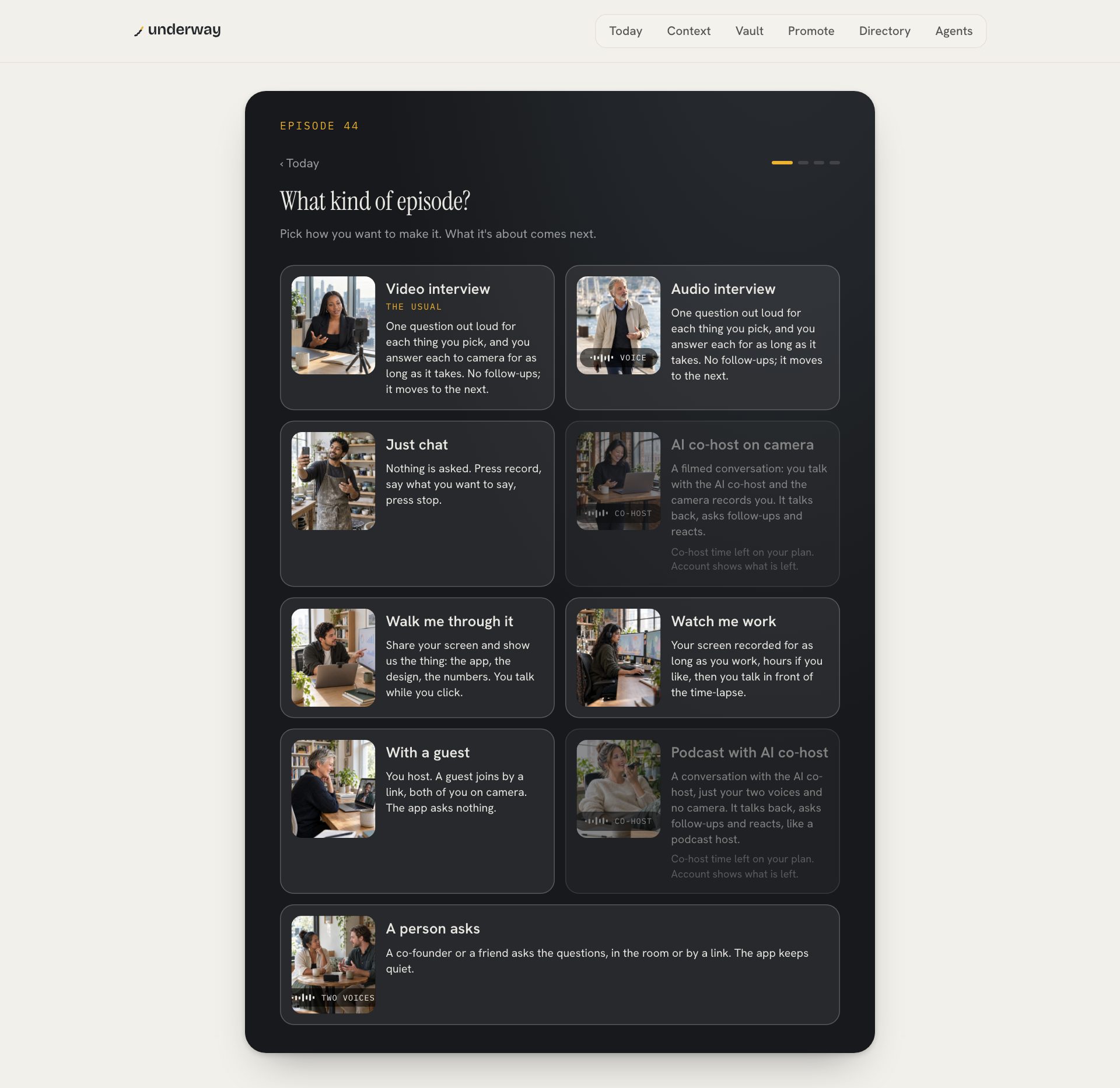
not every episode needs another person. Talk with your AI co-host starts a live two-voice conversation, on camera or with just your voice, where the co-host asks, listens and follows up on what you say. it's a diary episode rather than promotion, so it's numbered with the rest of your series. it's there for the weeks when booking someone isn't going to happen.
how podcast studio software compares beyond the recording
| a recorder (Riverside, Zencastr) | underway's podcast studio | |
|---|---|---|
| guests book themselves | with a separate scheduler | yes, your podcast calendar |
| a brief on your guest | some draft questions | who they are, sourced facts, questions in order |
| finds shows, guests, sponsors | no | yes, emails sent from your own inbox |
| edited and captioned for you | with you in the editor | yes, in the order you spoke |
if you run a panel show, record in a studio with several guests or stream live, a dedicated recorder is the better buy. if you're one founder who wants a podcast as a way to meet people and be found, the part that takes the time is everything before you press record, and that's what the podcast studio is built around.
what is podcast studio software?
software that does the job of a podcast studio: records you and your guest at good quality, then helps with the rest. underway's goes further than recording: it books guests through your calendar, researches them before you start, finds shows to go on and sponsors to approach, and edits the result.
does my guest need an account?
no. they open the link in their browser, agree to be recorded, and join on camera. the link is their whole way in.
can guests book a time themselves?
yes. make your podcast calendar in the studio and send its link. they pick one of your times and their invite carries the link to your recording room.
will outreach email people from underway?
no. every pitch and invite goes from your own Gmail or Outlook, one at a time, when you press Send, and replies come to you.
can I record a podcast on my phone?
a conversation with the AI co-host, yes. a guest podcast starts on a computer, because each side records itself in the browser. bookings, the calendar and outreach all work on the phone.
if you'd rather be interviewed than do the interviewing, an AI podcast host that interviews you.
how the recording side compares with the dedicated tools: riverside alternatives.
seven days free, then open your podcast studio.
From the series
Founders’ episodes, written up.
Every public episode on underway has a page of its own: the video, then the same account in writing, checked against what the founder actually said.
Browse every series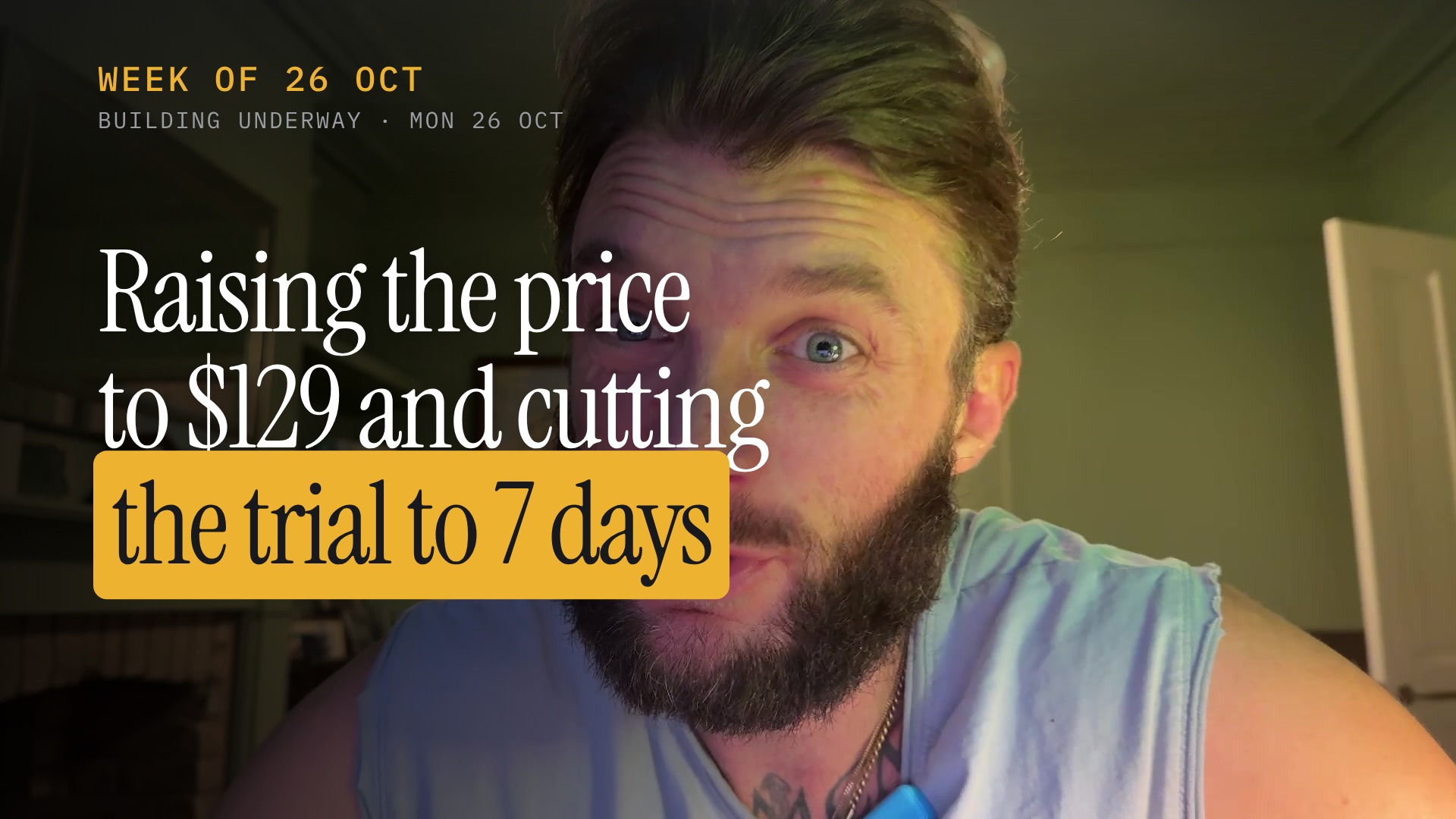
Building Underway
Raising the price to $129 and cutting the trial to 7 days
Building Underway
From no customers to first paying customer with Meta ads

Building Underway
Card payment failed with insufficient funds on first trial
Underway's first annual trial customer reached the end of their trial and the first payment attempt came back as insufficient funds. I talk through what that does to the maths when acquisition costs 60 to 80 dollars a customer and the plan is 129.99 a year, and why a fake or empty card early on makes the whole thing feel less sturdy than I thought. I also get into the fact that this is habit-based software: people know they should document, getting them to actually do it is the hard part, so the numbers only work at a much bigger top of funnel. I'm staying in it for the long haul, and there's an announcement I'm saving for another episode.

Building Underway
Facebook ad to app signup flow, start to finish
I walked through the whole Underway journey end to end, from the Facebook ad to the free signup, covering the landing page, leaving an email, and what you get as a free user. I showed the step one setup, the talk me through it option with Coral, the demo account mirrored from my own, and episode zero as a free practice recording. Along the way I hit a couple of bugs, including Coral referencing something I had not said and the practice recording jumping straight into video instead of offering audio. The experience itself I think is pretty much there, the bugs are on my list.

Building Underway
If a Signup Calls You Overpriced, Watch This
A signup emailed Underway last night saying $129 a month is way overpriced for a clipper, and that he could pair Riverside at $29 with an AI at around $21 to interview himself instead. I read through his whole email on camera: no option on the shorts for just his face and captions without graphics or B-roll, how to get Cedar to interview him on a specific topic, and his view that systems like this are built for clippers and sellers rather than informational work. I changed the code so top-level members can remove the animation, re-rendered his shorts plain in his brand font, and replied explaining what the $129 plan covers beyond clipping: the ads, the statics, the in-pocket director, and the context it builds from your email, calendar, website and Instagram. I offered to move him to the $29 Founder plan, sent my booking link, and I'm waiting to hear how the re-rendered shorts look.
Building Underway
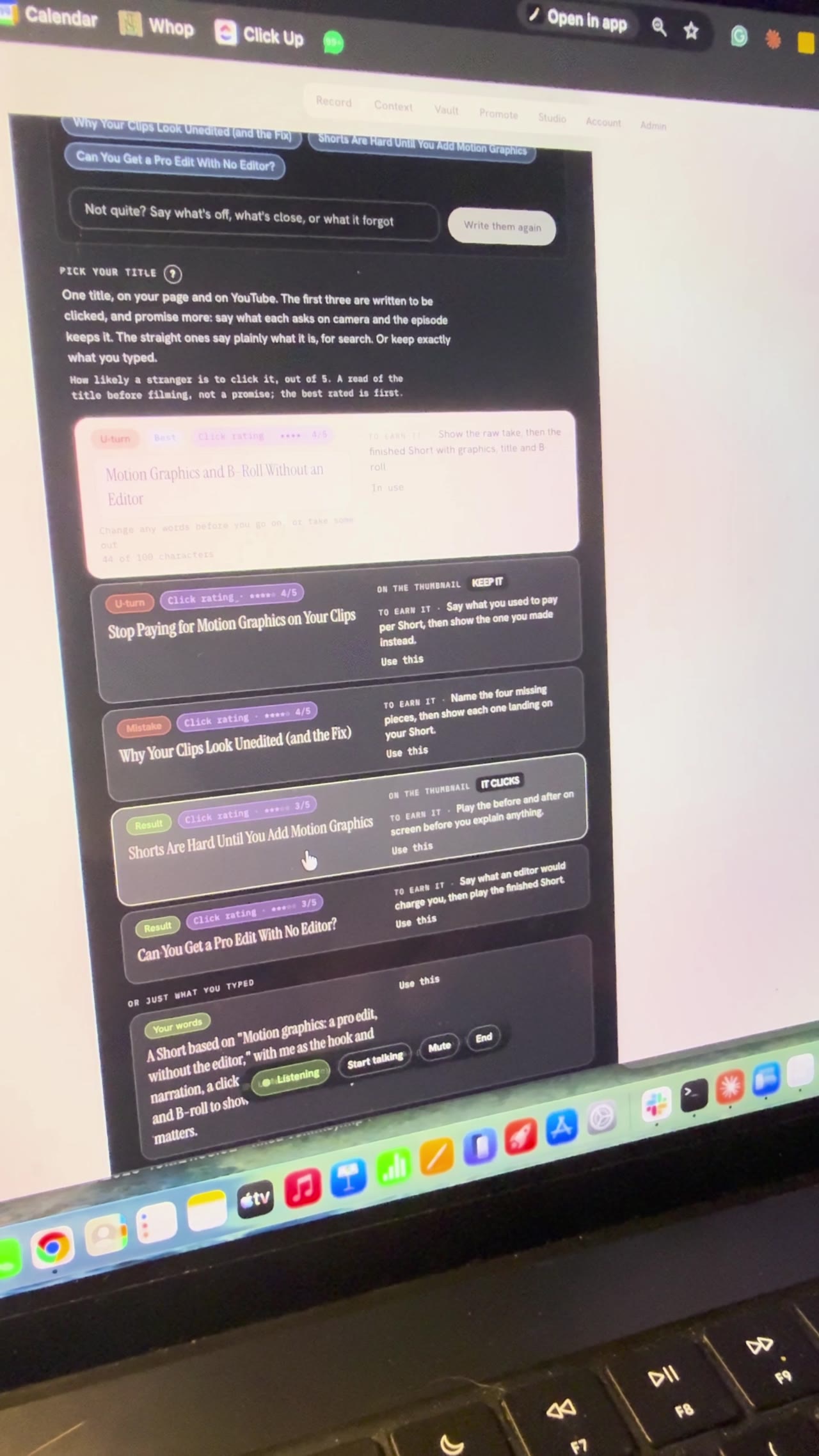
How to Plan a YouTube Video With AI (Titles, Hook, Sections)
I planned a YouTube video with AI by talking to Bert, the director inside Underway, live on camera. Bert offered three ideas, then found the feature videos in my vault, and we picked Motion Graphics, A Pro Edit Without the Editor to remake with me as the hook and narration. It wrote five title options, I chose Motion Graphics and B-roll Without an Editor, and it broke the video into six sections to film one at a time. I stopped at the set up your shot screen, so part two is where I film it.