
How to start building in public
Your first episode, screen by screen.
From opening the app to a finished episode: what you’ll see, what to do and what you can skip. Real screenshots, about ten minutes, most of it talking.
Card needed to start. Nothing taken until day 8, cancel any time before.
Take the tour on the web
01
Getting started: your series first
- What you’ll see
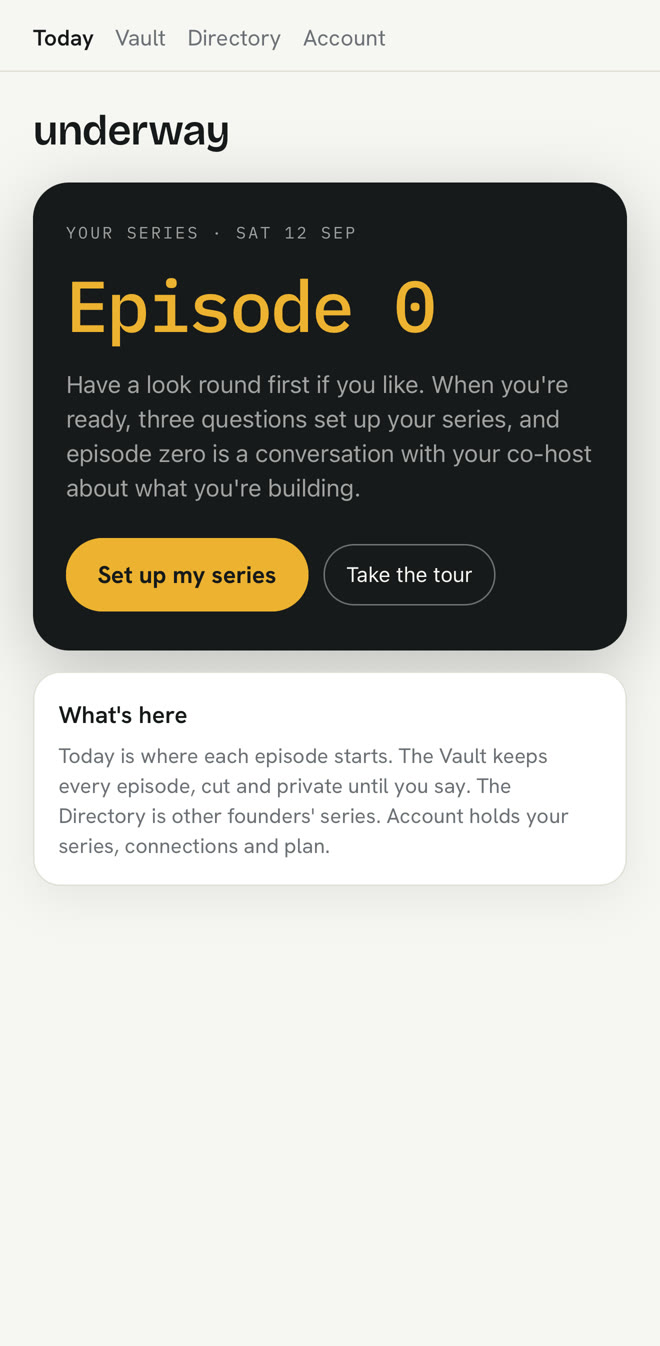
- Today walks you through five short steps. The first is your series: your first name, one line about what you’re making, and your website if you have one. Save it and underway starts writing your marketing brief from your website in the background, while you connect what you use and see how it works; you read it over just before episode zero.
- What to do
- Type your name and the line, and press Save my series.
- Can you skip it?
- You can look round a real account first, from the line under the button.
02
See how it works, if you want to
- What you’ll see
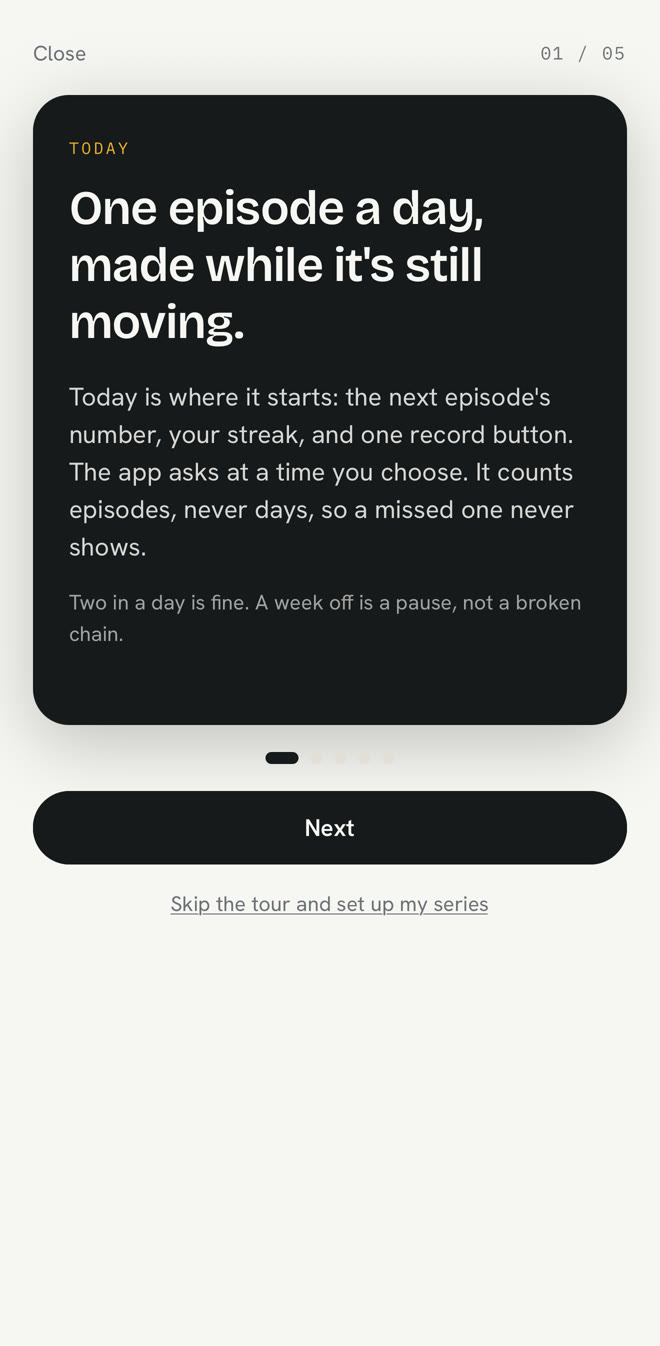
- Three ways to see it, each one press: look around a real account, watch the welcome film, or Show me around my app, a few stops over your own screens: Today, the vault (where your episodes stay private until you share them), Context and Account.
- What to do
- Pick one. The tour finishes back on Today, at episode zero.
- Can you skip it?
- Yes: Skip to episode zero. Show me around my app is in Account if you want it later.
03
The rest of the setup, after episode zero
- What you’ll see
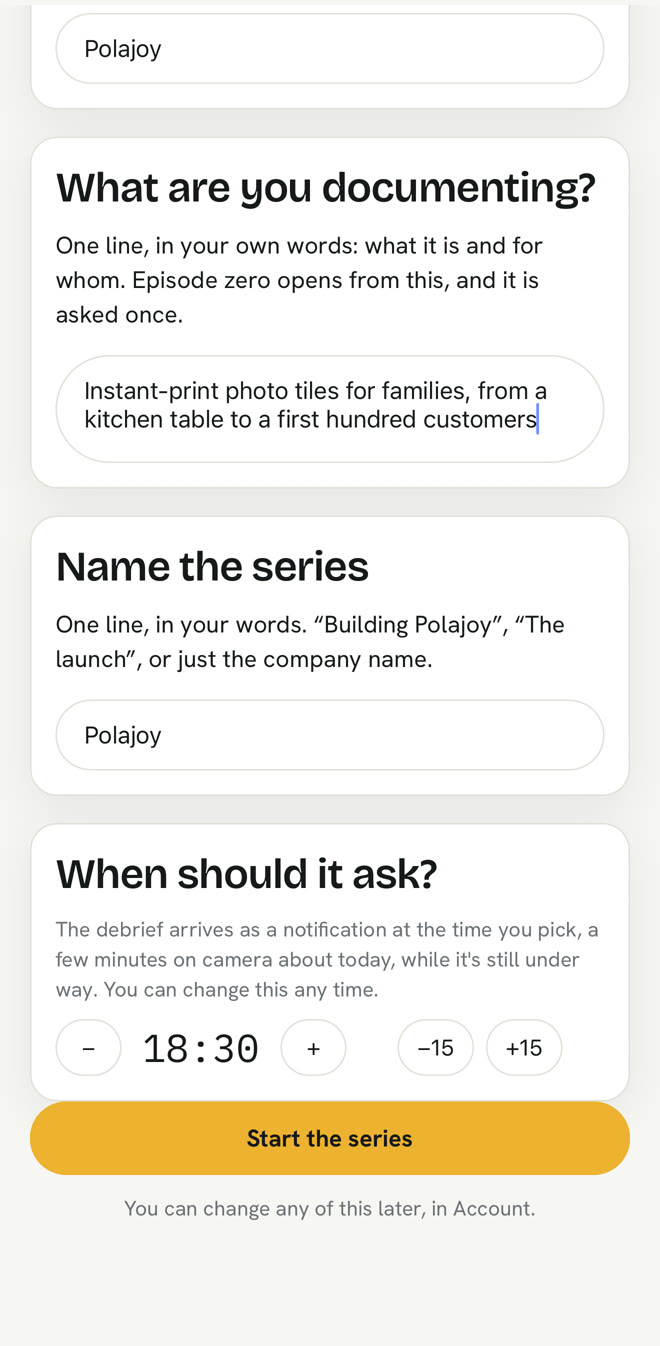
- After episode zero, Today asks for the rest: what it’s called, a name for your series, and what time of day to remind you.
- What to do
- Just type it how you’d say it. No boxes to tick. Press Done.
- Can you skip it?
- Yes, as long as you like. Until then your series uses your name, and you can change all of it in Account.
04
Episode zero: where the series starts
- What you’ll see
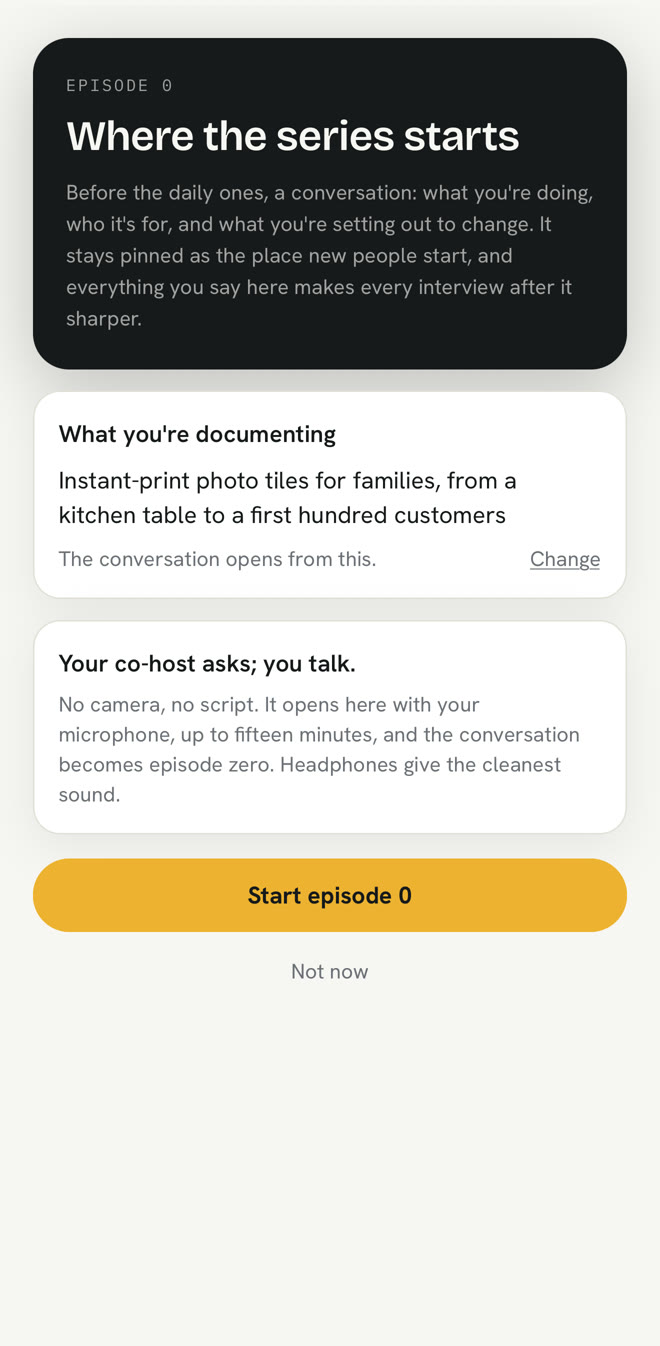
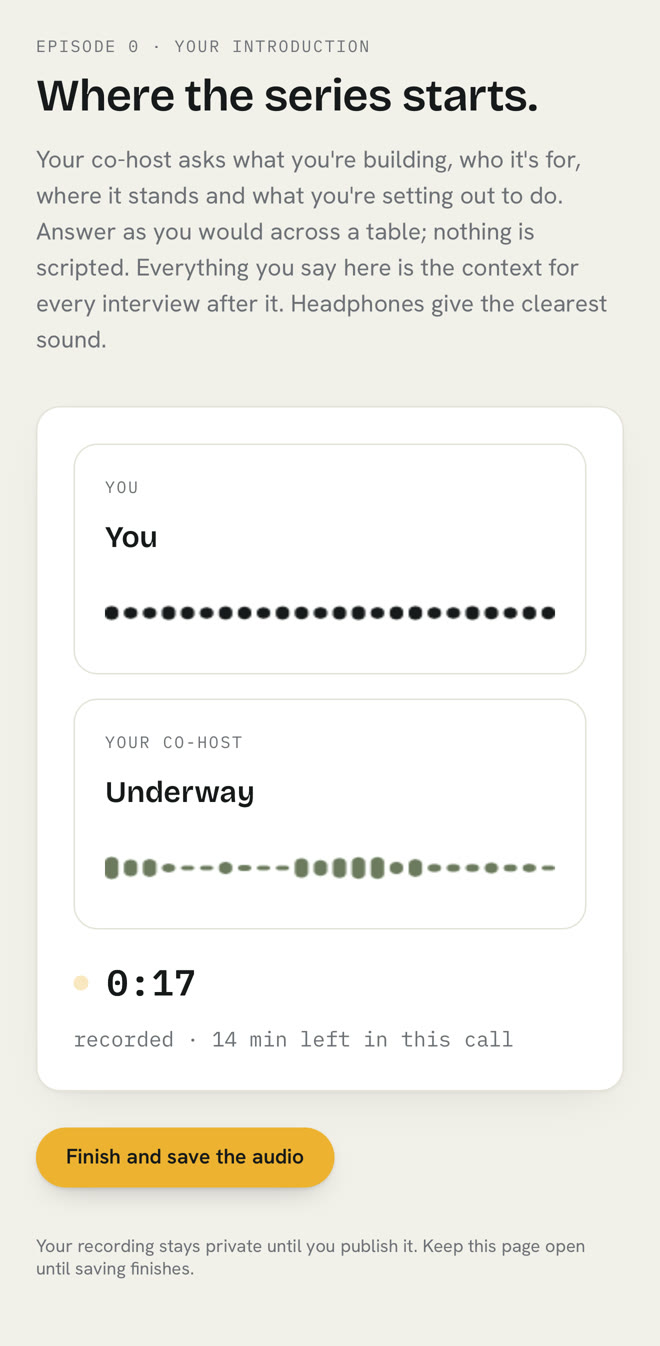
- One spoken chat with your AI co-host, a voice you talk with instead of set questions, about what you’re making, who it’s for and where it stands. It has already read your line.
- What to do
- Step 3 on Today, Start episode zero, opens a short moment first: a three-minute practice each way if you like, then the real one.
- Can you skip it?
- You can tap Not now. But every series starts with an episode zero, and later questions build on it.
05
A conversation, not a questionnaire
- What you’ll see
- Your voice and the co-host’s, a timer and how long is left. The co-host already knows what you wrote and asks about it.
- What to do
- Talk as you would across a table. When you’re done, press Finish and save the audio.
- Can you skip it?
- Stopping early is fine. Finish saves what was recorded.
06
Your episode, minutes later
- What you’ll see
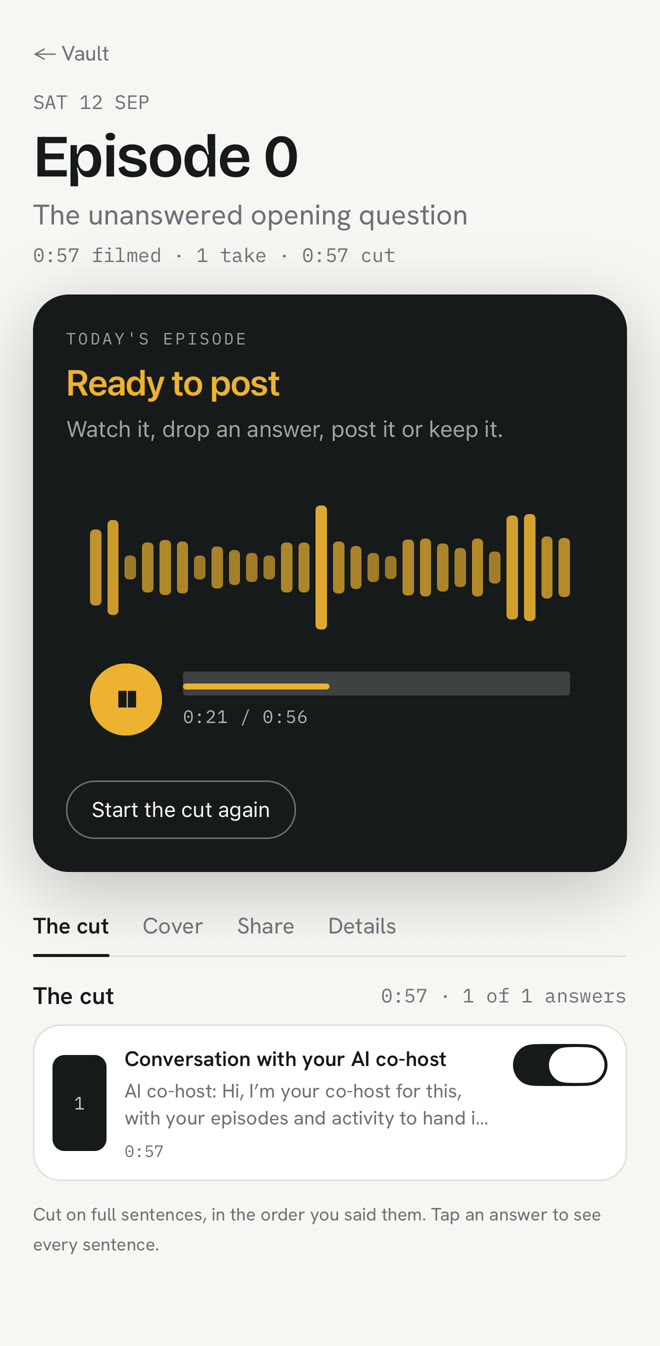
- Your episode opens by itself and says Ready to post when it’s finished.
- What to do
- Press play. On The cut tab, every answer has a switch: off leaves it out, on brings it back. Nothing is lost.
07
The cover is drawn for you
- What you’ll see
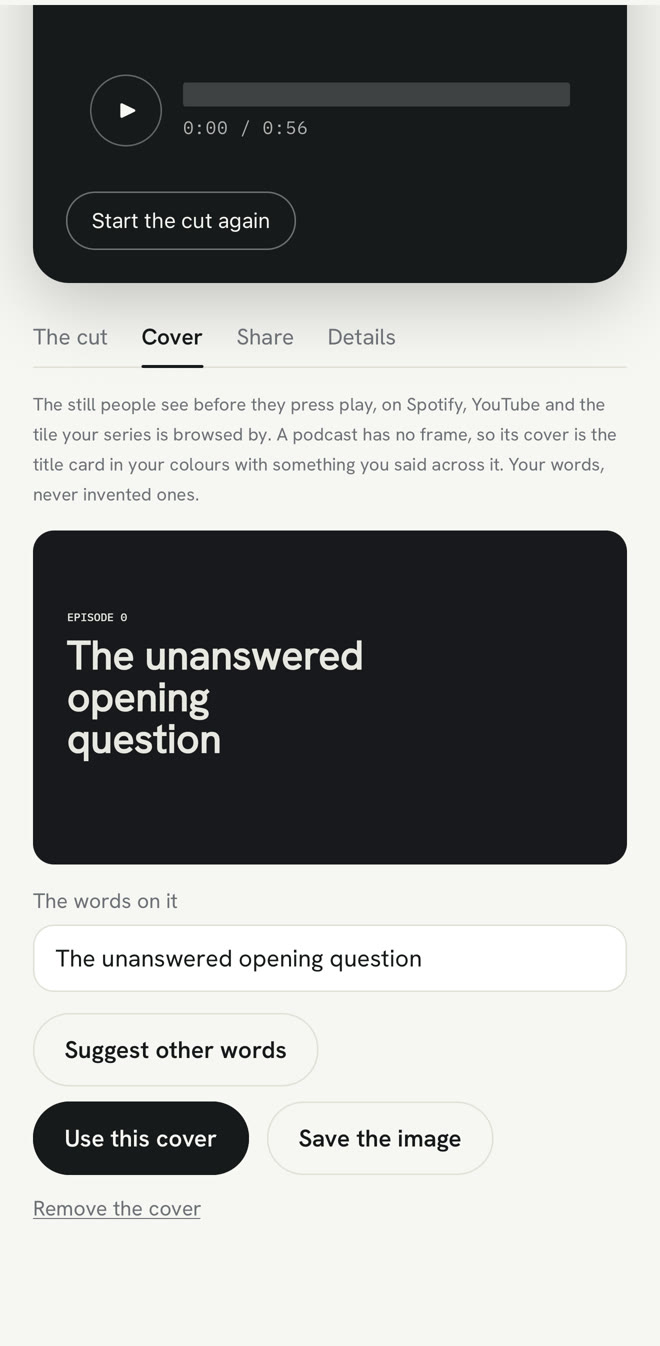
- The still people see before they press play. It uses the episode’s own title, nothing made up.
- What to do
- Leave it, change the words, or ask for a line from what you said. Press Use this cover to keep it.
08
Private until you say otherwise
- What you’ll see
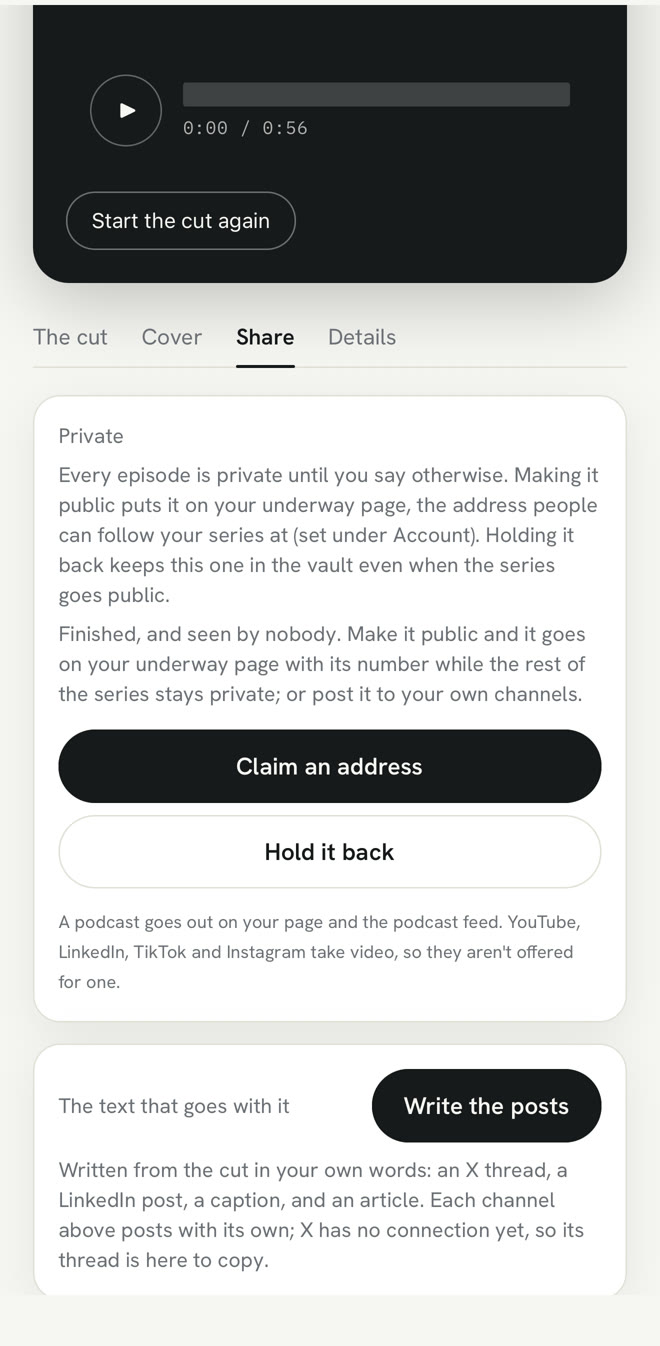
- Every episode starts private. Make it public and it goes on your page, the public page of episodes you share; Hold it back keeps it private in the vault. Below, ready-written posts for each social site, from what you said.
- What to do
- Nothing yet. You might keep episode zero private until you’ve made a few more.
- Can you skip it?
- Publishing is never required. Recording and publishing are separate on purpose.
09
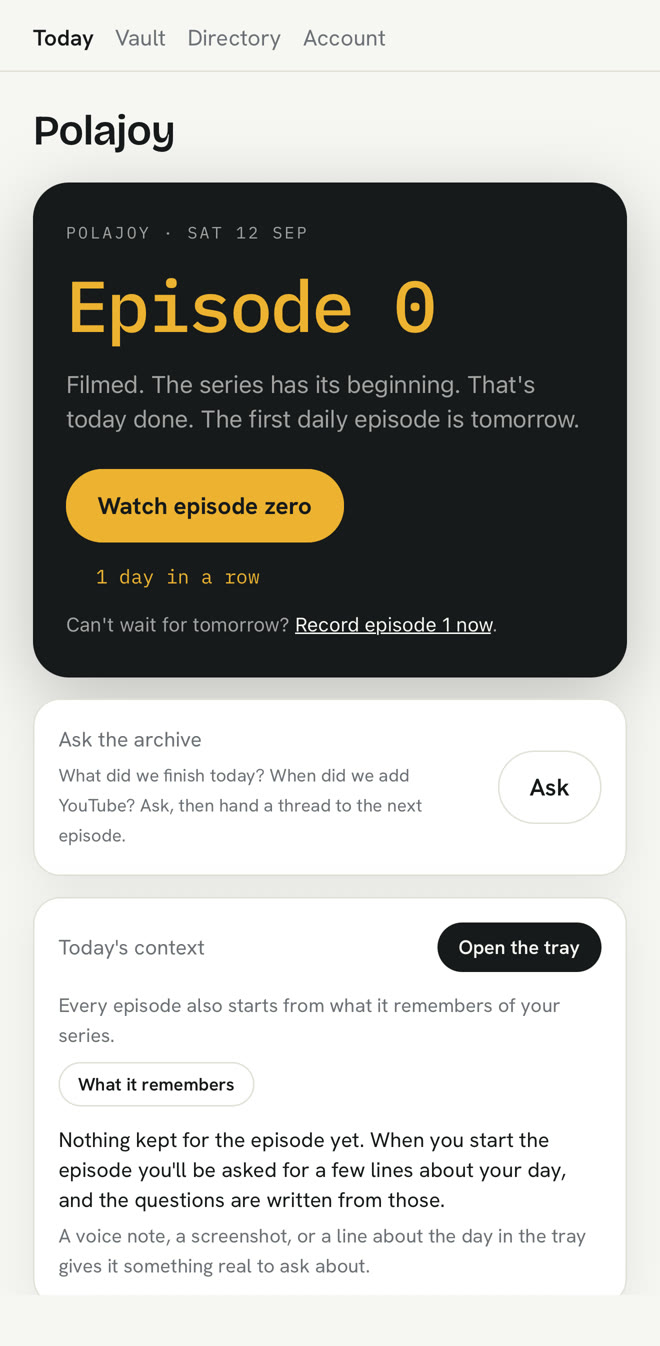
Today, after the beginning
- What you’ll see
- Episode zero done, your streak started (it only counts the days you said you’d record), and a reminder set for the time you chose.
- What to do
- Come back whenever suits you, or press Record episode 1 now.
10
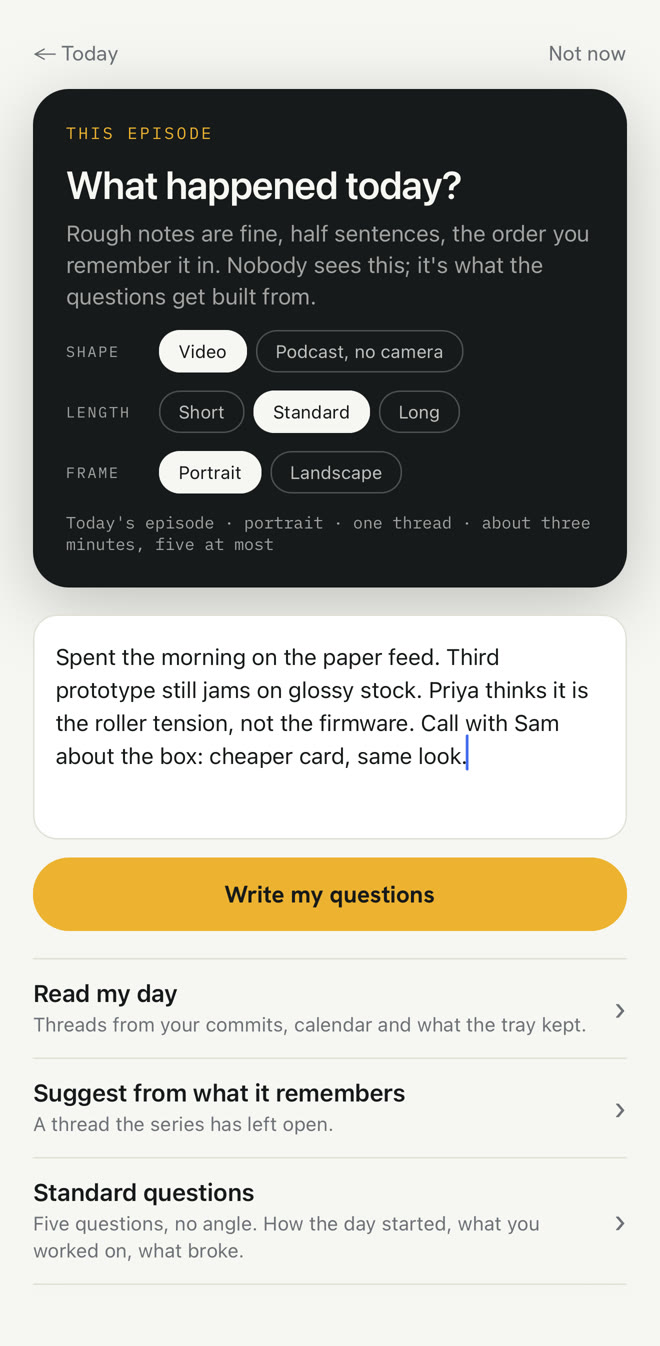
Your next episode: what happened today?
- What you’ll see
- Five short screens, one question each: what it is about (topics to pick, or your own words), on camera or just your voice, what kind of episode, the frame, and then every choice on one line.
- What to do
- Pick a topic or two, or write two or three lines, press Next through the screens, then Write my questions and set up.
- Can you skip it?
- Or pick Just chat to skip the questions and record in one go.
11
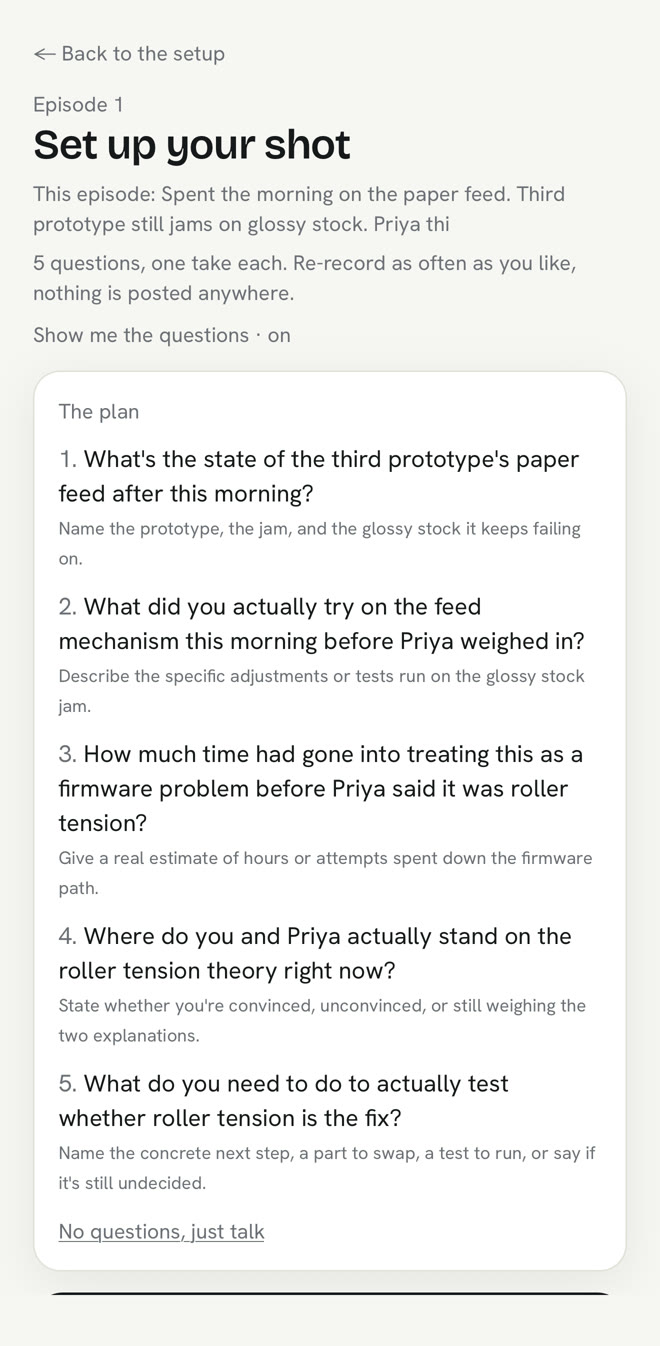
Questions about your actual day
- What you’ll see
- Questions written from your note, all on one topic. Each one is asked out loud and stays on screen.
- What to do
- Answer one at a time and redo any answer you like. Press Finish the episode and Underway makes your episode.
12
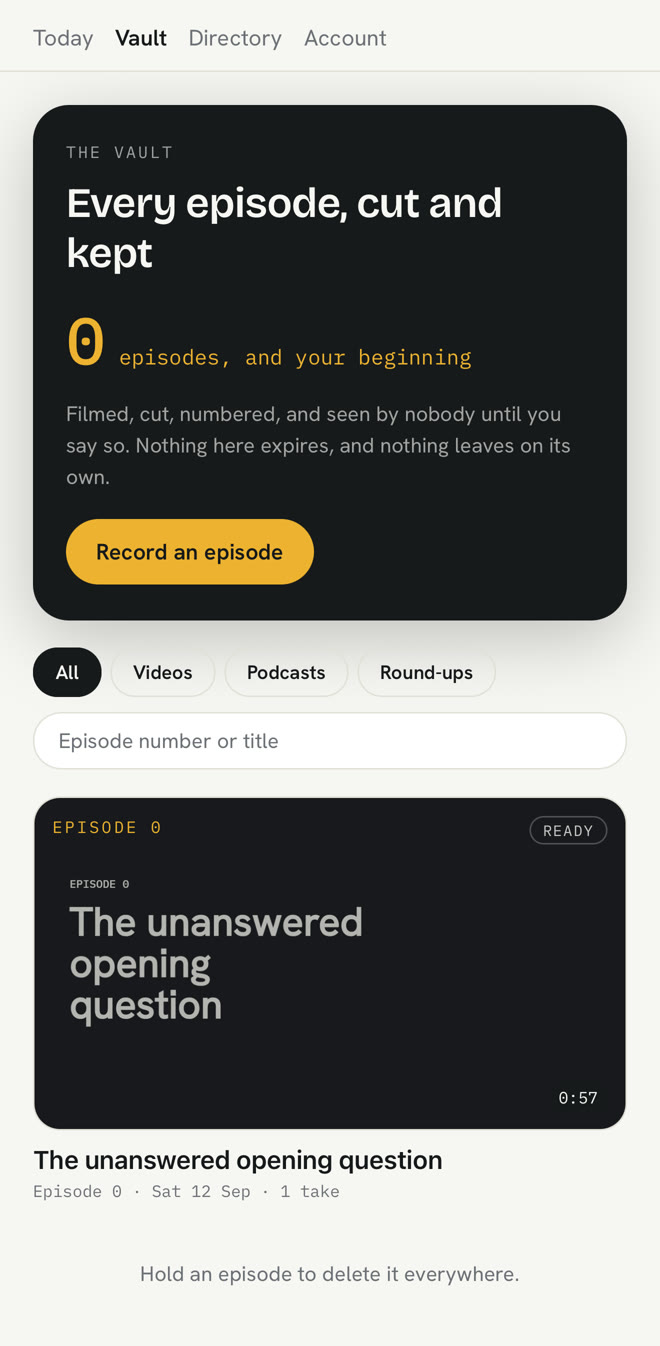
The vault: every episode, kept private until you share it
- What you’ll see
- Each episode gets a square with its cover, number, date and length. Numbers only go up.
- What to do
- Nothing. It builds up while you get on with the work.
After the first one
Your second episode is quicker, and the questions already know you.
Underway remembers episode zero and everything you’ve said since, so later questions already know what you’re making. Connect tools like your calendar and it stops asking you to remember what you did.
Episodes count up one by one, not by date. Skip a day and the next one is just the next number. Going away? Tap pause and your streak is safe. Ignoring a reminder never counts against you.
The iPhone app is on the App Store. All of this also works at underway.life in a phone’s browser, apart from screen sharing.
Last word
The footage from today is the only footage of today there will ever be.
Whatever you’re building, start the record today.
Card needed to start. Nothing taken until day 8, cancel any time before.
underway: while it’s happening.