

underway is a video diary app that asks you the questions. once a day, whenever suits you, it asks one question out loud for each thing you pick, films your answers on camera or records them by voice, and cuts them into a numbered episode with captions and a title card, in the order you said them. you never write a script and you never open an editor.
every episode stays private in your vault until you choose to publish it. it runs in the browser and in the iPhone app, on one account, and it starts with a 14-day free trial.
it is made for a diary of something you are building or working on: a product, a shop, an agency, a project, a career. if you want a film of your life a second at a time, a written journal with the odd video, or a quiet place to reflect, another app on this page suits you better, and we say which.
what is the best video diary app?
the best video diary app is the one that matches what the diary is for, because the apps on page one do quite different jobs under the same name. four kinds turn up again and again.
- a film of your life. 1 Second Everyday takes a second of video a day and stitches the year into a film. nothing to say, nothing to edit, and it is very good at that one thing.
- a journal you mostly write. Day One is a written journal that takes photos, audio and video too, with optional prompts. if writing is the habit and video is the garnish, it is the strong choice.
- a video journal for reflection. Confide records what you say, transcribes it, tracks mood and talks back with an AI that remembers what you shared, behind a Face ID lock. it is built for working through how you feel.
- a diary of what you are building. underway asks you questions about your work, out loud, and turns the answers into a finished, numbered episode you could one day show customers, investors or an audience.
why most video diaries stop after a week
a video diary fails in the same three places. you open the front camera and have nothing to say, so you say "so, today was fine" and close it. or you say something worth keeping, then face twenty minutes of trimming before it is watchable. or you miss three days, the chain looks broken, and the app becomes a reminder of a habit you dropped.
clip apps solve the first two by asking for almost nothing: a second, no words. that works for memories and it is why they last. it does not work for a record of a build, because a second of your desk says nothing about the decision you made at it. a diary of work needs the words, and that means fixing the blank camera and the editing, not avoiding them.
how the underway video diary app works
an entry takes four steps, and only one of them is talking.
- pick the kind of episode. the usual is a video interview: one question out loud for each thing you pick, answered to camera for as long as it takes. there is an audio interview for days off camera, just chat when you already know what to say, a walk-through of your screen, and a live conversation with the AI co-host, which talks back and follows up.
- pick what it is about. the setup offers topics from your series so far and from your day, read from the tools you connect (GitHub, your calendar, email you forward and more), or you type a line in your own words. each thing you pick becomes one question.
- answer. every question is asked out loud and stays on screen. there is no countdown: you answer for as long as it takes, and it ends after the last question you picked.
- get on with your day. the episode is cut and rendered on the server while you do something else, and the app tells you when it is ready.
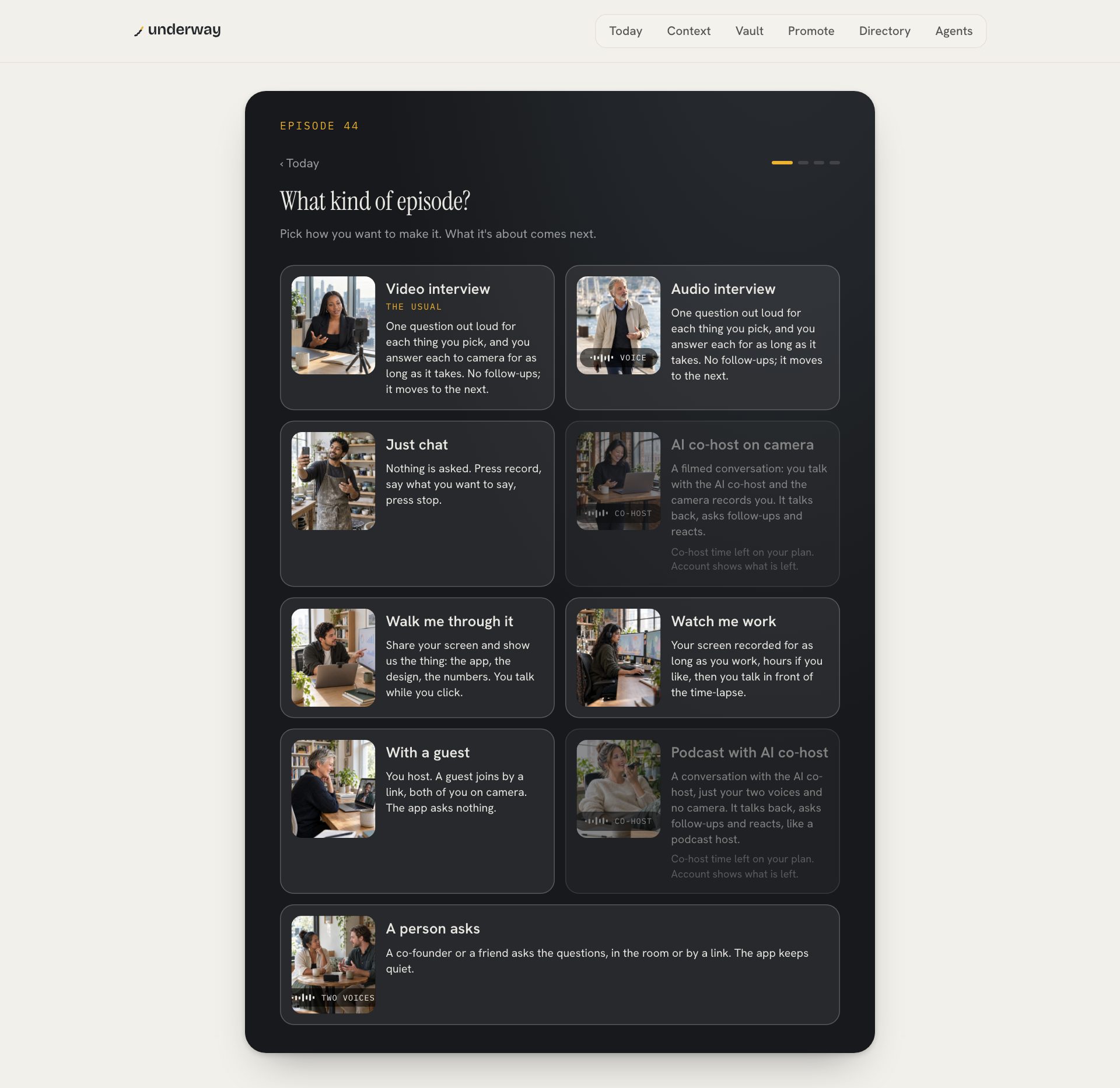
before the first daily entry comes episode zero: a conversation about what you are building, who it is for, where it honestly stands and what you are setting out to do. every interview after it reads it, along with what you said in earlier episodes, so the questions stop asking you to explain the basics and start asking about the part that moved.
a video journal app that edits itself
the difference between a pile of clips and a video journal is whether you would watch it back. every entry comes back as a finished episode: your episode card at the front, your answers in the order you gave them, the ums, false starts and dead air taken out, captions on, and the number in the corner. if you talked for four minutes with real energy, the episode is four minutes. nothing is trimmed to hit a length, and nothing is reordered for effect.
the editing that is left is a review, if you want one. the cut is one row per answer with a switch: turn an answer off and it leaves the episode, turn it back on and it returns. strike a sentence from the transcript and the cut follows. your takes are kept as filmed, so nothing you cut is lost. around the video you also get the words for each place it might go, YouTube, LinkedIn, TikTok, Instagram, X and the rest, written from what you said, and short vertical clips for Shorts and Reels.
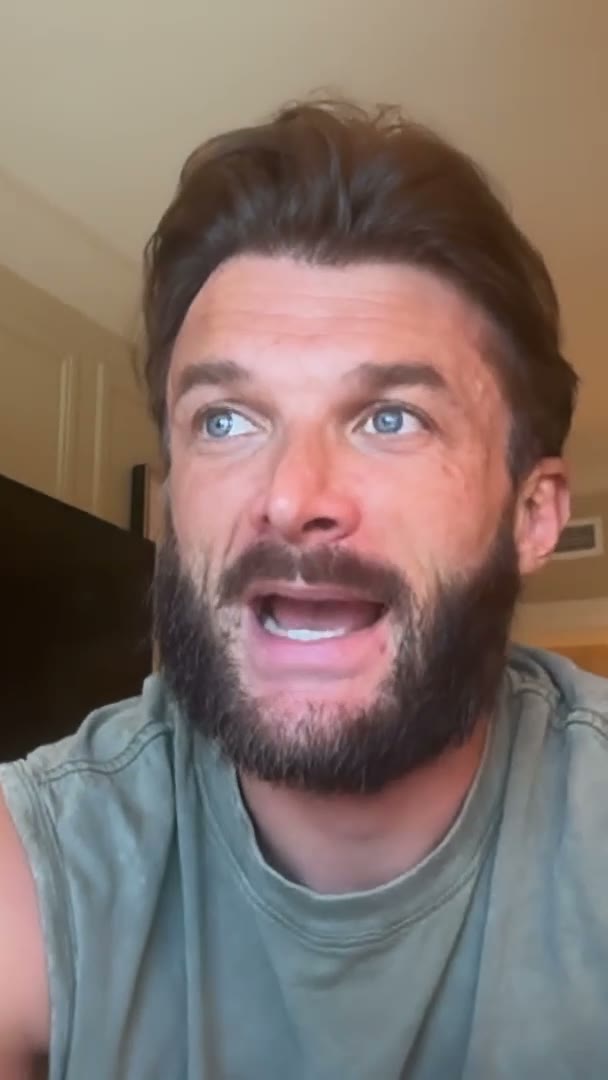
to judge the output rather than our description of it, watch a real series made this way, every episode in order.
video diary apps compared
what each app does, from its own listing. the question is which job you have, not which app is better.
| 1 Second Everyday | Day One | Confide | underway | |
|---|---|---|---|---|
| what it is for | a film of your life, a second a day | a journal, mostly written, with media | spoken reflection and mood | a diary of what you are building |
| who asks | nobody | optional prompts | an AI that talks back | the app, out loud, one question per thing you pick |
| what you record | a moment | whatever you write or attach | your thoughts, out loud | your answers, as long as each takes |
| what you get back | a stitched film | a journal | transcripts, patterns, conversation | a numbered, captioned episode, cut in your order |
| going public | share the film | not the point | not the point | private until you publish, then your page and your channels |
pick 1 Second Everyday for a film of your year with nothing to say. pick Day One if you write most days and want video as one kind of entry among many. pick Confide if the point is to talk through how you feel, privately, and be answered. Apple's own Journal app is already on an iPhone and suits a private written journal with the odd video. pick underway if the diary is about your work, you would rather be asked than think of something, and you want a finished episode at the end without opening an editor.
is the video diary app private?
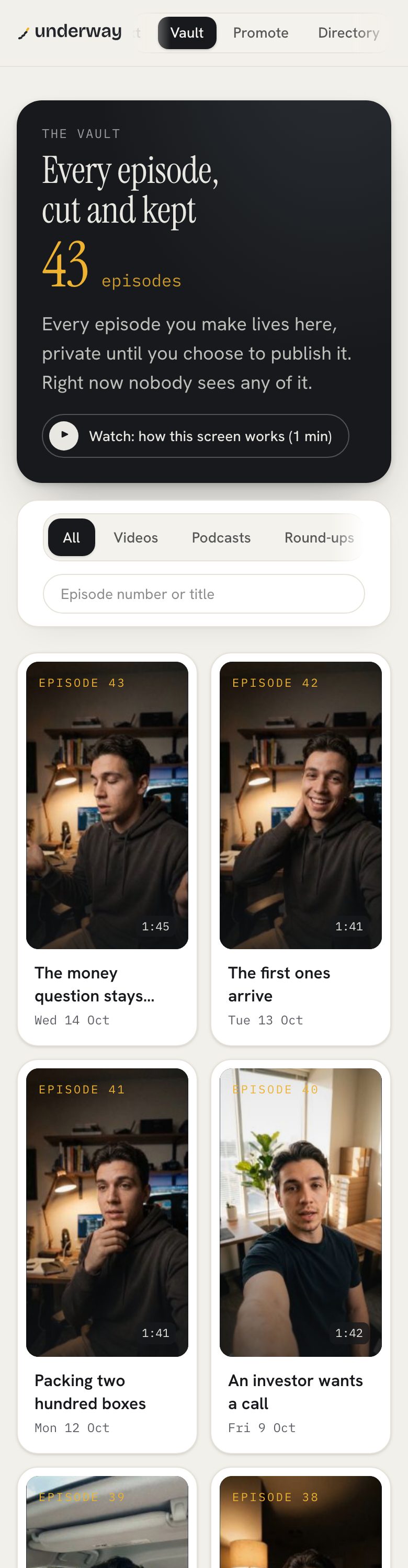
yes, in one specific sense. "private" means three different things across this search. some apps keep clips on the phone with no account, so nothing is uploaded. some sync to a locked cloud. underway is the third kind: private until published. your episodes live in your account, where they are cut and captioned for you, and nobody sees one until you send it.
- every series starts private, on every plan, the trial included. going public is a switch you press, and any single episode can be held back for good.
- nothing is recorded until you press record, and the screen shows red while it is recording.
- your raw footage downloads on every plan. what you pay for is the processing, never access to your own face and voice.
- delete an episode and its video, transcripts and everything cut from it go, from the device and from your account, with no undo. delete your account and everything goes with it.
- when you share your screen you choose what people may see first, and every screen in a file is checked for keys and passwords before it can go anywhere.
if what you want is a diary that never leaves the phone and has no account at all, underway is not that, and an on-device app is the honest choice. if what you want is a record you may one day show people, private is the default and publishing is always your call. plenty of founders film in private for months, then release the whole vault at once, oldest first, on the day they go public.
a daily video journal you can keep up
daily is the easy word and the hard habit. underway is built so the cue is steady and a missed day costs nothing.
- a reminder arrives at the time you pick, every day. on the iPhone it is set on the phone itself and needs no network.
- you choose the commitment: weekdays by default, every day, five a week or three. the streak counts against that, not the calendar.
- episodes are counted, not days. a missed week leaves no hole anyone can see; the next entry is simply the next number.
- going away is one press of pause, with no reason asked. lowering your commitment after a hard month is an ordinary setting, and the app never suggests raising it.
- you can film more than once a day. a finished episode never hides the record button.
the video diary app on iPhone
underway is on the App Store for iPhone: search underway. the phone and the web are one account, so what you film on the sofa is on the computer when you sit down. a few things are built for the phone: Flip turns the camera round mid-answer to show the whiteboard or the stock shelf without stopping the take, and a moment is fifteen seconds to camera about something that just happened, one tap from your pocket, for the next interview to ask about.
screen sharing, the walk-through and the word-level editor stay on a computer. there is no Android app yet; on Android the web app works in the phone's browser for everything except screen sharing. want to see it before signing up? the phone's first screen has look around a real account first: underway's own account, every episode and every screen, with nothing saved and the camera never opening.
what it costs
every new account starts with a 14-day free trial of Founder. you add a card at the start and nothing is charged until day 15; cancel before then and you pay nothing. Founder is $29 a month or $290 a year: the interview by camera, voice or screen, an episode minutes after you finish, your own page, the words for every platform, every connection that reads your day, and an hour of co-host conversation a month. Series is $79 a month or $790 a year and adds one tap to post to every connected network, the week in one cut, the month in one film, the podcast feed and three hours of co-host time. accounts and plans are made on the web; nothing is sold through a link on the phone.
faqs
is there a free video diary app?
1 Second Everyday, Day One and Confide all have free versions. underway is not free to keep: it starts with a 14-day free trial, with a card added at the start and nothing charged until day 15, then $29 a month.
what is the best video diary app for iPhone?
for a film of your year, 1 Second Everyday. for a written journal with video, Day One or Apple's Journal. for reflection, Confide. for a diary of your work that asks you questions and makes a finished episode, underway, which is on the App Store.
is a video journal app the same as a video diary app?
yes. people search both for the same thing: an app that keeps short recorded entries over time. what differs between apps is what the entries are for and what you get back.
is my video diary private?
every underway episode stays in your vault until you publish it, on every plan. it is an account, not an on-device diary, and you can delete any episode, or the whole account, with no undo.
do i have to be on camera?
no. the audio interview and the podcast with the AI co-host are voice only, and they count as numbered episodes like any other.
how long is an entry?
as long as your answers. it asks one question for each thing you picked and ends after the last. there is no clock, only a thirty-minute cap for a recording left running.
where to go next
how to start a video diary, and keep it going past the first week: /how-to-start-a-video-diary.
why being asked gets better answers than a blank page: /journal-app-that-asks-you-questions.
talking to camera or writing it down, which suits you: /video-journaling-vs-writing.
Every guide in this series
- video diary prompts that carry on from your last entry
- how to start a video diary
- video journaling vs writing
- video diary: how to keep one going while you build
- journal app that asks you questions: an ai that interviews you
- why you should document your life while it happens
- work diary app: ask what you did, and when