
Article
journal app that asks you questions: an ai that interviews you
2 October 2026 · 9 min read
Post on X
a journal app that asks you questions takes away the hardest part of journaling, which is the blank page. most of them ask in writing and you type back. underway is an ai that interviews you instead: it asks out loud, about the work you actually did, and turns your spoken answers into a numbered video or podcast episode that stays private until you choose to publish it.
it is built for founders and anyone building something in public: a product, a shop, an agency, a skill. if what you want is a private journal about how you feel, a written ai journal such as rosebud or reflection is the better fit, and this page says so plainly further down.
below: what to look for, how underway asks its questions step by step, what the screens look like today, how it compares with the apps people weigh it against, what it costs, and what stays private.
Is there a journal app that asks you questions?
yes, several. rosebud and reflection read what you wrote and ask something back. day one offers a prompt. question-a-day apps such as q365 and question diary ask one set question each day. underway is the one that asks out loud, about your work, and cuts your answers into an episode.
what a journal app that asks you questions should do
a question does one job: it gets you talking before you have decided what to say. the apps in this search do that job in different ways, and three things separate them more than any feature list.
- where the questions come from. a fixed prompt of the day, a reply to the entry you just wrote, or what actually happened in your day. the first is the same for everyone; the last is about you.
- how you answer. typing is slow and you edit as you go. speaking is quick and you say what happened, including the bit you would have deleted.
- what you end up with. a private list of entries is fine for reflection. a numbered episode you can post is something people can follow.
there is a fourth, quieter question: whether it follows up. some apps read your answer and ask something back. that is good for working through a feeling. for a record of your work it can wander, which is why underway keeps its interview to the questions you picked and leaves the following up to the co-host, described below.
an ai that interviews you, step by step
- write one line about what you are documenting, then film episode zero: a short conversation about what you are building, who it is for and where it honestly stands. every question after it is written with that in mind.
- connect what you like, all read-only: your calendar, github, payments, your meeting recorder and more. or add a note, a voice memo or a screenshot. none of it is required; a line typed in a box is enough.
- whenever it suits you, press record an episode and pick the kind: video interview, audio interview, or one of the others on the same screen.
- pick what this episode is about: topics from what to film, lines from today's context, or your own words. each thing you pick becomes one question.
- the questions are asked out loud, in the voice you chose for your series, and shown on screen too. you answer each one for as long as it takes. there is no countdown and no follow-up, and the interview ends after the last question.
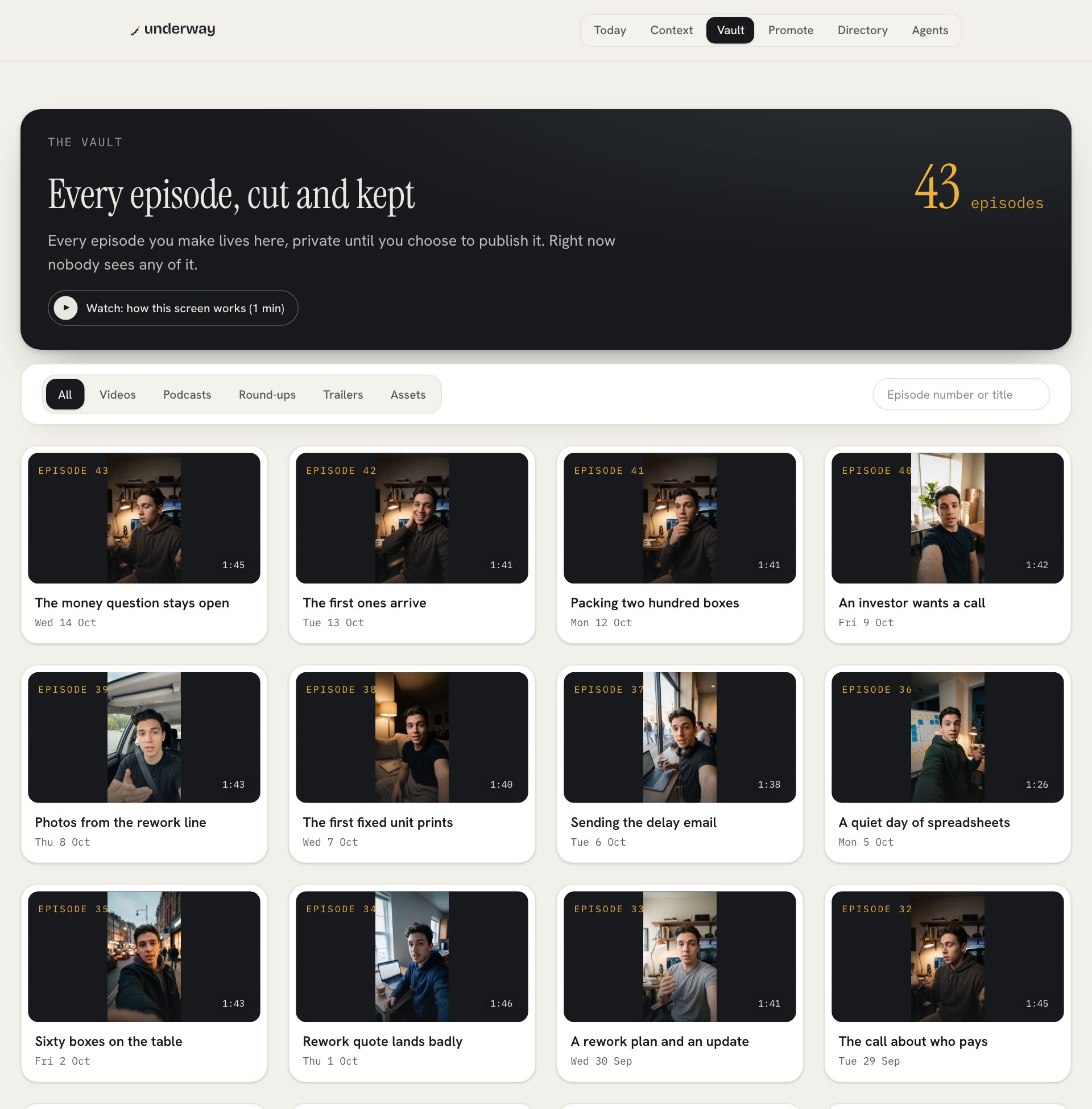
- the episode is cut for you: filler out, your answers in the order you said them, your card and its number at the front, captions on. it lands in your vault, private.
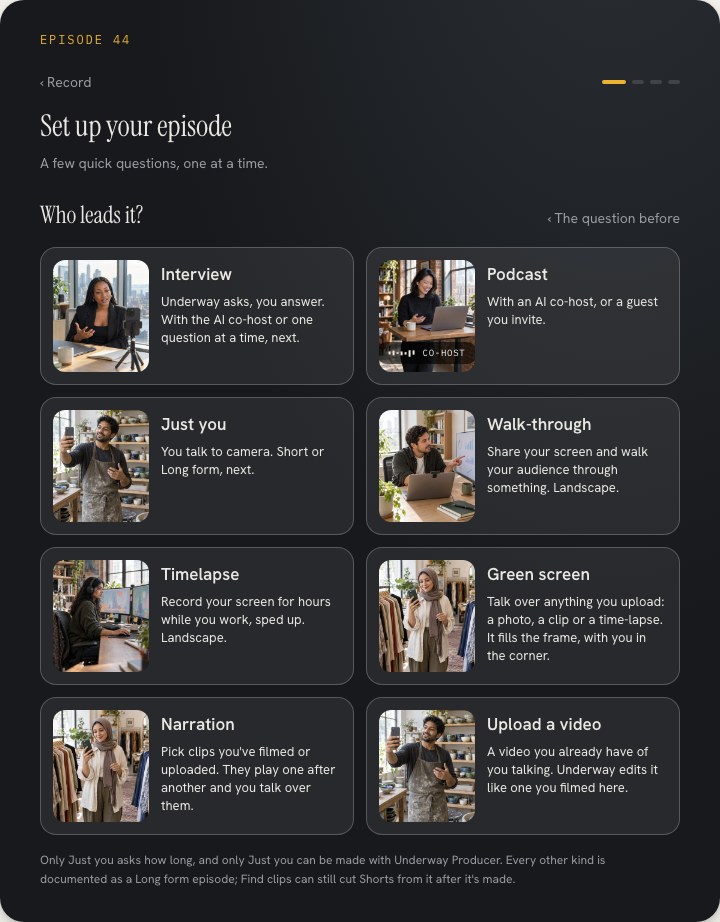
the question you hear is written from what you picked, so it names its subject. a question like what is the state of the signup emails today gets an answer someone can follow without context. a question like how was your day gets a shrug.
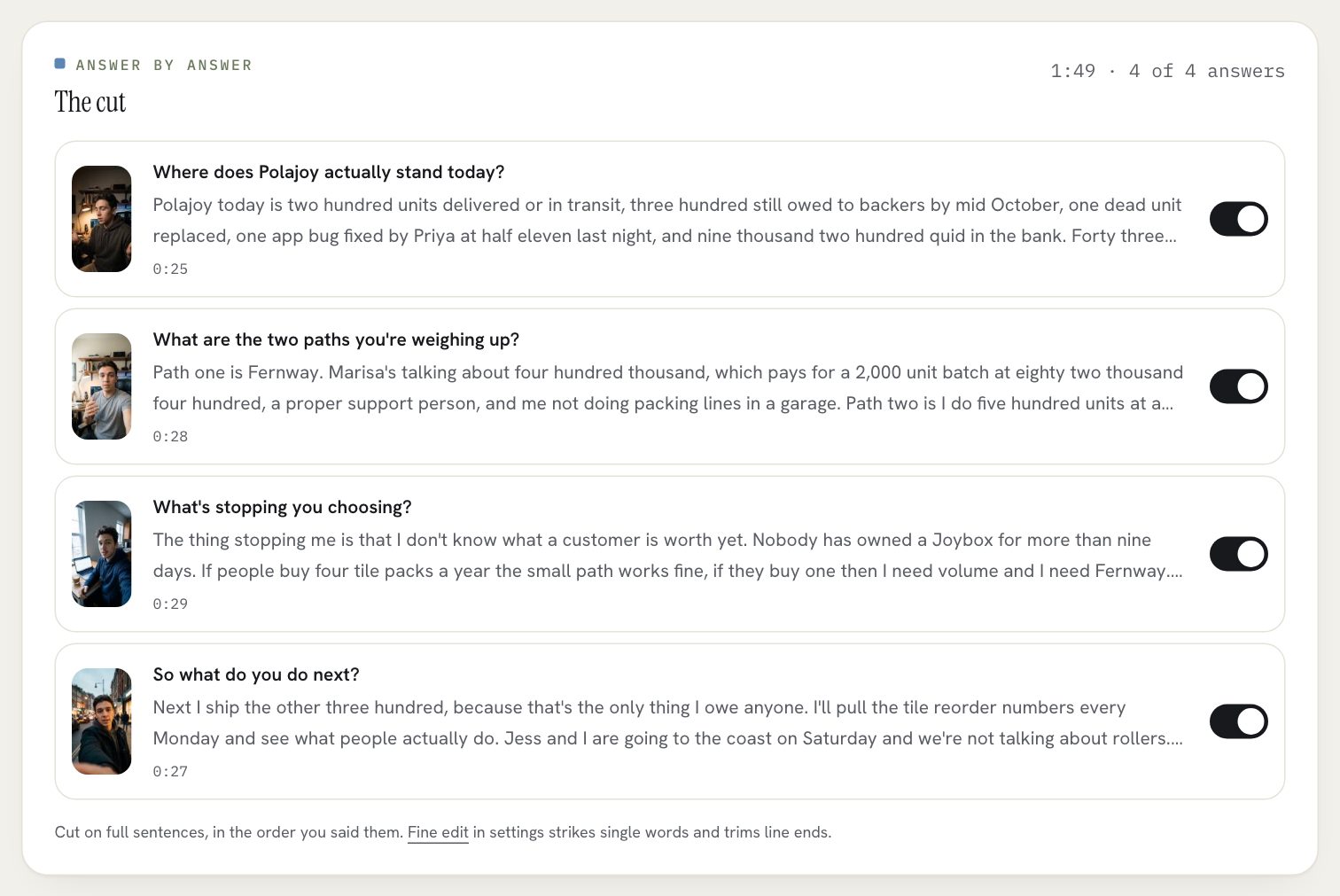
why spoken questions suit a work journal
when you type, you edit. you cut the sentence that sounded petty and the number that looked small, and the entry ends up neat and slightly untrue. when you answer a question out loud you say what happened, in the order it happened, and you can hear in your own voice whether it was a good day.
hearing a question also changes how you answer. a question read off a card gets a performance. a question asked by a voice gets an answer, because you are talking to something rather than writing at it.
and a spoken answer is useful twice. it is your record, and it is also an episode. ten of them in a row is a story other people can follow: what you were building, what broke, what you decided. a written journal rarely leaves the drawer. this one can, the day you are ready.
the honest cost: you need somewhere you can talk. a car, a walk or a quiet room works. if you cannot be on camera that day, pick audio interview and the episode is a podcast, with the questions kept in so it sounds like two voices rather than a voice note.
journal app that asks you questions: underway compared
these are the apps that come up for this search, and what each is good at. none of them is a worse app. they are built for a different job.
| underway | rosebud | reflection | day one | question a day apps | |
|---|---|---|---|---|---|
| how you answer | out loud, on camera or voice only | typing or speaking | mostly writing, with a voice option | writing, with photos and audio | writing |
| where the questions come from | the topics you pick, from your day and your series | the entry you just wrote | an ai coach, from the entry you just wrote | a daily prompt | one set question each day |
| does it follow up | the interview does not; the co-host does | yes | yes | no | no |
| what you end up with | a numbered video or podcast episode, and the words for each platform | private entries and insights | private entries and insights | a private journal of your life | a year of answers to look back on |
| pick it for | documenting your work, in public or in private until you are ready | working through feelings and patterns | guided, coached reflection | a polished life journal | a light daily habit |
rosebud is a strong choice if the journal is for your head rather than your work: it reads what you wrote or said and asks something back. reflection does the same with a coaching angle. day one is the long-standing private journal, with prompts if you want them. q365 and question diary ask one question a day and let you see how your answers change over a year.
pick underway when you want the answers to become something: an episode with your name and a number on it, a series people can follow, and an archive of how the thing got built that you could not make afterwards.
when you want an ai that interviews you and follows up
the interview asks the questions you picked and moves on. some days you want the other thing: a conversation that hears what you said and digs into it. that is the ai co-host. it is a live conversation, by voice or on camera, that listens, reacts and follows the thread when you wander. it can look up your own record while you talk, what you shipped on tuesday or when you first mentioned something, and says so when it cannot find it.
a conversation runs up to thirty minutes, from the co-host time your plan includes. it is a choice on the same screen as the interview, never the default.
how often, and what happens when you miss a day
a reminder arrives every day at a time you pick. you choose your commitment: weekdays to start, every day, or a number of episodes a week. the streak counts against that, not the calendar, and one tap pauses it for a holiday so the chain survives. film two episodes in one day if you like.
episodes are counted, not days. miss a week and the next episode is simply the next number. nobody watching sees a gap.
what it costs
every new account starts with a 7-day free trial of founder, series or studio. you add a card at the start and nothing is charged until day 8; cancel before then and you pay nothing. founder is $29.99 a month or $299.90 a year: as many episodes as you like, the posts written for each platform, one tap to post them to youtube, tiktok, instagram, linkedin and x, the podcast feed for apple podcasts and spotify, and thirty minutes of co-host conversation a month. series is $79.99 a month or $799.90 a year, with two hours of co-host time and the weekly round-up. extra co-host time is $9 an hour, paid once.
what stays private
- every episode sits in your vault, private, until you publish it. every series starts that way, and nothing goes out on its own until you choose to go public.
- connections only read. other people's voices from your meetings never go in an episode; they only shape the questions.
- the memory the interviewer keeps of your series is yours to read, fix or delete, and nobody else sees it.
- in a co-host conversation the camera is never sent to the model. it hears you, and that is all it gets.
- your raw recordings can be downloaded on every plan, the trial included.
- delete this episode removes the video, the transcripts and everything cut from them, with no undo. delete my account removes everything.
faqs
Is there a journal app that asks you questions?
yes. rosebud, reflection, day one and question-a-day apps ask in writing. underway asks out loud, about your work, and makes a video or podcast episode from your answers.
is it an ai that interviews you?
that is how some people search for it. the interview asks the questions you picked, out loud, and stops after the last one. the co-host is the conversation that reacts and follows up.
is it the same questions every day?
no. you pick what each episode is about, from your day and from what the series remembers, and each pick becomes one question.
do i have to be on camera?
no. audio interview is voice only and still a numbered episode, with the questions kept in.
does it work on my phone?
yes. the iphone app is on the app store, with the same account and the same episodes. sharing your screen stays on a computer.
how much does it cost?
7 days free with a card on any plan, nothing charged until day 8. then founder at $29.99 a month with the podcast feed and one-tap posting, or series at $79.99 a month for more co-host time.
where to go next
plans, prices and what each includes: pricing.
how talking compares to writing it down: video journaling vs writing.
this is part of underway's guide to keeping a video diary: the video diary app that asks you the questions.
From the series
Founders’ episodes, written up.
Every public episode on underway has a page of its own: the video, then the same account in writing, checked against what the founder actually said.
Browse every series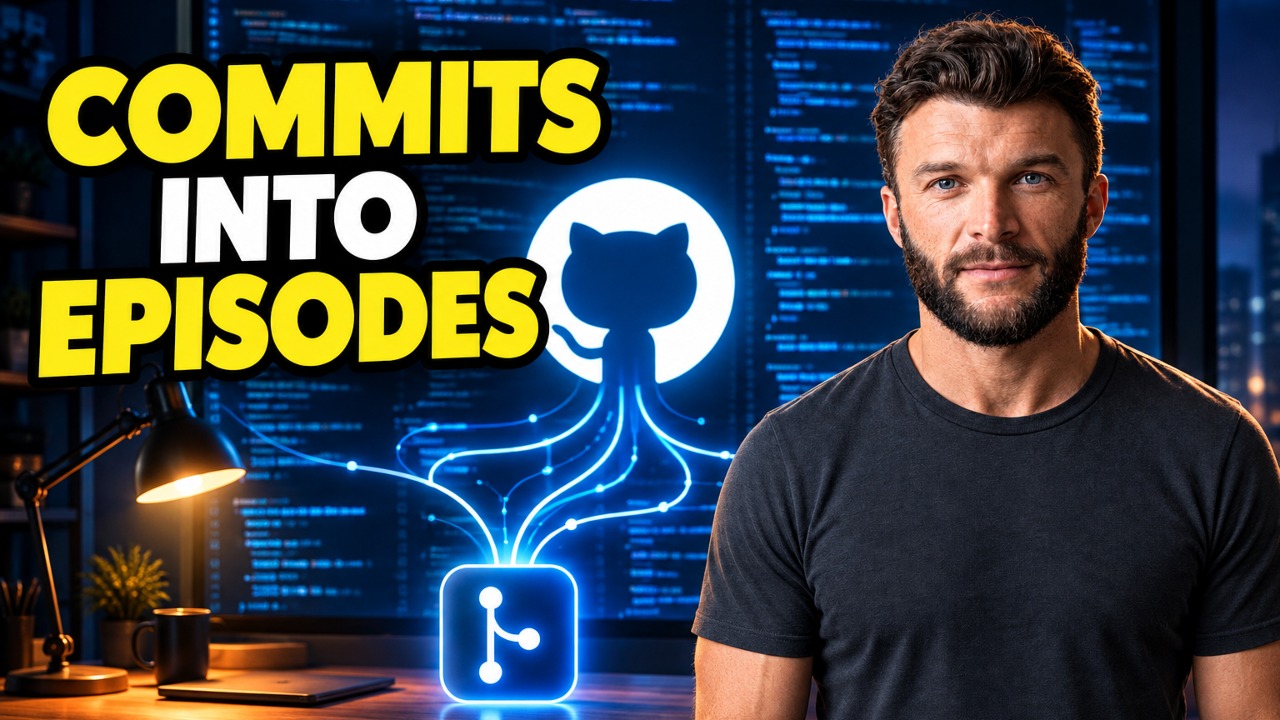
Building Underway
Build in public straight from your commits, no scripting
I demo Underway, the tool I built to turn my commits and standups into a build in public video update. It connects to 14 tools, had read 76 GitHub items that day, and on the Today page showed 15 suggested questions split into new topics, open threads, story needs next and walkthroughs. I also cover what else it reads, inbox, Search Console, Meta Ads, YouTube and Google Analytics, and the fact that the host prompts you but the voice stays yours. Finished episodes land in a private vault, and from there you can post to social, YouTube or the public Underway directory.

Building Underway
Why I post AI content to a new Instagram, not my main
I created a second Instagram account, @underway.life, for faceless AI content, and I post the AI-made Shorts there before they go to my own profile, @underwayrich. My own followers aren't Underway specific, so I'm betting the algorithm will find the pocket of people who actually want this content on a fresh account, and posting to mine first would make the new account's posts count as copied content. One of the videos got 254 viewers yesterday, more than some of my own get. I also showed a video I didn't give the idea for, about a man taking over his dad's 30 year old bakery with no documentation behind it.

Building Underway
Writing a marketing brief with AI
I ran Underway's marketing brief tool on Underway itself and walked through what it produced. It read my site, 537 shipped changes from GitHub, 10 episodes for how I sound and 18 searches, then came back in about four minutes with who it's for, positioning, messaging, where to spend effort and a next 30 days list of 16 things I can tick off. The audience sections matched what I already believed, solo founders who stopped because of the camera or the edit, and makers outside software. Search is the slow part: 309 impressions, four clicks, nothing on page one yet, and the 59 retitled articles need months.
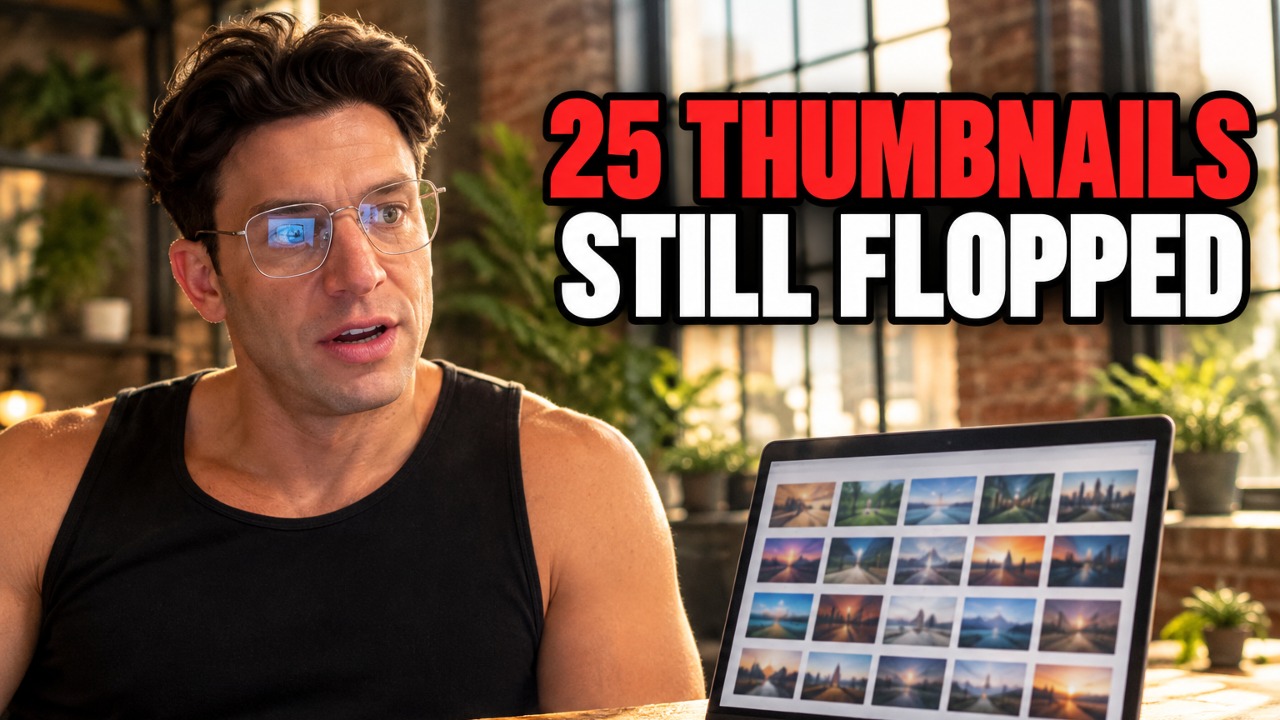
Risk Takers
YouTube thumbnail testing: 25 tries, video still flopped
My interview with Anthony, packaged around the US midterms, turned out to be one of my worst performing uploads despite trying twenty five different thumbnails. The last midterms-themed episode had passed 100,000 views, so I expected this one to land the same way, but none of the thumbnail tests fixed it. Anthony told me afterwards it was one of our best conversations, and we covered things like Elon Musk's political donations and the Citizens United ruling, so I don't think the content was the problem, I think my audience wants market talk rather than politics talk. I'm still not sure how to close that gap between a strong conversation and packaging that doesn't pull my regular viewers in.

Building Underway
Conversational AI demo: testing my co-host after 'AI slop'
I talk with Cedar, Underway's AI co-host, about feedback from my friend Alessandro, who tried the voice agent and said it felt like AI slop, giving generic, overly enthusiastic answers and talking over him. I ask the co-host to recall episode 40, where I built WhatsApp and Slack bots that nudge me to record, then test whether this newer version sounds more natural than before. I also ask if it has other voices or accents, but it currently only speaks in one voice with no accent switching.

Building Underway
Facebook ads top of funnel message vs what you sell
I ran paid ads for Underway and plenty of people signed up, but hardly any crossed the line because they put in a fake card. Recording this on the day it landed, because I don't want to pretend it's all going smoothly. Looking at it honestly, the ad that converts best doesn't relay what Underway actually is: the unique part is that it knows you and makes documenting easy, not that it clips videos together and puts a thumbnail on. I'm not giving up on it, but I'm back to the drawing board on the messaging.