
Article
work diary app: ask what you did, and when
24 September 2026 · 7 min read
 By Rich LovattLinkedIn · Updated 14 October 2026
a work diary app keeps a record of what you did, so that next week, next quarter or in front of an investor you can say when it happened. underway is a work diary app for founders that writes most of the record for you. it reads the tools you already work in, logs what they saw with the date, lets you ask it in plain words when something happened, and once a day, whenever suits you, turns the day into a short episode by asking you about it out loud.
it is for people building something: a startup, a shop, a studio, an agency, a side project. it is not a timesheet. if you bill by the hour, there are better apps for that, and they are named further down.
you can try it with a 7-day free trial of any plan, with a card added at the start and nothing charged until day 8. every connection is included in the trial.
why work diaries go blank
the usual work diary app is a box you type into. the app is fine. the habit is the problem. on a good day you are too busy to write it down, and on a bad day you do not want to. before long the entries are one line long, and by week six they stop. the days you most want a record of, the launch, the outage, the call that changed the plan, are the days nothing gets written.
a work diary that lasts has to need less from you than a text box does. underway splits the job in two. the facts, what shipped, who you met, what got paid, are logged by your tools without you. the meaning, why it mattered and what you decided, comes from a few questions you answer out loud, which takes less effort than writing and gets you a video at the end.
how the work diary app fills itself in
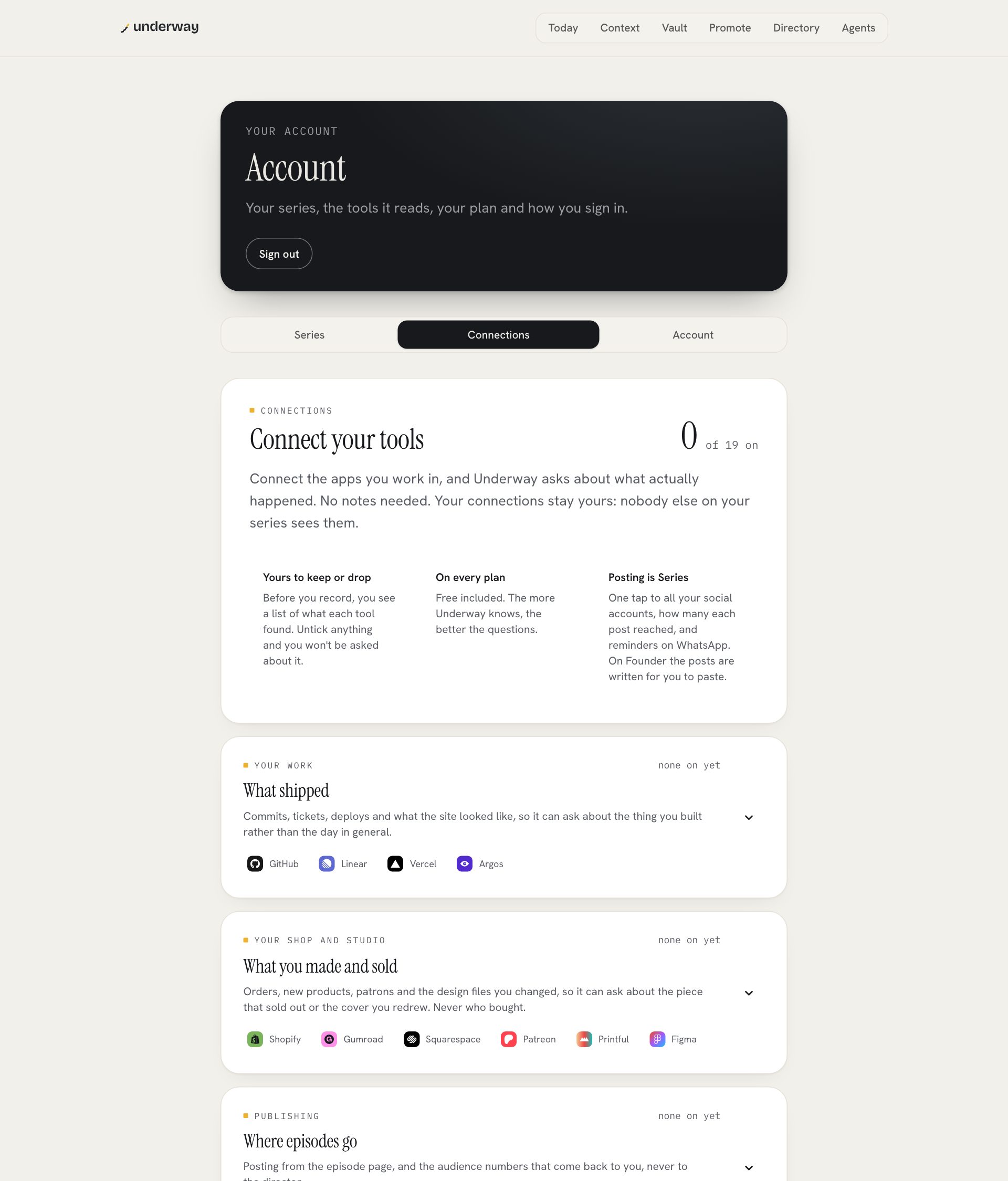
- connect what you use, from account, connections, or the context page. github for commits, linear for closed tickets, vercel for deploys, google calendar for meeting titles and times, fathom, fireflies or zoom for what was said in meetings, stripe and whop for payments, plausible and posthog for traffic, kit or beehiiv for newsletter sends, and shop tools such as shopify and gumroad.
- every connection only reads, and each one can be removed in one click, which deletes its key.
- what each tool sees is written to the day log with its date, every hour, whether or not you filmed that day. for github and the newsletter tools the first read reaches back ninety days, so the history is there from the start.
- email only enters if you forward it. you get an address of your own: forward the investor reply or the supplier quote and it becomes one dated line. no mailbox is ever read.
- anything else you add by hand: a voice note, a fifteen-second moment to camera, a screenshot, a link, or a line typed in your own words.
ask your work diary app what you did, and when
a diary is only useful if you can find things in it again. underway has a box for that, ask the vault, on the first screen of every episode's setup. ask it what you would ask a producer who had watched every episode: what did we finish yesterday, when did we add youtube, which days did i work on the pricing page, how many customers did i say we had in july.
it reads your episodes, your series memory, the day log, your connections and where each episode was posted, and answers in plain words with the dates. it never guesses a date and never invents an event. if the record does not say, it says so. you can ask about a week you never filmed, because the log was written whether or not you were on camera.
when an answer turns up something worth talking about, the video and podcast buttons under the box carry it straight into the next episode, so the questions are about that. keep for later saves it for another day.
from diary to episode: a few questions out loud
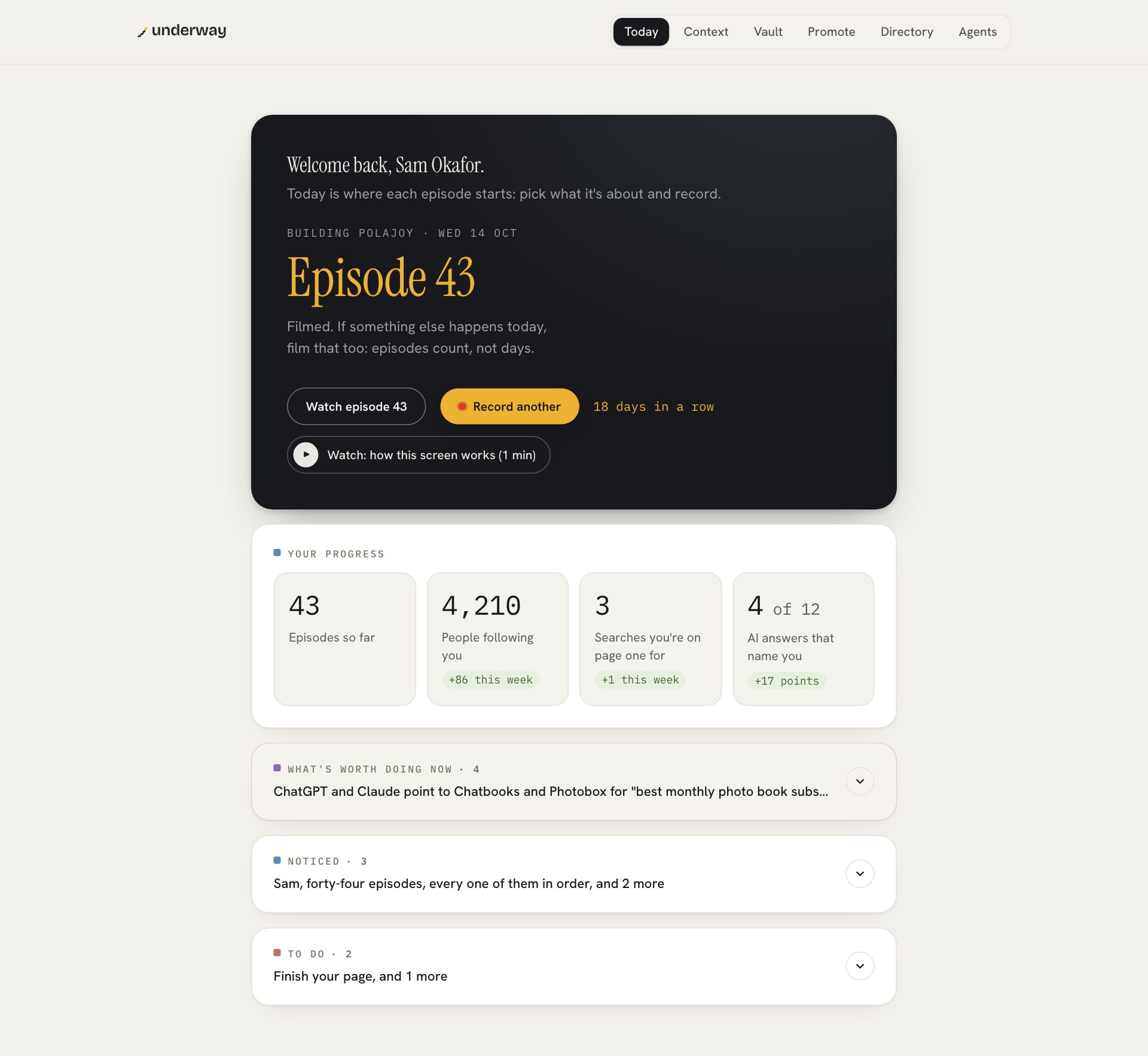
the record of facts is half a diary. the other half is what you thought. once a day, at whatever time suits you, press record an episode and pick what it is about: lines from the day's tray, a topic from your season, or a sentence of your own. each thing you pick becomes one question.
- the questions are written before you start and shown to you, so you can change any of them.
- each is asked out loud, one at a time. you answer on camera, by voice only, or while sharing your screen, for as long as it takes.
- there are no follow-ups and no countdown. it ends after the last question.
- a few minutes later the episode is ready: your answers in the order you said them, the ums and long pauses out, captions on, numbered.
- the transcript of every answer stays with the episode, so the written diary and the video diary are the same entry.
every episode is also read into a private memory of your series: the numbers as you last said them, the things you said you would do, the people you mentioned. the next interview starts where the last one stopped, and asks about the thing you said you would finish by friday. you can read all of it, correct it, or forget any line.
work diary apps compared
search for a work diary app and you get loggers for hours, job diaries for trades and standup bots for teams. each does its job well. they answer different questions.
| underway | work diary pro | tradify | geekbot | a notes app | |
|---|---|---|---|---|---|
| made for | founders keeping a record of a build | logging and reporting your work activities | trade businesses running jobs | teams doing standups in slack or teams | anything |
| how entries get in | your tools log the facts; you answer a few questions out loud | you type them | you and your crew, per job | you answer a few written questions | you type them |
| ask it when something happened | yes, in plain words, with dates | search and reports | per job | search the history | search |
| timesheets and billing | no | yes | yes | no | no |
| what you get out | a dated log, a transcript and a numbered video episode | reports and timesheets | job records | a team update | notes |
| pick it instead if | you need hours and timesheets | you run jobs with a crew | your team wants async standups | you only ever want text |
if what you need is a timesheet, underway is the wrong buy. if what you need is to know, in six months, what actually happened in this company and why, and to have it on camera in your own words, that is the job it does.
what it costs
- a 7-day free trial of founder, series or studio for every new account: card at the start, nothing charged until day 8, and you can cancel any time before then.
- founder, $29.99 a month or $299.90 a year: every connection, the day log, ask the vault, the daily interview by voice, camera or screen, an episode minutes after you finish, the words for every platform, one tap posting to your connected accounts, the podcast feed, and thirty minutes of ai co-host conversation a month.
- series, $79.99 a month or $799.90 a year: everything in founder, plus the series deck, a printable summary of the whole record where every line carries the episode and words it rests on, the week in one cut, the month in one film, and Shorts and posts made for every episode.
private by default
a work diary is only honest if it is private. the day log is visible only to you. episodes stay in the vault until you choose to publish one, on every plan. other people's words from meetings are read so the questions can be specific and never go into an episode. the numbers your tools see are never used to steer what you are asked.
your raw recordings download on every plan, the trial included. any episode can be deleted from the bottom of its page, with its transcripts and everything cut from it, and delete my account at the foot of the account page removes the lot.
do i have to film every day for the work diary to work?
no. the day log is written every hour from your connections whether or not you film, so you can ask about a week with no episodes. the episodes are the part you add when you have something to say.
how far back does it go?
from the day you connect a tool, everything after it. github and the newsletter tools also reach back ninety days on the first read.
does it read my email?
no. you get an address of your own, and only what you forward to it is read, one line per email.
can i keep the diary private?
yes. everything is private until you publish it, on every plan, and the log and the series memory are never shown on your page.
is there a phone app?
yes, on iphone, with the same episodes as the web. screen sharing and watch me work need a computer.
what each plan includes, and the trial: pricing.
how the email address works, and why no inbox is ever read: forward any email.
this is part of underway's guide to keeping a video diary: the video diary app that asks you the questions.
From the series
Founders’ episodes, written up.
Every public episode on underway has a page of its own: the video, then the same account in writing, checked against what the founder actually said.
Browse every series
Building Underway
People pay more than you think to fix a problem
I changed the positioning of Underway from day-one urgency to the pain of not having posted content for years, and raised the cheapest plan from a 14-day trial at $29.99 to a seven-day trial at $129.99. Signups came in faster and the cost to acquire each one dropped a lot. That lets me start working out CAC, margins and recurring revenue, which matters after the Anthropic bill gave me a scare. I'll go through the ads I crafted in another episode.
Building Underway
Train Your Ai Clone To Make Money: part 2
I rebuilt my AI clone in Underway from three short phone recordings, then used it to set up a 12 to 15 second ad. I played back the clone video from last time, which I'd be happy to run as an ad even though the pacing at the end is off, and showed earlier attempts where the face and lighting were wrong. The model finished building while I talked through how the ads get researched and written, and the new ad I queued was still at 0% when I stopped.

Building Underway
Train Your AI Clone to Make Money
I trained my AI clone inside Underway for marketing by recording the three short clips it asks for: sat and talking, up close, and walking with my phone. I turned the voice recording off because Underway already has plenty of my voice from the episodes I've made, so it defaults to that. The walking clip was still saving when I stopped, so how the clone actually looks and how I use it to write scripts and market will be part two.

Building Underway
Meta ads setup for more app sign ups
Underway hit 20 signups, and I'm testing an AI background changer for a new studio setup. I talk about how the signups feel compared to my first big sales back when I started in sales, and why I'm documenting it to see where I am in a year's time. I'm also recording this one sitting in front of a plain wall in my kitchen that gets filled in with a background, after seeing a few people on X post videos doing the same. I don't know yet how it will come out.

Building Underway
How to screen record only one tab (for SEO traffic)
I walked through Underway's "what's worth doing now" section on the Today page, which scans my website and GitHub and suggested filming "how to screen record only one tab" to sit alongside the article I already have up, with a one-click handoff into filming the walkthrough. I also mention we got our first customer yesterday after switching the ads from join for free to entering card details with 14 days free. The hover highlight on that screen isn't working, so the black panels are hard to read, and I'm going to fix that next.

Building Underway
Getting found in AI search terms
I walked through Underway's Found in AI Answers tool, which checks the questions buyers ask ChatGPT, Claude and Gemini with web search on and reports whether the answers name you, cite your page or name a competitor instead. This week I'm named in 1 of 17 answers, cited by ChatGPT for a question about a tool that interviews you by voice and turns the answers into a podcast episode. Nine of the searches name someone else, and for each one the tool gives me a question to say out loud and answer on camera, then publishes the answer on my own site under that heading. I haven't filmed those answers yet.