
Article
how to record a podcast on your phone, from anywhere
4 October 2026 · 10 min read
Post on Xthe film above is a dramatisation. ruth is not a real person; she was made up to show one part of underway as it is built. the product, the questions and the cut are real.
the whatsapp message after her site visit is real, word for word. connect whatsapp or slack and underway tells you when something lands, a meeting that ended, a payment, an email, and asks if it is worth filming, with film it, tell me more and not today underneath. on a day with no time for a camera, that is the moment to say yes and talk instead.
how to record a podcast on your phone: the short answer
to record a podcast on your phone, find the quietest spot you can, hold the phone's microphone a hand's width from your mouth or use a headset mic, switch on do not disturb, record fifteen seconds and listen back, then record the episode in one go. the phone in your pocket is good enough for speech. the room matters more than the gear.
that part is easy, and every guide on page one covers it. the part they skip is what you say. a podcast recorded alone on a phone tends to come out as a voice memo: one person, no questions, drifting. what makes it sound like a podcast is a second voice asking you things and following up on what you said.
this page covers both: the basics of getting clean audio out of a phone, and how to get an interview out of it when there is nobody else there.
what you need to record a podcast on your phone
less than the gear guides suggest. for one person talking, this is the whole kit:
- the phone. its built-in microphone is made for speech and is fine at close range.
- a headset or earbuds, so you can hear what you are recording, and hear a question if something is asking you one.
- a quiet-ish place: a parked car, a cupboard full of coats, a corner seat, a bedroom with the curtains shut.
- enough storage. long uncompressed recordings are large; check before you start rather than finding out at minute twenty.
- an app that records. the phone's own voice recorder works, or a podcast app that does more of the job for you.
an external microphone does improve the sound, and if you are making a produced show with a studio feel it is the first thing to buy. if you are making a regular episode about your work, the thing that decides whether it gets made is how little setup it needs. a mic you have to remember to pack is a mic that stays at home.
phone mic or earbuds: which records better?
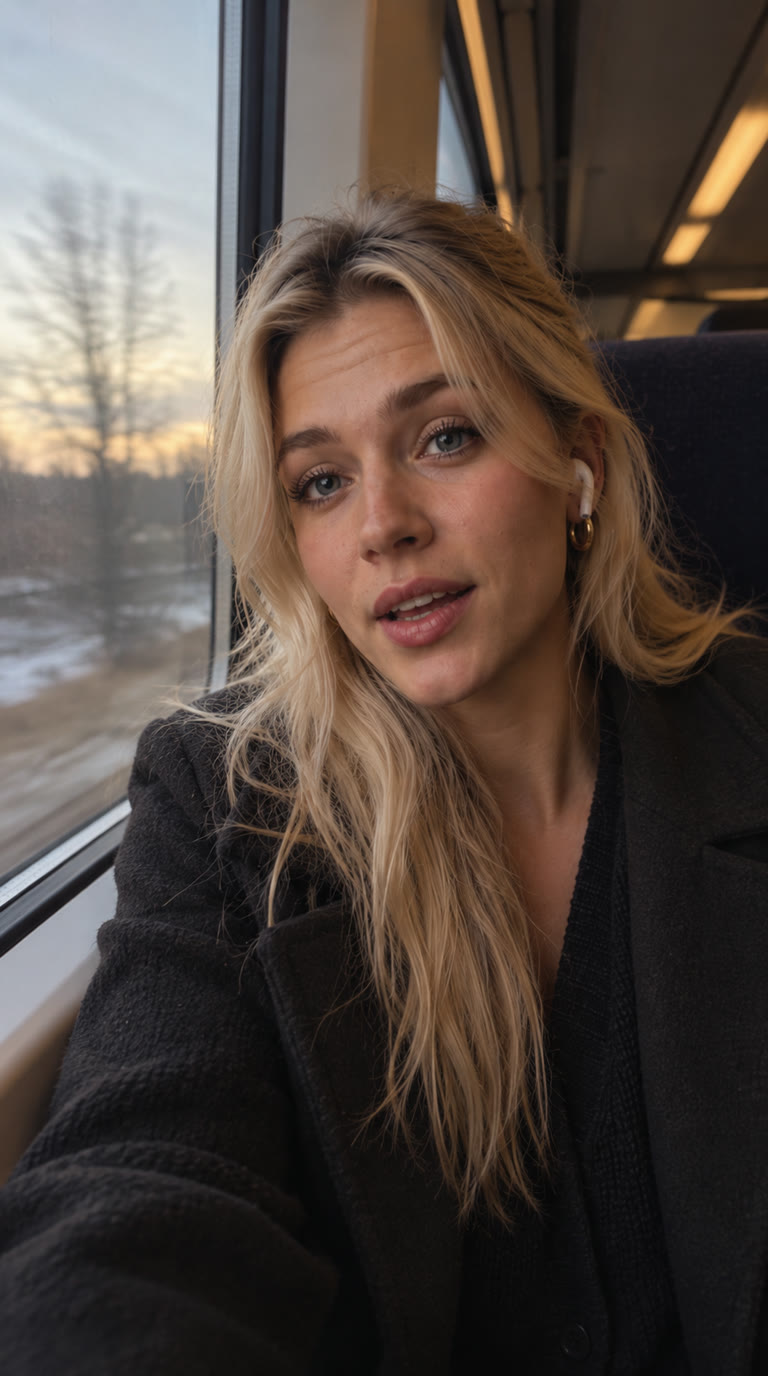
it depends where you are. the phone's own microphone, held close, usually gives a fuller sound. wireless earbuds are built for calls, so their microphones tend to sound like a call: thinner, more compressed, but good at keeping your voice in front of the noise around you because the mic sits near your mouth wherever you turn your head.
a reasonable rule: in a quiet room, use the phone's mic and keep earbuds in only to listen. somewhere noisy and moving, like a train or a station, earbuds are often the better trade, because a steady distance from your mouth matters more than fidelity. either way, try both once and listen back. your ears are a better guide than a spec sheet.
be honest with yourself about background noise. clean-up tools can level your voice and lift clarity, but a train's rumble or a café's chatter under your words mostly stays. pick the quieter carriage, the end of the bench, the car with the engine off.
step by step: recording a podcast on your phone
- decide what the episode is about in one line. not a script, one line. it is the difference between an episode and a ramble.
- turn on do not disturb, so a notification does not chime into the recording or cut it off.
- settle the phone: about a hand's width from your mouth, microphone end towards you, or earbuds in and the phone somewhere it will not rustle.
- record a fifteen-second test, play it back, and listen for hum, echo and level. move before you start, not halfway through.
- record the whole thing in one sitting. stopping and starting makes it sound stitched.
- if you lose the thread, pause, breathe and say the sentence again. cutting the false start is easier than fixing a mumble.
- keep the raw file. whatever you do with it afterwards, the original is the thing you cannot make again.
that gets you a clean recording. it does not get you a good episode, because the first step, knowing what to say and keeping going, is the one people stall on.
who asks the questions when you record on your phone alone?
most solo podcasts on a phone are a monologue. you press record, say what is on your mind, and the energy drops after a minute because nobody is reacting. listeners hear it. a second voice changes that: you answer a person instead of filling a silence, and the questions give the episode a shape a listener can follow.
there are three ways to get one:
- a person. a co-founder, a friend, someone on a call. the best option when they are free, and the hardest to arrange on a day with no gaps in it.
- a written list you read to yourself. better than nothing, but you can hear the reading, and a list cannot follow up on what you just said.
- an app that asks out loud. it speaks a question, waits for you to finish, and decides what to ask next from your answer. this is what the film shows.
if you are weighing up the third option in detail, what to test and what separates a live host from a voice reading a list, that is a separate guide: the ai podcast host that interviews you.
how to record a podcast on your phone with underway
underway is a numbered build-in-public diary for founders, made by interview. it is usually a short video. on the days there is no time or no will to film, it can be a podcast instead, recorded from the iphone app or from the web in a phone's browser.
on the setup screen you pick audio, then who asks, on the kind row:
- questions, the default: the interviewer asks out loud, in the voice you chose for your series, one question at a time. it says "right" or "mm-hm" when you stop, thinks, and asks the next thing. nothing is drawn on screen. it aims for about three minutes of you talking on a standard episode, and the same length row as a video applies, so a short one stays short. this works on every plan, including the three free episodes.
- co-host: a live conversation with an AI co-host that listens, reacts and keeps the thread while you wander, up to thirty minutes. this is what ruth uses in the film. it draws on a balance of co-host minutes: an hour a month on founder, three hours on series, and more at $9 an hour if you want it. it is not on the free episodes, apart from an episode zero conversation of up to fifteen minutes.
- a person asks: a co-founder or friend asks instead, in the room or by a link, and both voices go in.
the co-host is a choice for some days, not the way the series is meant to run. the interview is the ritual. the podcast, whichever kind asks, is the rescue for a day that would otherwise be skipped.
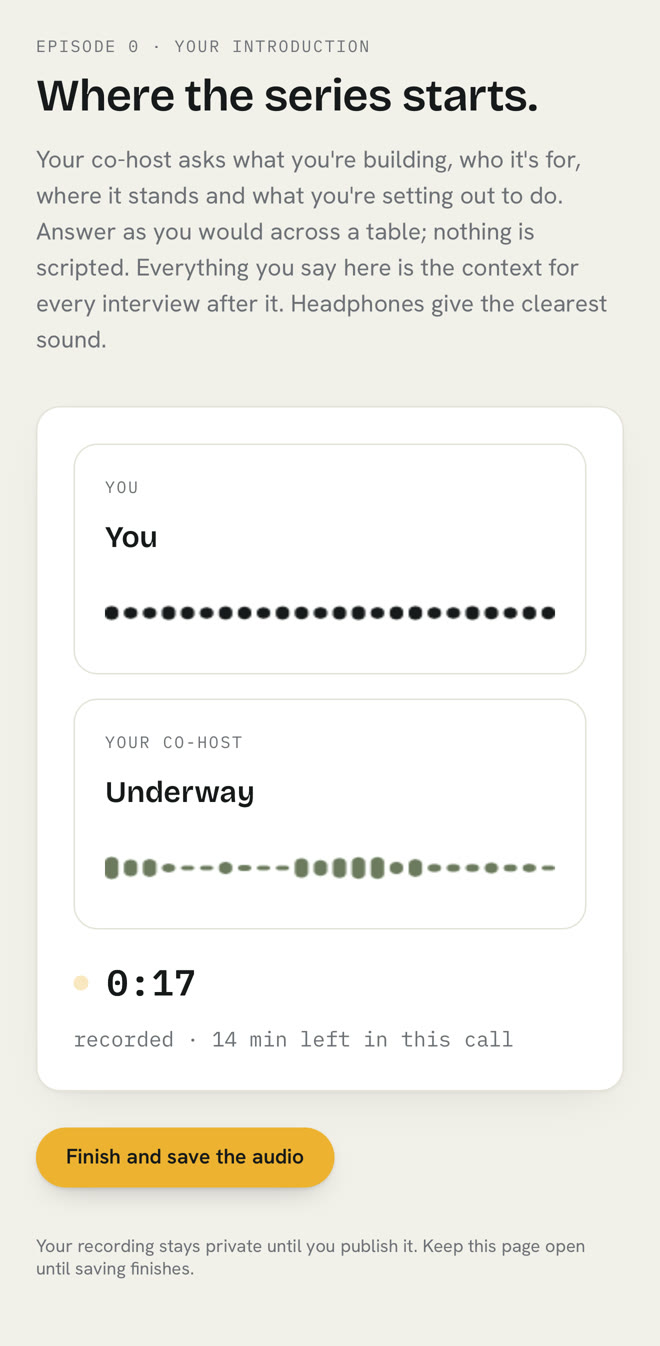
the questions are not generic. they come from what you did: a note you typed, a voice memo or a moment caught earlier, and anything you connected, like your calendar, all read-only. the co-host can also look things up in your own record while you talk, what you shipped on tuesday or when you first mentioned something, and says so when it cannot find it.
what you get when you stop recording
this is the part a voice recorder leaves to you. in underway, the episode is cut for you, numbered and kept in your vault, private until you publish it:
- one levelled audio file with the questions kept in, so it sounds like an interview, not a voice note.
- a video of the same cut, drawn onto your episode card: the waveform moving to both voices, captions along the bottom, made with underway in the corner. that is the file youtube, linkedin, tiktok, instagram and x take.
- the posts that go around it, written from your transcript: a youtube description that works as show notes, a linkedin post, a caption for tiktok and instagram, and an x thread.
- on the series plan, your podcast feed, which you submit once to apple podcasts and spotify.
- the raw recording, downloadable on every plan.
and it counts. the streak counts against the commitment you chose, and a podcast episode keeps it the same as a video one does. episodes are counted, not days, so the next one simply follows.
ways to record a podcast on your phone, compared
| phone voice recorder | podcast recording app | underway, questions | underway, co-host | |
|---|---|---|---|---|
| who asks | nobody | you, or a guest you invite | an interviewer, out loud | a live AI co-host |
| follows up on what you said | no | only if a person does | yes, after each answer | yes, in conversation |
| editing | yours to do | tools to help you do it | cut for you | cut for you |
| video for social | no | some apps | yes, card, waveform, captions | yes, card, waveform, captions |
| cost | free | varies | every plan, including free episodes | co-host minutes on paid plans |
| best for | notes to yourself | a produced show with guests | a regular episode about your work | a longer talk on some days |
podcast recording apps like riverside are very good at what they do, which is recording guests at high quality and helping you edit. if you want a produced show with other people on it, use one. underway is for a different job: a regular episode about your own work, with something to ask you and nothing for you to edit.
recording on a train, a walk or in the car: what to expect
both ways of asking are live, so they need a signal. a tunnel or a dead stretch of line can interrupt a conversation. if a co-host call ends before you save it, today shows it under unfinished with the day and what it holds, and one press makes the episode from what was recorded. if the co-host stops hearing you, the screen says so rather than leaving you talking into nothing.
headphones help in more than one way: on a phone speaker the co-host can hear itself. and in the car, park first. a podcast needs no lighting and no framing, but it does need you not to be driving.

faqs
can you record a podcast on your phone?
yes. a modern phone's microphone is good enough for speech at close range. the room and the distance from your mouth matter more than the gear. record a short test first and listen back.
is it better to record with earbuds or the phone's microphone?
in a quiet room, the phone held close usually sounds fuller. somewhere noisy or on the move, earbuds keep the mic near your mouth, which often matters more. try both once and listen.
how do i record a podcast on my phone by myself?
decide one line about what the episode is about, then get something to ask you questions: a written list, a friend on a call, or an app that asks out loud and follows up. a second voice is what turns a voice memo into a podcast.
do i need the co-host to record a podcast in underway?
no. pick audio and keep questions as the kind, and the interviewer asks out loud on every plan, including the free episodes. the co-host is an optional live conversation that uses co-host minutes.
can a podcast recorded on a phone go on youtube and instagram?
in underway, yes. a podcast episode is also rendered as a video with your card, a moving waveform and captions, and that file goes to youtube, linkedin, tiktok, instagram and x.
where to go next
choosing something to interview you, and what to test first: /ai-podcast-host-that-interviews-you.
the episode with no camera in it: /podcast-no-camera.
away for a while? keep the chain without recording anything: /pause-without-breaking-the-streak.