
New in underway
how to make shorts from podcast and guest interviews
3 October 2026 · 10 min read
Post on X
how to make shorts from podcast episodes: find the moments that make sense to a stranger with no context, cut each to one idea of fifteen to sixty seconds, open on the point rather than the run-up, put it in a 9:16 vertical frame with something to look at, caption every word because most feeds start muted, and end by saying where the full episode is. an audio-only show needs a picture made for it; a video interview needs both people in a frame a phone can read.
that is the whole method, and every clip tool on page one for this search does some of it. this guide goes through each step and the decisions behind it: which moments to pick, how to handle a podcast with no video, how to lay out two people in a tall frame, how many clips an episode can honestly give, and how to send viewers back to the full thing. it ends with how underway's find clips does it on every finished podcast and guest interview, on its own.
how to make shorts from podcast episodes: the steps
- start from the cut episode, not the raw recording. the edit already took out the false starts and dead ends, and a clip should never bring back something you chose to drop.
- read the transcript, not the waveform. good clips are found in words: a line that surprises, a mistake admitted, a number with a story behind it, a strong opinion said plainly.
- check each candidate cold. would it make sense to someone who has never heard the show? if it leans on "like i said" or "that thing", it needs a different start or it is not a clip.
- open on the point. the first second decides whether a thumb stops. start on the sentence that carries the idea, not the warm-up before it.
- keep one idea per clip, then stop. fifteen to sixty seconds is plenty for most moments; a clip that tries to cover two ideas does neither.
- make it vertical and give it a picture: the speaker's face for a video podcast, a designed card for audio only.
- caption every word, large and low enough not to cover a face.
- end with where the full episode is, because a short cannot carry a working link.
the order matters. most bad clips are made the other way round: a tool picks a loud moment, crops it, and adds captions, and nobody checks whether the moment means anything on its own.
which moments make good shorts
a podcast is long because conversation needs room. a short has none, so the moments that work are the ones that do not need the room around them.
- a clear claim: one sentence someone could agree or disagree with.
- a turn: "we thought it was x. it was y." the change is the hook.
- a mistake and what it cost. people stop for honesty faster than for advice.
- a specific number with its story: what happened, not just the figure.
- a guest's best answer, which is also the clip they will share with their own audience.
what rarely works: introductions, thank-yous, the question on its own, and a joke that needs the five minutes before it. and the clean version beats the lively one with three restarts in it, because a stumble in the first seconds reads as a reason to scroll.
how to make shorts from podcast audio with no video
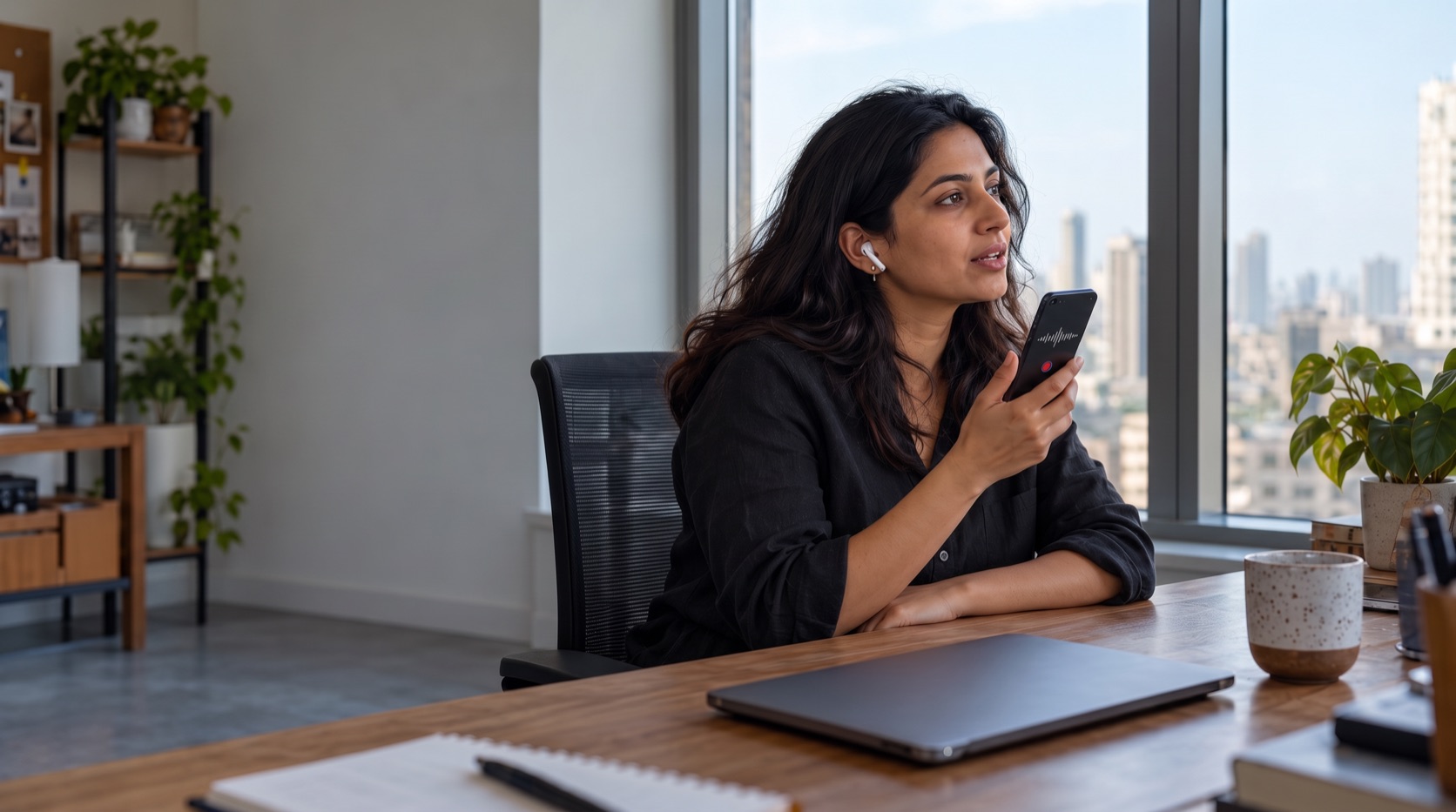
a feed will not play forty minutes of audio to a stranger. it plays fifteen seconds of something they can see. so an audio-only show needs a picture built for each clip, the thing usually called an audiogram: the show's artwork or a branded card, a moving waveform or bars so it reads as sound and not a still, and captions doing most of the work.
- put the clip's own line on screen as the headline, large, so a muted viewer knows what it is about before a word is heard.
- keep the brand the same every time: the same card, the same colours, the same type. a viewer who sees ten of your clips should recognise the eleventh.
- caption both voices, with the host's a shade quieter than the main speaker's, so a two-person conversation is still easy to follow.
- leave the question out of the opening. a clip that starts on "so, tell me about" has already lost the scroll; start on the answer.
tools such as headliner made the audiogram common, and editors such as descript, kapwing and opus clip all have their own version. the parts that matter are the same in all of them: a readable headline, captions, and a picture that moves.
shorts from a guest interview: two people in a tall frame
a video interview is usually recorded wide, two faces side by side. on a phone that becomes two small letterboxes in the middle of a tall screen, which is the worst use of the space. the fix is to stack them: the host in the top half, the guest in the bottom half, each filling their half.
if you can, cut from each person's own recording rather than from the call. remote tools such as riverside and squadcast record each side locally for this reason: what crosses a video call is compressed and drops frames, while each person's own camera and mic are clean. and let the guest carry the clip when their answer is the best moment in it. that is the clip they will post, and their audience is the one that has never heard of you.

how many shorts one episode can give
some guides tell you to pull twenty to forty moments from every episode. a long, dense conversation might hold that many, but most episodes do not, and a clip forced out of a weak moment does your show more harm than no clip. a fair rule is about one for every three minutes of good conversation, a handful at most, and none when nothing in it stands on its own. a one-minute episode might give one. an hour with a strong guest might give five worth posting.
posting them across the week, one a day, keeps the show in front of people between episodes without asking anyone to sit through the whole thing first.
posting shorts so they send people to the episode
- on youtube, set the full episode as the short's related video in youtube studio. it is the link a viewer can tap from the short to the whole thing.
- on instagram and tiktok, nobody can tap a link in a post, so put your show's page in your bio once and let every clip's last card name it.
- write the words for each network separately. a linkedin post is not a tweet, and a youtube title is searched in a way a tiktok caption is not.
- give each clip its own cover. the grid on your profile is the first thing a new visitor sees, and ten copies of the episode's cover look like one post.
- send a guest the clip of their best answer. it is the most useful thing you can hand them, and the reason many of them said yes.
how underway makes shorts from a podcast
underway is a video diary for founders: it interviews you about what actually happened and cuts a numbered episode. a podcast is the episode with no camera, the interviewer's questions kept in, or a conversation with the ai co-host. find clips sits on the shorts tab of every finished episode, on the web and the phone, and it works on podcasts and guest interviews as well as camera episodes. every finished episode makes its clips on its own, so most of the time there is nothing to press.
- a podcast's clip is its episode card in your brand, with the clip's line as the headline, bars moving to the voices, and both voices captioned. no question is read out in front of it.
- a guest interview's clip is the two of you stacked, you above and your guest below, cut from the two recordings themselves, both voices captioned. your guest's answer can open it and carry it.
- each clip opens on the line most likely to stop a scroll, which can come from anywhere in the episode, then plays an unbroken run of what was said. several of your own lines are weighed for that opening and the best is kept.
- pauses, ums, a restart and words said twice are taken out, and stretches said cleanly are chosen over ones where someone tripped over the words.
- a quiet music bed sits under each clip, dipping whenever anyone speaks; music under clips is on unless you switch it off.
- the last card says where the full episode is: youtube when it is there, and your page's address.
- about one clip for every three minutes of episode, up to five, ranked with the one most likely to do well first. when nothing would work on its own, it says so in a sentence instead of forcing one.
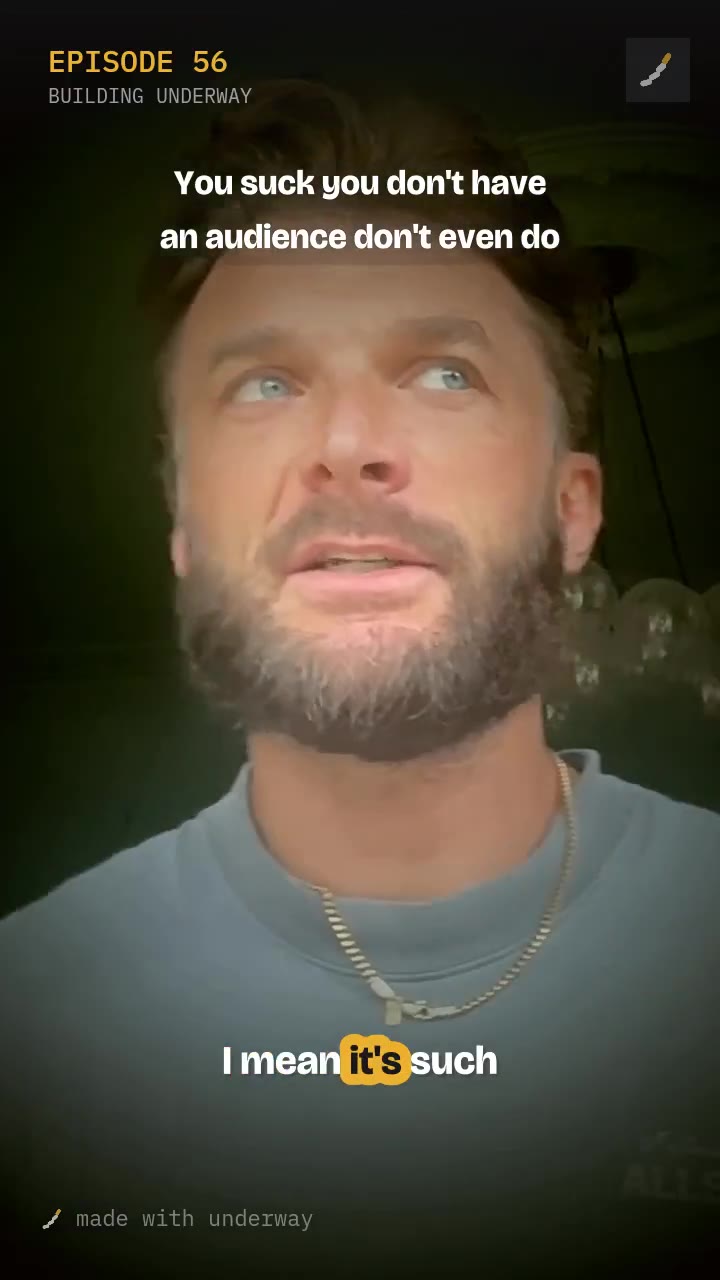
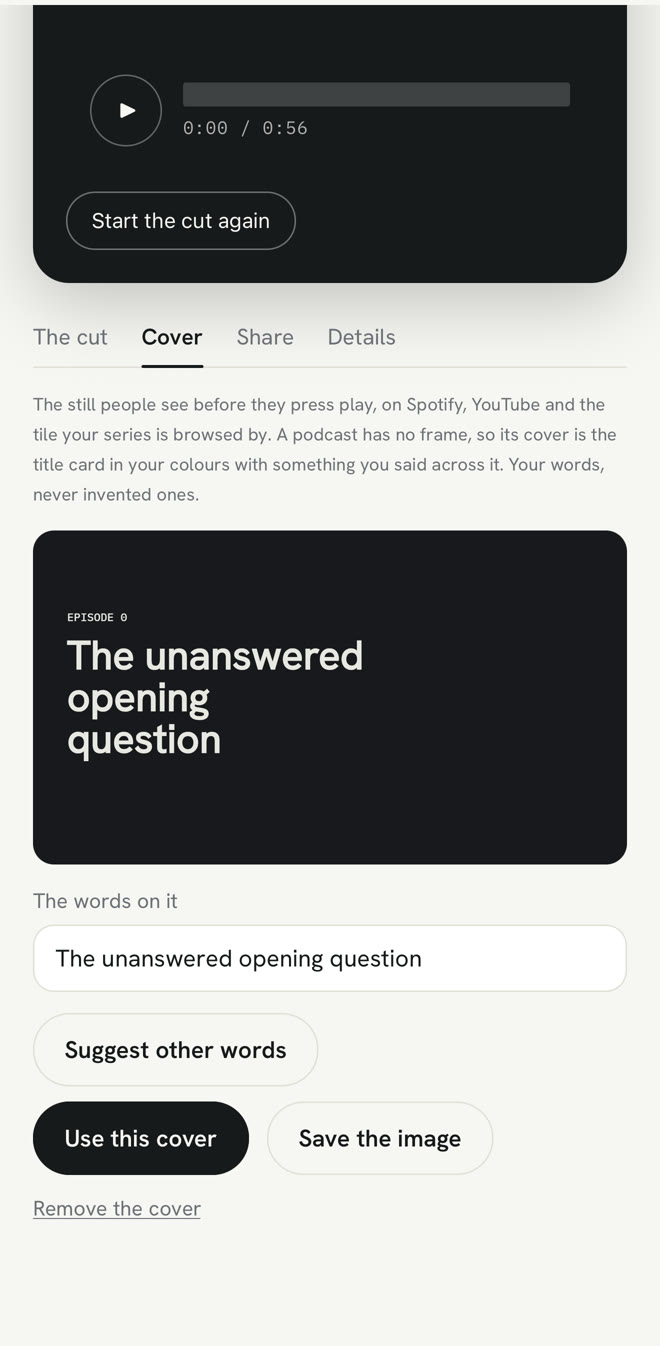
every clip has its own cover from its own words. on the studio plan that is a cover made for the clip, with you in it; otherwise it is a frame from the clip's opening in your vault cover's design, or the card for a podcast. under each clip are boxes of words for youtube, instagram, linkedin, x and tiktok, written in your first person from what was said in that clip and nothing else, with no links. each has its own button, post this clip as a short, post this clip to instagram and the rest, and each asks once more before anything goes. download the clip saves the file for anywhere else.
what it will not do
- change the episode. the podcast and the interview stay exactly as they are. a clip is an advert for the episode, never a cut of it.
- put words in anyone's mouth. only what was said, exactly as said, and the line on screen is word for word.
- bring back a line you struck from the episode's cut.
- show you what is trending. what is landing with your audience on short video steers which moments are chosen, in the background, and never reaches you or your interview.
the same idea for any long video, not only a podcast: long video into shorts.
faqs
how do i make shorts from a podcast with no video?
give each clip a picture: a branded card with the clip's line as a headline, a waveform or bars that move with the voices, and captions for every word. underway's podcast clips are built that way from your episode card.
how long should a podcast short be?
long enough for one idea and no longer, usually fifteen to sixty seconds. start on the point and stop once it has landed.
how many shorts can i get from one episode?
as many as there are moments that stand on their own, which is often fewer than tools suggest. underway makes about one for every three minutes, up to five, and none when nothing would work alone.
how should a two-person interview look in a short?
stacked, one above the other, each filling half the tall frame, rather than side by side. underway puts the host above and the guest below, from each person's own recording.
will a clip open on a question?
no. a question can lead into an answer inside a clip, but the clip opens on something said straight out.
can i make the clips again?
yes. find clips again on the shorts tab makes a fresh set.
what to put on each clip's cover, and why the first second matters: youtube shorts cover.
recording a podcast with nothing but a phone: how to record a podcast on your phone.
From the series
Founders’ episodes, written up.
Every public episode on underway has a page of its own: the video, then the same account in writing, checked against what the founder actually said.
Browse every series
Building Underway
People pay more than you think to fix a problem
I changed the positioning of Underway from day-one urgency to the pain of not having posted content for years, and raised the cheapest plan from a 14-day trial at $29.99 to a seven-day trial at $129.99. Signups came in faster and the cost to acquire each one dropped a lot. That lets me start working out CAC, margins and recurring revenue, which matters after the Anthropic bill gave me a scare. I'll go through the ads I crafted in another episode.
Building Underway
Train Your Ai Clone To Make Money: part 2
I rebuilt my AI clone in Underway from three short phone recordings, then used it to set up a 12 to 15 second ad. I played back the clone video from last time, which I'd be happy to run as an ad even though the pacing at the end is off, and showed earlier attempts where the face and lighting were wrong. The model finished building while I talked through how the ads get researched and written, and the new ad I queued was still at 0% when I stopped.
Building Underway
Train Your AI Clone to Make Money
I trained my AI clone inside Underway for marketing by recording the three short clips it asks for: sat and talking, up close, and walking with my phone. I turned the voice recording off because Underway already has plenty of my voice from the episodes I've made, so it defaults to that. The walking clip was still saving when I stopped, so how the clone actually looks and how I use it to write scripts and market will be part two.

Building Underway
Meta ads setup for more app sign ups
Underway hit 20 signups, and I'm testing an AI background changer for a new studio setup. I talk about how the signups feel compared to my first big sales back when I started in sales, and why I'm documenting it to see where I am in a year's time. I'm also recording this one sitting in front of a plain wall in my kitchen that gets filled in with a background, after seeing a few people on X post videos doing the same. I don't know yet how it will come out.
Building Underway
How to screen record only one tab (for SEO traffic)
I walked through Underway's "what's worth doing now" section on the Today page, which scans my website and GitHub and suggested filming "how to screen record only one tab" to sit alongside the article I already have up, with a one-click handoff into filming the walkthrough. I also mention we got our first customer yesterday after switching the ads from join for free to entering card details with 14 days free. The hover highlight on that screen isn't working, so the black panels are hard to read, and I'm going to fix that next.
Building Underway
Getting found in AI search terms
I walked through Underway's Found in AI Answers tool, which checks the questions buyers ask ChatGPT, Claude and Gemini with web search on and reports whether the answers name you, cite your page or name a competitor instead. This week I'm named in 1 of 17 answers, cited by ChatGPT for a question about a tool that interviews you by voice and turns the answers into a podcast episode. Nine of the searches name someone else, and for each one the tool gives me a question to say out loud and answer on camera, then publishes the answer on my own site under that heading. I haven't filmed those answers yet.