
New in underway
youtube shorts cover, card and captions, in your brand
3 October 2026 · 9 min read
Post on X
a youtube shorts cover is the still image that stands for a short wherever shorts are shown as a grid: your channel's shorts tab, search results and the shelves beside other videos. it is a tall 9:16 picture, 1080 by 1920 pixels, and the best ones are a clear face, a few large words that say what the short is about, and the same look every time so people recognise you. in the youtube app you pick a frame from the short; youtube studio on a computer can also take an uploaded image.
that is the answer. the rest of this page covers where the cover is actually seen, how to set it on the phone and on a computer, what to put on it, the mistakes that make a grid look careless, and how underway draws a cover for every episode and every clip in your own brand.
where a youtube shorts cover is seen, and where it is not
in the shorts feed itself nobody sees your cover. the feed plays the video straight away, so the first second of the short does the cover's job there. the cover matters everywhere the short is not playing yet.
- your channel's shorts tab, where a new visitor sees every short you have made as a grid of tall tiles. this is where a consistent cover pays off most.
- search results, where a short sits beside other videos and has to say what it is about in one look.
- shelves of shorts on the home page and beside other videos.
- anywhere the short is shared as a link, where the still is the preview.
so a cover has two jobs. in a grid it has to be recognisably yours. on its own it has to say what this one is about. the first second of the video has a third job: make someone in the feed stop. a good short is built for all three.
how to set a youtube shorts cover
- on the phone: when you upload a short in the youtube app, open the edit step and choose a cover, then slide along the video and pick a frame. the app picks from the video itself, so the frame you want has to be in the short.
- on a computer: in youtube studio, open content, choose the shorts tab, open the short's details and look for the thumbnail section. reports from august 2026 say youtube now lets creators upload an image there for a short; if your channel does not show the option yet, choose a frame instead.
- through an app: tools that post for you through youtube's api cannot set a custom image for a short. the dependable fix is to make the opening frame the cover, by holding the cover picture for the short's first second, so the frame youtube takes is the one you meant.
- size: 1080 by 1920 pixels, 9:16, as a jpeg or png. keep the words and the face away from the very top and bottom, where the app lays its own buttons and titles.
custom thumbnails on youtube also depend on the channel: a channel has to be verified to upload thumbnails for its long videos, so check that first if the upload option is missing.
what to put on a youtube shorts cover
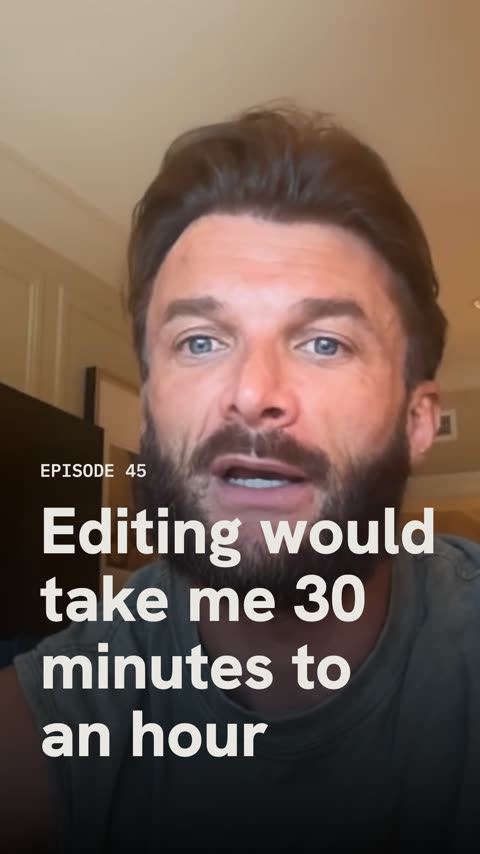
- a face, looking at the lens or clearly mid-thought. people stop for people, and the face is the thing that makes a channel feel like someone.
- a few words, four to eight, that say what the short is about in the words someone would use. a line actually said in the short is better than a slogan, because the viewer then hears it.
- large type with high contrast. a tile in a grid is small; anything you need to squint at is wasted.
- the same layout every time: the same typeface, the same place for the words, the same one accent colour. ten of your covers in a row should read as one series.
- a small label if you number them, such as an episode number, so a returning viewer can see where they are.
- the picture true to the short. a cover that promises something the short does not deliver costs you the viewer and the next one.
youtube shorts cover mistakes
- a blurred or mid-blink frame, picked by the app because nobody picked one.
- words cut off at the edge of the tile, or sitting where the app puts its own buttons.
- words over the face. the face is the strongest thing in the frame; covering it to fit a headline works against the cover.
- every clip from one episode wearing the episode's cover, so the shorts tab looks like the same post five times.
- a different design every week. variety feels creative to the person making it and looks like five different channels to everyone else.
- an ai-generated scene presented as if it were real footage, with nothing to say it was made.
the last one matters for anyone documenting something real. a generated picture is a choice you can make, but it should be one you made on purpose, in your own likeness and labelled where it is shown.
how underway makes a youtube shorts cover for every clip
underway is a video diary for founders: it interviews you about what actually happened, cuts a numbered episode, and finds short clips in it on the shorts tab. every episode gets a cover chosen for you when its file is made, and every clip gets a cover of its own, because each clip is different.
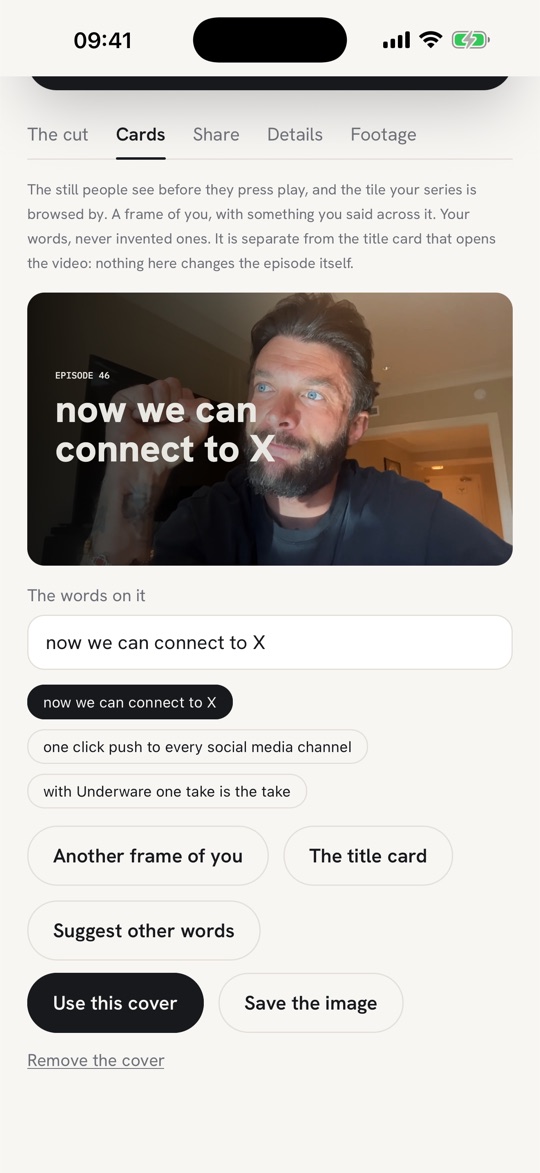
- an episode's cover is its name over a real frame of you a third of the way in, or over the title card for a podcast, with your own lines from the episode kept beside it to switch to. change the words, pick another line or press another frame of you, and the cover is yours; nothing automatic replaces it.
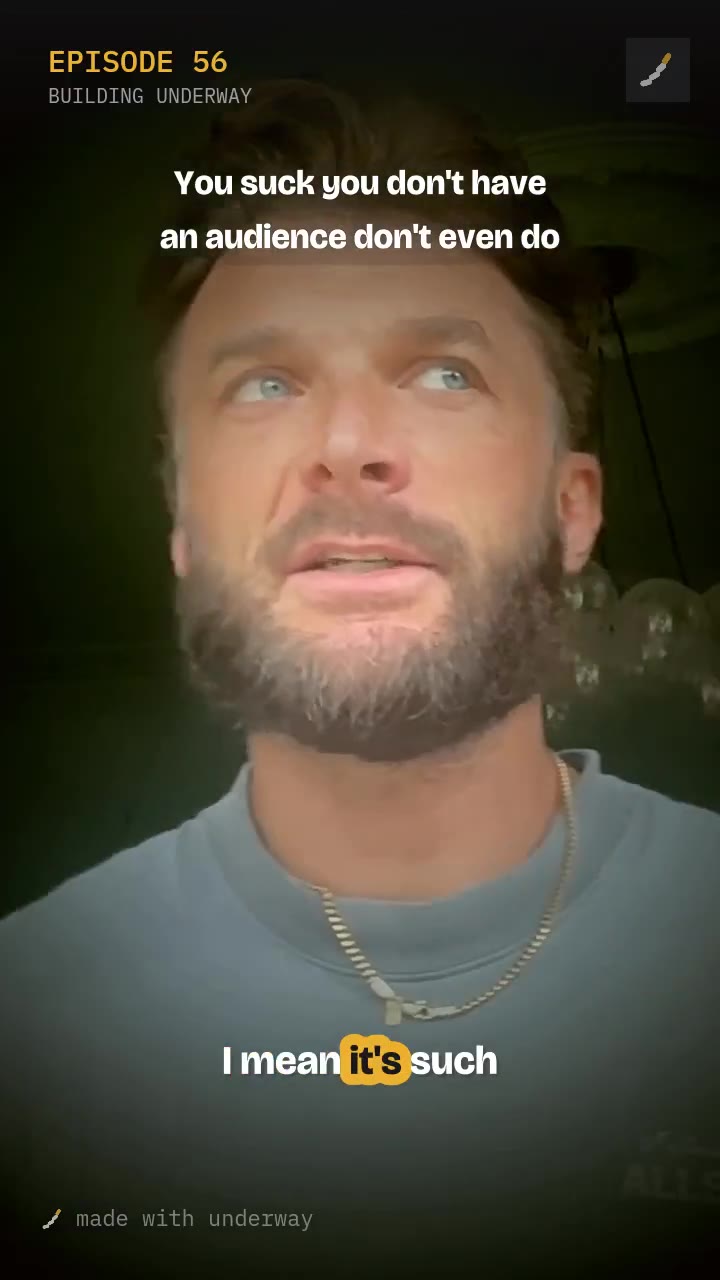
- a clip's cover is your brand's cover design drawn over a frame of you from the clip's opening, with the clip's own words, so the shorts tab shows five different shorts, not one cover five times.
- on the studio plan each clip also gets a cover made for it from its words, with you in it: a picture drawn by an image model around a portrait of you that you approved, and that is the one it uses. the plain cover stays a real frame.
- the cover tab shows the portrait cover and the wide one side by side, because tiktok and instagram post portrait and youtube and linkedin wide.
- when a clip goes to youtube, the cover is held for its first second, so the frame youtube shows is the cover. instagram takes it as the reel's cover. tiktok takes a moment of the film rather than a picture.
covers, cards and captions drawn as designed pages
the cover, the episode card, the words over a clip and the card a clip ends on are each drawn as a designed page, set the way a designer would set them, in your brand's real typefaces at every weight, and captured into the file. lines are balanced so a title does not end on one lonely word, and sizes are fitted to the words rather than guessed.
- the cover: a real frame of you, or your card, with the episode label top left and the headline low and large, the last line on your accent colour.
- the episode card: the episode's name rises into place and the accent rule draws itself, then it holds, with the line on what was at stake under it.
- a clip's opening line: large near the top, clear of your face, for the first seconds.
- a clip's captions: lit word by word on your accent as you say them, low in the frame, below your face, two lines at most.
- a clip's end card: your logo, the episode, watch the full episode said large, then where: youtube when it is there and your own page's address.
the card in an episode's preview is the same page the render captures, so what you see before you press anything is what goes out. a cover is drawn the same way wherever it is made, on the web, on the phone or when an episode posts, so the vault, your page and every platform show the same picture.
every finished file is looked over
when an episode or a clip is finished, a handful of stills are taken from it: the card, moments of footage, a clip's end card. each is looked at against what the brand guide says should be on screen there: words cut off at the edge, a caption over your eyes or mouth, a blank frame, the label missing. it is a report for the people who build underway, never a reason to hold your episode back, so a fault in the drawing gets fixed for every series at once.
nothing about what is said changes. episodes stay in the order you said things, and a clip's line on screen is word for word. your brand is set once, logo, one accent, one typeface and one image behind the cards, and nothing goes over your face but the small corner mark.
if the shorts start as a longer video, cutting them out: long video into shorts.
faqs
what size is a youtube shorts cover?
1080 by 1920 pixels, a 9:16 vertical image, as a jpeg or png. keep the face and the words away from the very top and bottom.
can i upload a custom cover for a youtube short?
in the youtube app you choose a frame from the short. youtube studio on a computer has started to accept an uploaded image for a short; if your channel does not show the option, choose a frame.
where does a youtube shorts cover appear?
on your channel's shorts tab, in search results, on shelves of shorts and in link previews. the shorts feed plays the video, so there the first second matters more.
does underway make a separate cover for each clip?
yes. each clip's cover is a frame from its own opening with its own words in your brand's design, and on the studio plan a cover made for the clip with you in it.
will my old covers change?
a cover you chose stays as it is. a brand change or a new episode number draws a clip's cover again.
is anything on the plain cover generated?
no. it is a real frame of you, or your own card, with words you said or the name you gave the episode. the series plan's pro covers are the one exception, made around a face of you that you approved.
turning a podcast or a guest interview into shorts: how to make shorts from podcast.
keeping your ads, films and graphics in one place: a marketing asset library.
From the series
Founders’ episodes, written up.
Every public episode on underway has a page of its own: the video, then the same account in writing, checked against what the founder actually said.
Browse every series
Building Underway
People pay more than you think to fix a problem
I changed the positioning of Underway from day-one urgency to the pain of not having posted content for years, and raised the cheapest plan from a 14-day trial at $29.99 to a seven-day trial at $129.99. Signups came in faster and the cost to acquire each one dropped a lot. That lets me start working out CAC, margins and recurring revenue, which matters after the Anthropic bill gave me a scare. I'll go through the ads I crafted in another episode.
Building Underway
Train Your Ai Clone To Make Money: part 2
I rebuilt my AI clone in Underway from three short phone recordings, then used it to set up a 12 to 15 second ad. I played back the clone video from last time, which I'd be happy to run as an ad even though the pacing at the end is off, and showed earlier attempts where the face and lighting were wrong. The model finished building while I talked through how the ads get researched and written, and the new ad I queued was still at 0% when I stopped.
Building Underway
Train Your AI Clone to Make Money
I trained my AI clone inside Underway for marketing by recording the three short clips it asks for: sat and talking, up close, and walking with my phone. I turned the voice recording off because Underway already has plenty of my voice from the episodes I've made, so it defaults to that. The walking clip was still saving when I stopped, so how the clone actually looks and how I use it to write scripts and market will be part two.
Building Underway
Meta ads setup for more app sign ups
Underway hit 20 signups, and I'm testing an AI background changer for a new studio setup. I talk about how the signups feel compared to my first big sales back when I started in sales, and why I'm documenting it to see where I am in a year's time. I'm also recording this one sitting in front of a plain wall in my kitchen that gets filled in with a background, after seeing a few people on X post videos doing the same. I don't know yet how it will come out.
Building Underway
How to screen record only one tab (for SEO traffic)
I walked through Underway's "what's worth doing now" section on the Today page, which scans my website and GitHub and suggested filming "how to screen record only one tab" to sit alongside the article I already have up, with a one-click handoff into filming the walkthrough. I also mention we got our first customer yesterday after switching the ads from join for free to entering card details with 14 days free. The hover highlight on that screen isn't working, so the black panels are hard to read, and I'm going to fix that next.
Building Underway
Getting found in AI search terms
I walked through Underway's Found in AI Answers tool, which checks the questions buyers ask ChatGPT, Claude and Gemini with web search on and reports whether the answers name you, cite your page or name a competitor instead. This week I'm named in 1 of 17 answers, cited by ChatGPT for a question about a tool that interviews you by voice and turns the answers into a podcast episode. Nine of the searches name someone else, and for each one the tool gives me a question to say out loud and answer on camera, then publishes the answer on my own site under that heading. I haven't filmed those answers yet.