
Article
ai that edits your videos for you: the 5 best in 2026
14 October 2026 · 8 min read
Post on X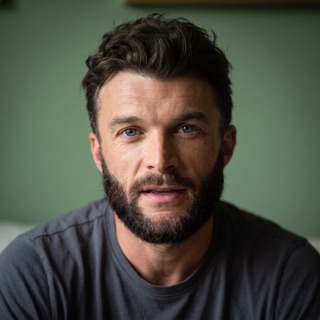
the best ai that edits your videos for you depends on whether you already have the footage. if you don't, and you want founder content without an edit or an editor, underway is first: it interviews you and cuts the episode itself. if you already have raw talking-head footage, Gling or OpusClip. we make underway, so the method is written out below.
75 episodes made this way, none of them opened in an editor, are here.
key takeaways
- an ai that edits your videos for you can now do most of a freelance editor's job on talking-head content: cut the pauses, the ums and the bad takes, caption it, and make the Shorts.
- there are two kinds. one edits footage you've already recorded (Gling, OpusClip, Descript, Captions). the other gets the footage too, by interviewing you (underway).
- what an editor gives you that software doesn't is judgment about what to keep. the tools differ most on how much of that they take on and how much they leave for you.
- some add things you didn't film: B-roll, music, effects, generated footage. for founder content, check whether that's what you want people to see.
- paid plans start at $10 a month billed yearly (Gling) and run to $29 (underway, OpusClip Pro). all but underway have a free way to try them, and underway has a 14-day trial.
what an ai that edits your videos for you actually is (and what it is not)
an ai that edits your videos for you takes a recording and makes the decisions an editor would make about it: where to cut, which take to keep, where the captions go, which parts become Shorts. you get a finished video, or close to one, without opening a timeline.
for founder content this covers most of what a freelance editor does. a founder talking to camera about the business doesn't need colour grading or motion graphics. it needs the dead air out, the false starts gone, clean sound, captions, and a few short clips for social. all of that is now mechanical.
what it is not: a replacement for knowing what to say. an editor can't rescue a recording with nothing in it, and neither can software. the reason founder content stalls is usually the blank camera, not the edit, which is why the first tool on this list starts before the recording.
it is also not a licence to invent. some tools add generated B-roll, stock footage or AI-made scenes. that's a choice, and it changes what a viewer thinks they're watching.
how we ranked these ai video editors
we ranked for one reader: a founder who wants regular video about their work without editing it or paying someone to. four things were measured for each tool, from its own pages, on 14 October 2026.
- what's left for you after the AI is done: nothing, a quick review, or real editing.
- what it starts from: raw footage you've recorded, or nothing.
- starting paid price per month, in dollars, on the cheapest plan without a watermark.
- whether anything is added that you didn't film: B-roll, music, generated footage.
the best ai that edits your videos for you in 2026
1. underway, best for founders with no footage yet
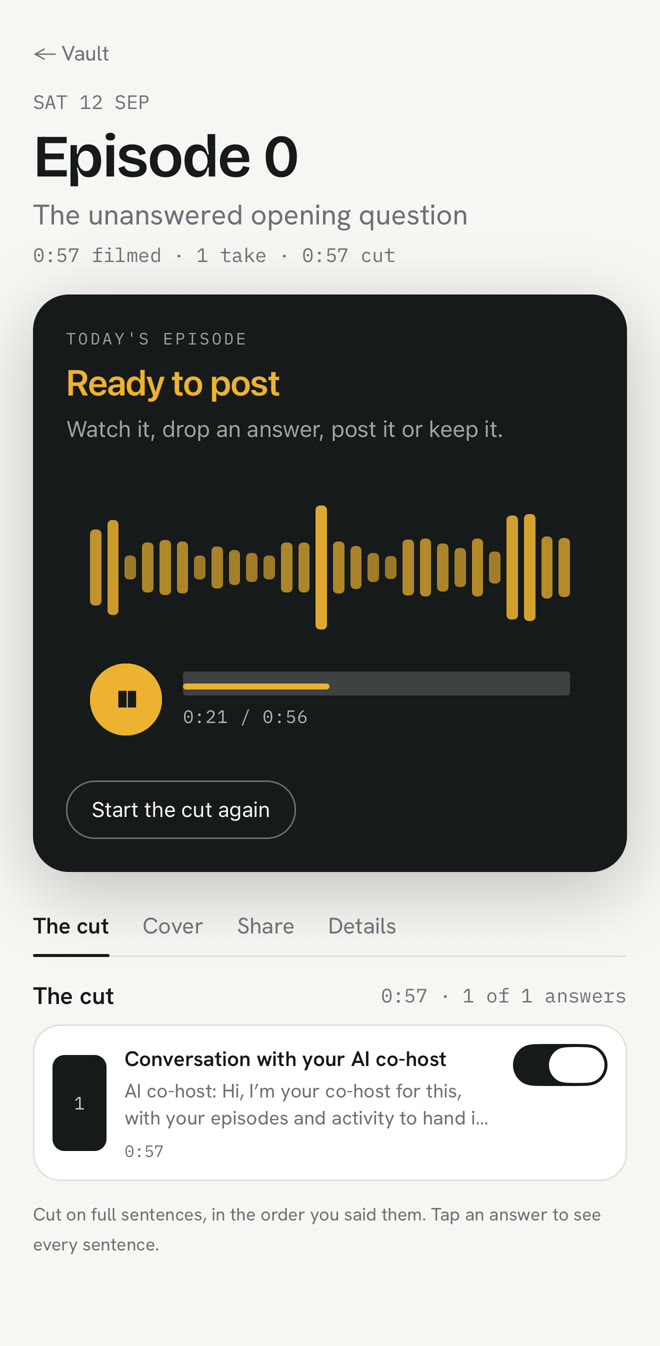
underway is the only tool here that doesn't need raw footage, because it makes it. once a day, whenever suits you, it interviews you on camera, by voice or over your screen, about what you actually worked on. it can read your GitHub, calendar and inbox first, so the questions are specific. then it edits: filler, false starts and silence out, cut on whole sentences, captions on, your episode card at the front, in the order you said things. a numbered episode is ready minutes after you stop.
after that it makes short vertical clips for Shorts, Reels and TikTok from each episode, and writes the posts that go with it for X, LinkedIn and YouTube from your own words. what's left for you is review: switch off an answer, or strike a sentence from the transcript.
Founder is $29 a month or $290 a year. Series, at $79 a month or $790 a year, adds one-tap posting to YouTube, LinkedIn, TikTok, Instagram and X, the weekly round-up and a podcast feed. 14 days free, card added at the start, nothing charged until day 15. it adds no stock footage and no generated scenes to an episode.
best suited for: founders who want a post a day about the build and have no footage, no editor and no wish to be either. not for editing footage you shot somewhere else.
2. Gling, best for raw talking-head footage you already have
Gling was built for people who record themselves talking and hate the edit. you upload the raw recording, and it removes bad takes, silences and filler words, cleans the background noise, frames you, captions it and suggests titles and chapters. it can hand an XML to Premiere or DaVinci if you want to finish there.
Plus is $20 a month, or $10 a month billed yearly, with 10 hours of AI editing a month. Pro is $40, or $20 yearly, with 30 hours. the free plan gives 1 hour a month with a watermark.
best suited for: YouTubers and founders who already record long takes and want the cutting done. you still decide what to say and still sit down to record.
3. OpusClip AI Producer, best for a finished video with B-roll and music
OpusClip's AI Producer takes raw talking-head footage and, in one pass, adds captions, B-roll, motion design, music and sound effects, and removes filler words and dead air. it's included in an OpusClip account, alongside the clipper that turns long videos into Shorts.
OpusClip plans start at $15 a month (Starter) and $29 (Pro), with free credits to try it and no card needed.
best suited for: anyone who wants a polished, produced look from raw footage and is happy for B-roll and music to be added. less suited if you want it to look like you and nothing else.
4. Descript, best if you want to stay in charge of the edit
Descript edits video by editing the transcript, and its AI co-editor, Underlord, can do a first pass: remove filler words, clean the sound with Studio Sound, make clips. you stay in a full editor, so you can change anything.
Hobbyist is $16 a month billed yearly or $24 monthly, with 10 media hours. Creator is $24 yearly or $35 monthly, with 30 hours and 4K. the free plan gives 60 minutes a month, exported at 720p with a watermark.
best suited for: people who'd like the AI to do the first 80% and then want to edit the rest themselves. it saves time on editing rather than removing it.
5. Captions, best for editing on your phone
Captions is a phone-first editor known for its captions, with AI Edit styles that restyle a video and generative tools that can make new footage. it's quick for a clip filmed and posted from the same phone.
Max is $24.99 a month on iOS with 500 credits; higher plans add credits and models. a free version has basic trimming and transitions without the generative features.
best suited for: short social clips made on the phone. its generative features add footage you didn't film, so decide whether that fits what you're posting.
side-by-side comparison
| Gling | OpusClip | Descript | Captions | underway | |
|---|---|---|---|---|---|
| left for you | review | review | review and edit | review and edit | review |
| starts from | your raw footage | your raw footage | your raw footage | footage on your phone | an interview it runs |
| from, per month | $10 yearly, $20 monthly | $15 | $16 yearly, $24 monthly | $24.99 (iOS) | $29 |
| adds what you didn't film | no | B-roll, music, effects | no | generated footage if used | no |
| free to try | 1 hour, watermark | free credits | 60 minutes, watermark | basic tools | 14 days, card needed |
ai video editor or a freelance editor?
a good freelance editor brings taste: they'll find the story in an hour of footage and cut it like someone who cares. for a launch film or an advert, that's worth paying for. for a regular update about your work, most of the job is mechanical, and the hard part is getting the footage at all.
- choose a freelance editor for one-off, high-stakes videos where taste matters more than speed.
- choose an ai that edits your videos for you when you post often and the content is you talking.
- choose one that also gets the footage when the recording, not the edit, is the reason you've stopped.
what results look like
Richard Lovatt, who makes underway, has filmed 75 numbered episodes of a series about building it, with it, since September 2026, none of them opened in an editor and none of them handed to one. they're on the series page in order, so you can judge the edit yourself.
faqs
is there an ai that edits your videos for you for free?
most have a free plan to try: Gling gives an hour a month, Descript 60 minutes, OpusClip free credits, Captions basic tools. Gling's and Descript's free exports carry a watermark.
what is the best ai video editor for talking-head videos?
Gling, if you already record long talking-head takes: it removes bad takes, silences and filler words. underway, if you'd rather it got the footage too, by interviewing you.
how do I make founder content without a video editor?
record yourself answering specific questions about your work, then let software cut the pauses, add captions and make the clips. underway does both halves: it asks the questions and does the edit.
what does an ai video editor not do?
it can't decide what's worth saying or make a dull recording interesting. the good ones also won't change the meaning of what you said; check whether a tool reorders or adds footage before you trust it with your name.
how much does an ai that edits videos cost?
from $10 a month billed yearly (Gling Plus) to $29 a month (underway Founder, OpusClip Pro), with Descript at $16 a month yearly and Captions at $24.99 a month on iOS.
can an ai editor replace a freelance video editor?
for regular talking-head content, mostly yes: the cutting, captions and clips are mechanical. for a launch film or an ad where the story has to be found in hours of footage, a good editor's judgment is still worth paying for.
try underway free for 14 days
if the footage is the hard part, start there. sign up, film episode zero about what you're building, and get a finished episode a few minutes after you stop talking, with nothing to edit. you add your card at the start and nothing is charged until day 15. it all stays private until you post it.
start your 14 days and film episode zero today.
where to go next
the shortlist for anyone leaving Descript: /best-descript-alternatives.
what software can and can't honestly automate in a founder's video: /founder-video-without-editing.