
Article
best descript alternatives in 2026: the buyer's shortlist
14 October 2026 · 10 min read
Post on X
the best descript alternatives in 2026 depend on why you're leaving. if it's the hours spent editing, underway is first on this list: it interviews you, then cuts the episode itself, in the order you said things. if you record guests, Riverside. if you already have long videos, Opus Clip. we make underway, so the method is written out below.
if you'd rather see it than read about it, 75 episodes of a real series made this way are here.
key takeaways
- descript is still a strong editor. if you're looking because of the hours spent editing, a different editor won't fix that, because the editing is still the job.
- the alternatives split into two kinds. editors (Kapwing, DaVinci Resolve, Riverside's editor) give you the same job in a different room. tools that do the job for you (underway, Opus Clip) take it away, at the cost of some control.
- what you start from matters more than features. Opus Clip and every editor need footage you've already recorded. underway starts from nothing and gets the footage by asking you questions.
- free plans are for trying, not for publishing. Descript, Riverside, Opus Clip and Kapwing all put a watermark on free exports. DaVinci Resolve is free without one, and asks the most of you.
- paid plans start between $15 and $29 a month, or $295 once for DaVinci Resolve Studio. the cheapest is the one you'll actually keep using.
what a descript alternative actually is (and what it is not)
descript made one idea famous: edit video by editing the words. you record, it transcribes, and deleting a sentence from the transcript deletes it from the video. it added studio sound, filler-word removal, clips and an AI co-editor called Underlord on top.
a descript alternative is anything that gets you from talking to a finished video by a different route. some do the same thing with different trade-offs: a cheaper price, a browser instead of an app, better recording. some change the route: they record for you, or cut for you, or both.
what it is not: a different-coloured copy of the same chore. if you left descript because a ten-minute recording turned into an hour of trimming, an editor with a nicer timeline gives you the same hour. the honest question is how much of the work you want to keep. people who enjoy shaping a video should stay with an editor. people who want the video and not the editing session should look at the tools that do the cut for them.
it is also not one product. a podcaster recording remote guests, a founder posting a short update every day and a marketer turning webinars into Shorts are all searching for descript alternatives, and they need three different tools.
how we ranked these descript alternatives
we ranked for one reader: someone who talks to camera about their work and wants it posted without becoming an editor. four things were measured for each tool, from its own pricing page and its own description of what it does, on 14 October 2026.
- editing left to you. after you stop talking, what do you still have to do before you can post: nothing, review, or edit.
- what you start from. whether you need footage you've already recorded, or the tool gets the footage itself.
- starting paid price per month, in dollars, on the cheapest plan that exports without a watermark.
- what it makes for you beyond the video: captions, Shorts, written posts, a page to publish on.
we didn't use review scores. we couldn't check them all on the same day, and a score from a different reader with a different job tells you little about yours.
the best descript alternatives in 2026
five tools, in order, for the reader above. if you're a different reader, the use-case table further down puts them in a different order, and that order is just as honest.
1. underway, best if you'd rather not edit at all
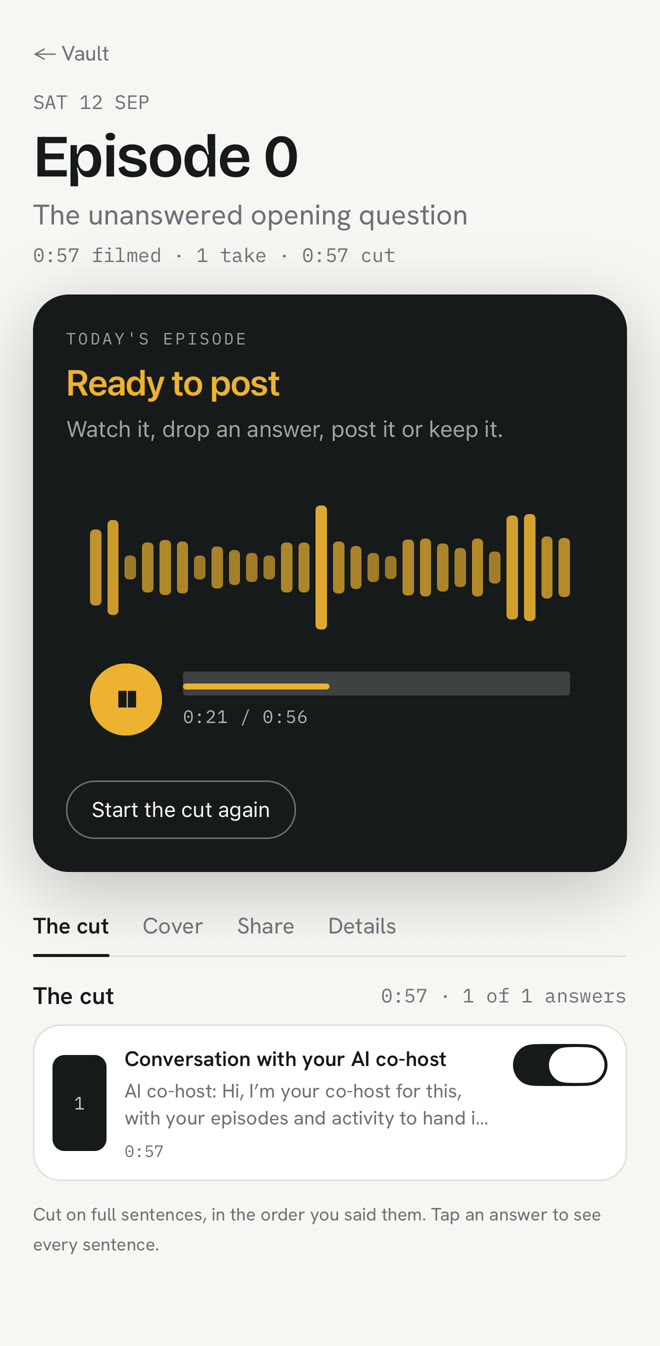
underway is the one on this list that starts before the recording. once a day, whenever suits you, it interviews you about what you actually worked on, by voice, on camera or over your screen. it can read your GitHub, your calendar and your inbox first, so the questions are about your day rather than a blank "so, how's it going". then it cuts the episode itself: filler, false starts and dead air out, cut on full sentences, captions on, your episode card at the front, and always in the order you said things. a numbered episode is ready minutes after you finish.
the editing that's left is review. you can switch an answer off, or strike a sentence from the transcript and the cut follows, which is descript's best idea kept for the one minute you need it. every finished episode also gets short vertical clips for Shorts, Reels and TikTok, and the words to post with it, written for X, LinkedIn, YouTube and the rest from what you said.
Founder is $29 a month or $290 a year. Series, which adds one-tap posting to YouTube, LinkedIn, TikTok, Instagram and X, the weekly round-up and the podcast feed, is $79 a month or $790 a year. every account starts with a 14-day free trial, card added at the start and nothing charged until day 15.
what it won't do: edit footage you shot somewhere else, give you a timeline, or reorder what you said into a better story. that last one is on purpose.
best suited for: founders and anyone documenting work they're doing, who want a post a day without an editing session. not for anyone who wants to cut a film from footage they already have.
2. Riverside, best for recording guests in studio quality
Riverside records each person on their own track, locally on their own machine, so a remote guest on a shaky connection still arrives in full quality. it has text-based editing like descript's, removes silences and filler words, makes Magic Clips from a recording, writes show notes and can host the podcast.
Pro is $29 a month, or $24 a month billed yearly ($288), with 5 hours of separate-track recording a month and up to 4K. Grow is $39 a month ($34 yearly) with 15 hours. the free plan gives 2 hours of multi-track recording once, at 720p, with a watermark.
you still decide what to say and you still review the edit, but the recording problem, which is the hardest one for interviews, is solved properly.
best suited for: podcasters and anyone interviewing other people remotely. less suited to one person talking alone, where its best feature doesn't come into play.
3. Opus Clip, best for turning long videos you already have into Shorts
Opus Clip takes a long video, a podcast, a webinar, a stream, and cuts it into short vertical clips by what was said, with captions, reframing and a virality score on each. it can post them to YouTube Shorts, TikTok and Instagram.
Starter is $15 a month and Pro is $29 a month, which adds brand templates, custom fonts and a team of up to four. the free plan keeps clips for 3 days and puts a watermark on its caption templates.
it replaces one part of descript, the clipping, very well. it doesn't record anything and it doesn't make the long video, so it needs a long video to exist first.
best suited for: anyone already recording long-form who wants Shorts without cutting them by hand. not a fit if you don't have the long video yet.
4. Kapwing, best for editing in the browser
Kapwing is a full video editor that runs in a browser tab, with subtitles, text to speech, dubbing and shared projects for a team. it's the closest thing on this list to descript as an editor, without an app to install.
Pro is $16 a month or $128 a year, with unlimited exports and auto-subtitles up to 1,000 minutes a month. Business is $50 a month or $400 a year. the free plan exports 30 minutes a month with a watermark.
you're still the editor. what changes is the room: lighter, shareable, and cheaper than descript's Creator plan.
best suited for: people who like editing and want it in a browser, and small teams working on the same videos. not a way to edit less.
5. DaVinci Resolve, best free editor if you'll learn it
DaVinci Resolve is a professional editor, colour grading suite and audio workstation, and the main version is free without a watermark. DaVinci Resolve Studio is $295 once, no subscription, and adds the AI tools, noise reduction and text-based editing.
nothing else here gives you as much control for as little money. it also asks the most of you: it's a professional tool, and editing a talking-head video in it takes longer than in descript, not less.
best suited for: people who want to become good editors, and anyone who will never pay a subscription. the wrong choice if editing is the part you were trying to escape.
side-by-side comparison
the same four criteria, side by side. prices are the cheapest paid plan without a watermark, as listed on each tool's own pricing page on 14 October 2026.
| Descript | Riverside | Opus Clip | Kapwing | DaVinci Resolve | underway | |
|---|---|---|---|---|---|---|
| editing left to you | edit | review and edit | review clips | edit | edit | review |
| starts from | your footage | a recording it makes | a long video you have | your footage | your footage | an interview it runs |
| from, per month | $16 yearly, $24 monthly | $24 yearly, $29 monthly | $15 | $16 | free, or $295 once | $29 |
| free plan | 60 minutes, watermark | 2 hours once, watermark | 3-day clips, watermark | 30 minutes, watermark | free, no watermark | 14 days, card needed |
| makes for you | clips, studio sound | clips, show notes, hosting | Shorts, captions, posting | subtitles, dubbing | nothing automatic | episode, Shorts, captions, posts, a page |
which descript alternative fits your use case
| first choice | also good | why | |
|---|---|---|---|
| a daily update about your work | underway | Opus Clip | nothing to edit, and it asks what to say |
| a podcast with remote guests | Riverside | Descript | every voice recorded at full quality |
| Shorts from webinars or streams | Opus Clip | Riverside | cuts by what was said, posts for you |
| a small team editing together | Kapwing | Descript | a shared editor in the browser |
| no budget, plenty of time | DaVinci Resolve | Kapwing free | full control, no watermark |
what results look like
the clearest result we can show is our own. Richard Lovatt, who makes underway, has filmed 75 numbered episodes of a series about building it, with it, since September 2026: each one an interview about that day's work, cut and captioned without opening an editor. they are on the series page in order, so you can judge the output rather than our description of it.
the point isn't that 75 is a big number. it's that a habit that depends on an editing session tends to stop, and one that doesn't tends to keep going.
watch the series from episode 0, in order, on its page.
faqs
what is the best free descript alternative?
DaVinci Resolve, if you'll learn it: the main version is free and exports without a watermark. Descript, Riverside, Opus Clip and Kapwing all have free plans, but each puts a watermark on what you export.
what is the best descript alternative for podcasts?
Riverside, for a podcast with guests, because it records every person on their own track at full quality. for a solo show where you'd like someone to ask the questions, underway runs the interview by voice and keeps the questions in the episode.
how do I make videos without editing them?
use a tool that does the cut for you and only asks you to review it. underway interviews you and cuts the episode itself; Opus Clip cuts Shorts from a long video you already have.
what does descript do that the alternatives don't?
it combines recording, text-based editing, studio sound and an AI co-editor in one app at $16 a month billed yearly. if you like editing, that combination is hard to beat.
how much do descript alternatives cost?
paid plans start at $15 a month (Opus Clip), $16 (Kapwing), $24 to $29 (Riverside) and $29 (underway). DaVinci Resolve is free, or $295 once for the Studio version.
what is the best descript alternative for founders?
underway, because it starts from what you worked on that day, asks you about it, and produces a numbered episode and the posts to go with it. its own founder documents the build of underway with it.
how is underway different from Opus Clip?
Opus Clip needs a long video to cut Shorts from. underway makes the video in the first place, by interviewing you, then makes the Shorts from it too.
try underway free for 14 days
if the editing is why you're looking, try a day without it. sign up, film episode zero about what you're building, and see a finished episode a few minutes after you stop talking. the interview is about three minutes of answers. you add your card at the start and nothing is charged until day 15. everything stays private until you choose to post it.
start your 14 days and film episode zero today.
where to go next
what software can and can't honestly automate in a founder's video: /founder-video-without-editing.
if what you want is a podcast host that asks the questions: /ai-podcast-host-that-interviews-you.