
New in underway
youtube thumbnail with face: three for every episode
8 October 2026 · 8 min read
Post on X
a youtube thumbnail with face works because people look at faces first: a clear, close face with one honest expression, looking at the viewer or at the thing the video is about, with at most a few big words beside it. make the face large enough to read at phone size, light it well, match the expression to what actually happens in the video, and use the same person in the same style on every video so the channel is recognised in a grid.
that is the method. below is how to do each part by hand, the mistakes that make a face thumbnail look cheap, when a face is the wrong choice, and how underway draws three thumbnails with your face for every episode on its series plan, from portraits of you that you approved.
why a youtube thumbnail with face gets noticed
a results page is a wall of small pictures. the eye goes to faces before it goes to text or objects, and an expression tells a viewer something about the video before they read a word: this went wrong, this surprised me, this worked. a face is also a promise of a person, and for a lot of searches people want a person explaining, not a slideshow.
there is a second reason that matters more over time. a channel that uses the same face, framed the same way, becomes recognisable at a glance. someone who watched one of your videos spots the next one in their feed without reading the title. that recognition compounds the way a series does.
how to make a youtube thumbnail with face, step by step
- start from a sharp picture of your face, not a blurry frame grabbed from mid-sentence. a photo taken for the purpose, or a still where you are mid-expression and in focus.
- pick one expression that matches the video: surprised for a result you did not expect, frustrated for a problem, pleased for a win, thinking for a decision. one feeling, not a mix.
- cut yourself out from the background, or use a plain background, so the face separates from everything else.
- make the face big. head and shoulders filling a third to a half of the frame. small faces disappear at phone size.
- put the subject of the video on the other side: the product, the screen, the object, the logo of the tool you talked about. look or point towards it.
- add at most three or four words, large and high contrast. they should add to the title, not repeat it.
- export at 1280 by 720, 16:9, as a jpg or png, under youtube's size limit, and check it at the size of a phone result before uploading.
custom thumbnails need a channel with its phone number verified. upload one in youtube studio under the video's details, thumbnail. some channels also get test and compare there, which shows up to three thumbnails to different viewers and reports which one earned the most watch time.

expressions, eye line and placement
most face thumbnails use a handful of expressions. each tells the viewer something different, and the right one is the one the video actually delivers.
| expression | what it signals | fits a video about | |
|---|---|---|---|
| surprised | something unexpected happened | a result, a discovery, a number you did not see coming | |
| frustrated or worried | something went wrong | a bug, a lost customer, a launch that stalled | |
| smiling or celebrating | it worked | a first sale, a milestone, a fix that landed | |
| thinking | a decision is being weighed | a choice between two options, a plan | |
| serious, straight to camera | listen to this | a lesson, a warning, an opinion |
eye line matters as much as expression. looking straight at the camera creates a connection with the viewer. looking or pointing towards an object in the picture sends the viewer's eye there too, which is useful when the object is the subject. keep the face clear of the bottom right corner, where youtube puts the video's length.
mistakes that make a face thumbnail look cheap
- a forced expression for a calm video. viewers notice the mismatch within seconds of pressing play, and that teaches them to skip you next time.
- a different style every video. a new font, a new colour, a new crop. it throws away the recognition a face is meant to build.
- a face so heavily edited it no longer looks like you. the person in video 3 should be the person in video 190.
- too many words. a sentence on a thumbnail is unreadable on a phone.
- a dark, soft or low-resolution face. lighting does more than any filter.
- a fake screenshot, a fake notification or a fake message to make it look dramatic. it is a lie on the front of the video.
when a face is the wrong choice
faces are not always the answer. a product comparison, a screen tutorial or a finished piece of work can be better shown than reacted to. if the thing people searched for is a picture, show the picture. and if being on the front of every video is not something you want, a strong still of the work with a few clear words is a perfectly good thumbnail. the rule is the same either way: one idea, readable at phone size, true to the video.
how underway makes a youtube thumbnail with face for every episode
underway is a video diary for founders. once a day, whenever suits you, it interviews you about your work and cuts your answers into a numbered episode. on the studio plan, every finished episode gets three pro thumbnails by itself, each one you standing in a scene drawn from what the episode is about, with a few big words.
the face is made once, not from the day's frame. after your first episode on camera, underway takes clear frames of you from your own episodes and makes twelve portraits, one expression each: surprised, smiling, confident, thinking, pointing left, pointing right, frustrated, worried, celebrating, arms crossed, laughing and serious. you see them under faces they're drawn from. press not me under any that does not look like you and it is never used. or add up to four photos of yourself, face on and well lit, and they are made again from those.

a few minutes after an episode's file is made, the director reads the episode as it was cut and writes three different ideas, each with a scene, the expression that fits, at most four words a stranger would understand, and one line on who it would make click and why. each is drawn with you standing in the scene, lit by it. the best one is already chosen and marked chosen for you. the faces take turns, so the series does not wear the same look every week.
the chosen one is the episode's cover everywhere: your vault, your page and youtube, with a portrait version for instagram and tiktok. it lives on the cover tab, between details and share. use this one makes another the cover. if the episode is already on youtube, put it on youtube now swaps it on the video. three more draws one more set, so an episode has six to choose from at most. use the plain cover instead goes back to a real frame of you.
what underway will never put on one
a thumbnail is packaging, not the diary. the episode never changes. but packaging can still mislead, so the rules are in the code:
- a brand's logo only when you named it out loud in the episode.
- never your own product's logo, because the image model has never seen it and would invent a fake one.
- no invented screens, ads, messages or reviews made to look real.
- no other people.
- nothing the episode does not deliver. the words come from what it is about, and lines you struck from the cut never reach them.
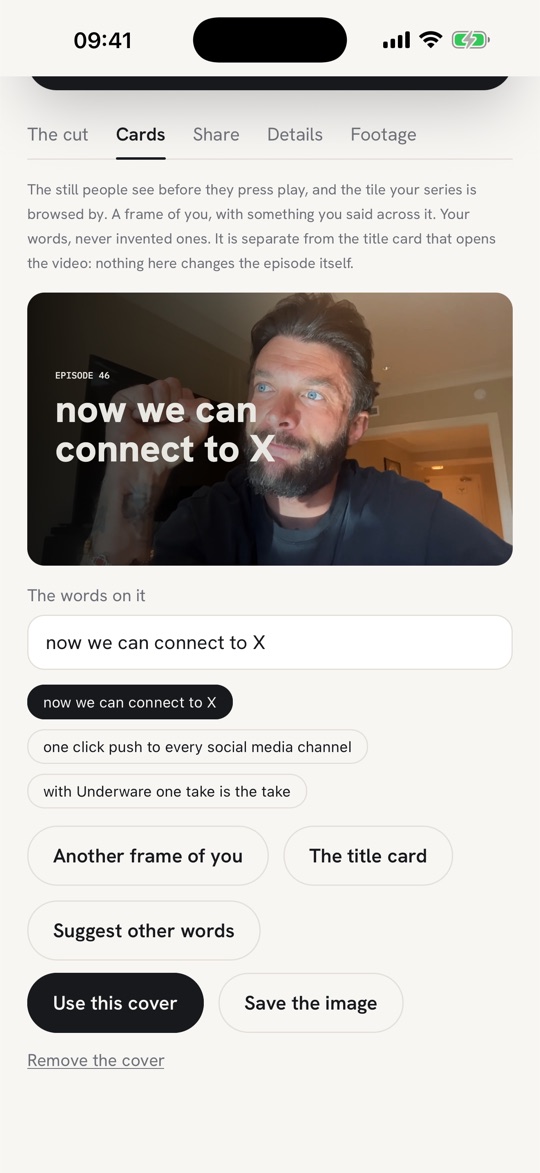
the plain cover stays one press away: a real frame of you with a line you said. on the founder and series plans, and in the 7-day free trial, which is founder, it is the cover and the youtube thumbnail. the same thumbnails are on the phone's cover tab, where you can choose photos from your camera roll to make your faces.
if you want the video edited for you, not only the thumbnail: an ai that edits your videos.
faqs
do youtube thumbnails with faces get more clicks?
faces are noticed first on a results page, and a clear expression tells a viewer what kind of video it is. whether yours does better is something only your own channel can tell you; youtube studio's test and compare, where available, is the fair way to check.
what size should a youtube thumbnail be?
1280 by 720 pixels, 16:9, as a jpg or png. keep the face and words large enough to read at the size of a phone result.
which underway plan has pro thumbnails?
studio, $199 a month, and company record. founder and series keep the plain cover, which is still the youtube thumbnail there.
is it my real face?
it is a portrait made from clear frames of you in your own episodes, or from photos you add. if one does not look like you, press not me and it is never used.
does it work on youtube shorts?
a short from the shorts tab goes up with its cover as the thumbnail. a portrait episode that goes up as a short gets none. a longer episode goes up as a normal video with its thumbnail.
does it change my episode?
no. nothing in the episode, its order or its words changes. it is the picture in front of it.
the title that sits beside the thumbnail: how to title a youtube video.
a cover made from your own frame instead: auto thumbnail generator from video.
From the series
Founders’ episodes, written up.
Every public episode on underway has a page of its own: the video, then the same account in writing, checked against what the founder actually said.
Browse every series
Building Underway
People pay more than you think to fix a problem
I changed the positioning of Underway from day-one urgency to the pain of not having posted content for years, and raised the cheapest plan from a 14-day trial at $29.99 to a seven-day trial at $129.99. Signups came in faster and the cost to acquire each one dropped a lot. That lets me start working out CAC, margins and recurring revenue, which matters after the Anthropic bill gave me a scare. I'll go through the ads I crafted in another episode.

Building Underway
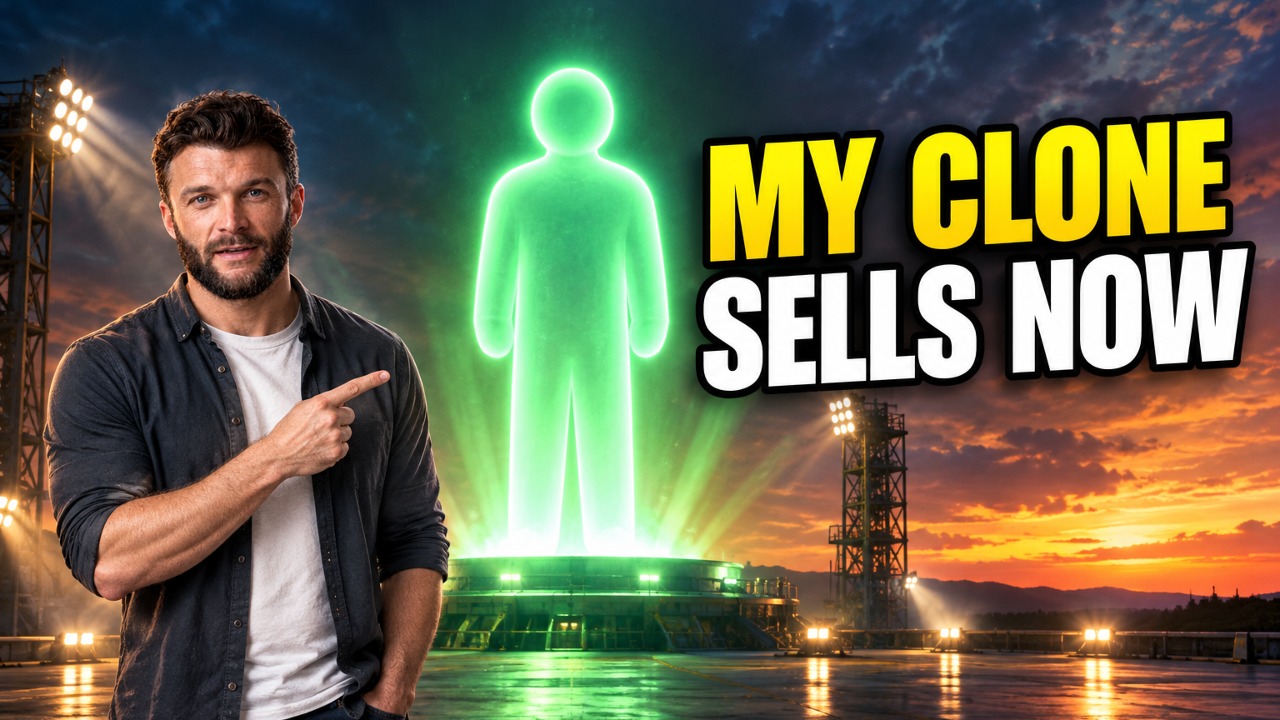
Train Your Ai Clone To Make Money: part 2
I rebuilt my AI clone in Underway from three short phone recordings, then used it to set up a 12 to 15 second ad. I played back the clone video from last time, which I'd be happy to run as an ad even though the pacing at the end is off, and showed earlier attempts where the face and lighting were wrong. The model finished building while I talked through how the ads get researched and written, and the new ad I queued was still at 0% when I stopped.
Building Underway
Train Your AI Clone to Make Money
I trained my AI clone inside Underway for marketing by recording the three short clips it asks for: sat and talking, up close, and walking with my phone. I turned the voice recording off because Underway already has plenty of my voice from the episodes I've made, so it defaults to that. The walking clip was still saving when I stopped, so how the clone actually looks and how I use it to write scripts and market will be part two.

Building Underway
Meta ads setup for more app sign ups
Underway hit 20 signups, and I'm testing an AI background changer for a new studio setup. I talk about how the signups feel compared to my first big sales back when I started in sales, and why I'm documenting it to see where I am in a year's time. I'm also recording this one sitting in front of a plain wall in my kitchen that gets filled in with a background, after seeing a few people on X post videos doing the same. I don't know yet how it will come out.
Building Underway
How to screen record only one tab (for SEO traffic)
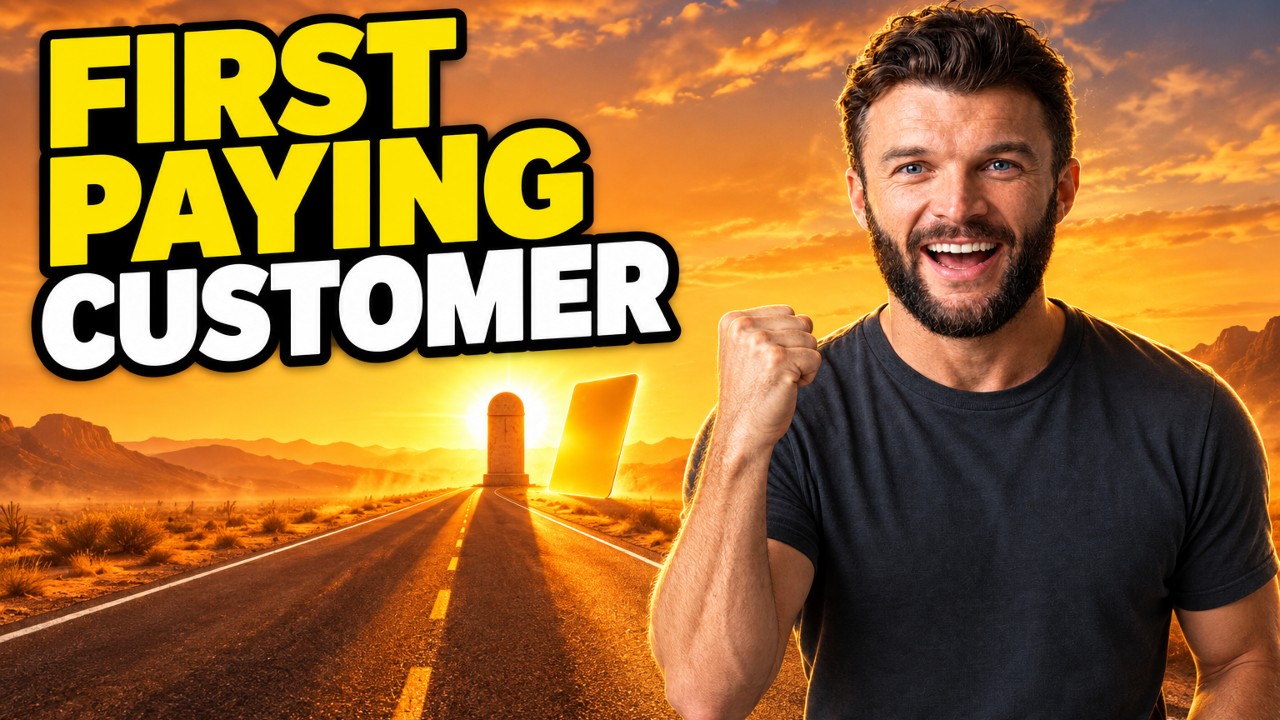
I walked through Underway's "what's worth doing now" section on the Today page, which scans my website and GitHub and suggested filming "how to screen record only one tab" to sit alongside the article I already have up, with a one-click handoff into filming the walkthrough. I also mention we got our first customer yesterday after switching the ads from join for free to entering card details with 14 days free. The hover highlight on that screen isn't working, so the black panels are hard to read, and I'm going to fix that next.

Building Underway
Getting found in AI search terms
I walked through Underway's Found in AI Answers tool, which checks the questions buyers ask ChatGPT, Claude and Gemini with web search on and reports whether the answers name you, cite your page or name a competitor instead. This week I'm named in 1 of 17 answers, cited by ChatGPT for a question about a tool that interviews you by voice and turns the answers into a podcast episode. Nine of the searches name someone else, and for each one the tool gives me a question to say out loud and answer on camera, then publishes the answer on my own site under that heading. I haven't filmed those answers yet.