
New in underway
custom connector claude and chatgpt: add underway, signed in
15 October 2026 · 7 min read
Post on X
if you searched custom connector claude because you want the ai app you already talk to all day to know about your build, this is that, for underway. paste one address into claude or chatgpt and the chat can interview you about your day, set up your next recording, and, once you sign in, list the episodes you have made.
what is new on 15 october 2026 is the signed-in version. it asks you to sign in to underway and press allow on underway's own page, and then it can see one thing it could not before: your finished episodes, newest first.
the filming still happens in underway. the chat is a remote control, not a camera. it cannot record, publish, post, delete or see your footage, signed in or not.
the two addresses
there are two, and they do different jobs. both are remote mcp servers, the kind claude and chatgpt let you add by pasting an address.
- https://underway.life/mcp needs no account at all. anyone can add it, including someone who has never opened underway.
- https://underway.life/mcp/account asks you to sign in to underway first. it does everything the first one does, plus the list of your episodes.
if you are not sure which, add the second. if you do not have an underway account yet, add the first and try the interview, which costs nothing and asks for nothing.
custom connector claude steps: adding underway in claude
in claude, the place is settings, then connectors, then add custom connector. that is the whole custom connector claude setup on underway's side: there is nothing to install and no key to copy.
- open settings in claude, then connectors.
- press add custom connector.
- paste https://underway.life/mcp/account (or https://underway.life/mcp for the one without an account).
- with the signed-in address, claude opens underway and asks you to sign in and press allow. do that once.
- start a chat and say interview me about my day, or set up a ten-minute podcast about the launch.
which claude plans allow custom connectors, and on which of its apps, is claude's decision rather than ours. if you cannot see add custom connector, that is the place to look.
how to add a custom connector to chatgpt
chatgpt keeps it in a different spot. go to settings, then apps and connectors, then create. chatgpt asks for developer mode to add one of your own, so turn that on if it is off. paste an address, and for the signed-in one choose oauth as the way it signs in. chatgpt then sends you to underway to sign in and press allow, the same page claude uses.
any other app that speaks mcp can use the same addresses. the signed-in one answers an app that has not signed in yet with a message saying where to sign in, so an app that follows the mcp sign-in steps finds its own way there.
what the connector does, signed in or not
three tools, two of them open to anyone.
- underway_debrief: a short interview about your day, typed rather than filmed, one question at a time, the way underway asks on camera. it ends with your day in your own words and a link that opens underway with it loaded.
- underway_set_up_recording: settles how long, camera or podcast, portrait or landscape, questions or just talking, and what it is about. it hands back a link that opens underway set up that way.
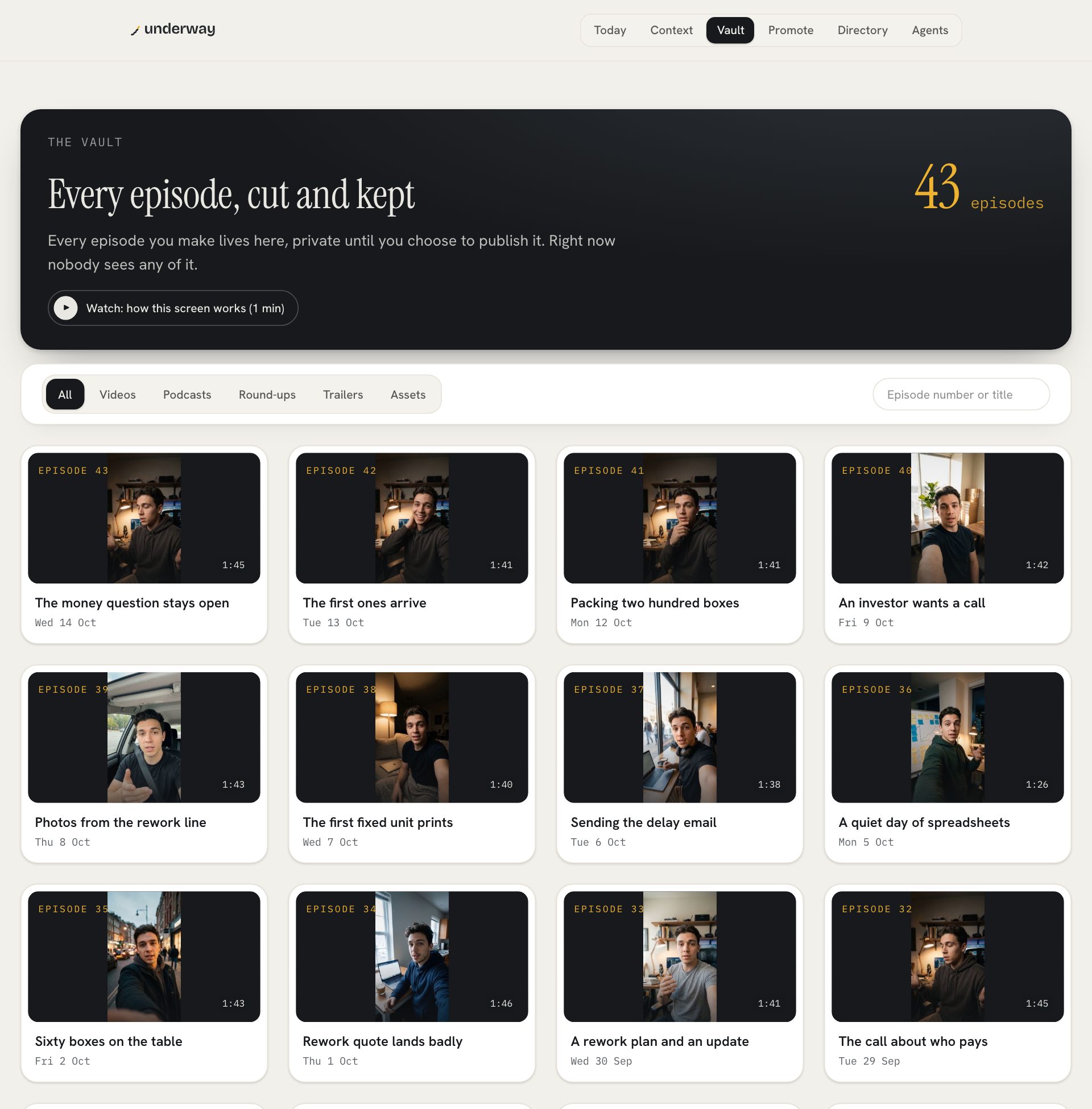
- underway_my_episodes, signed in only: your finished episodes, newest first, each with its number, its name, the date and a link to open it.
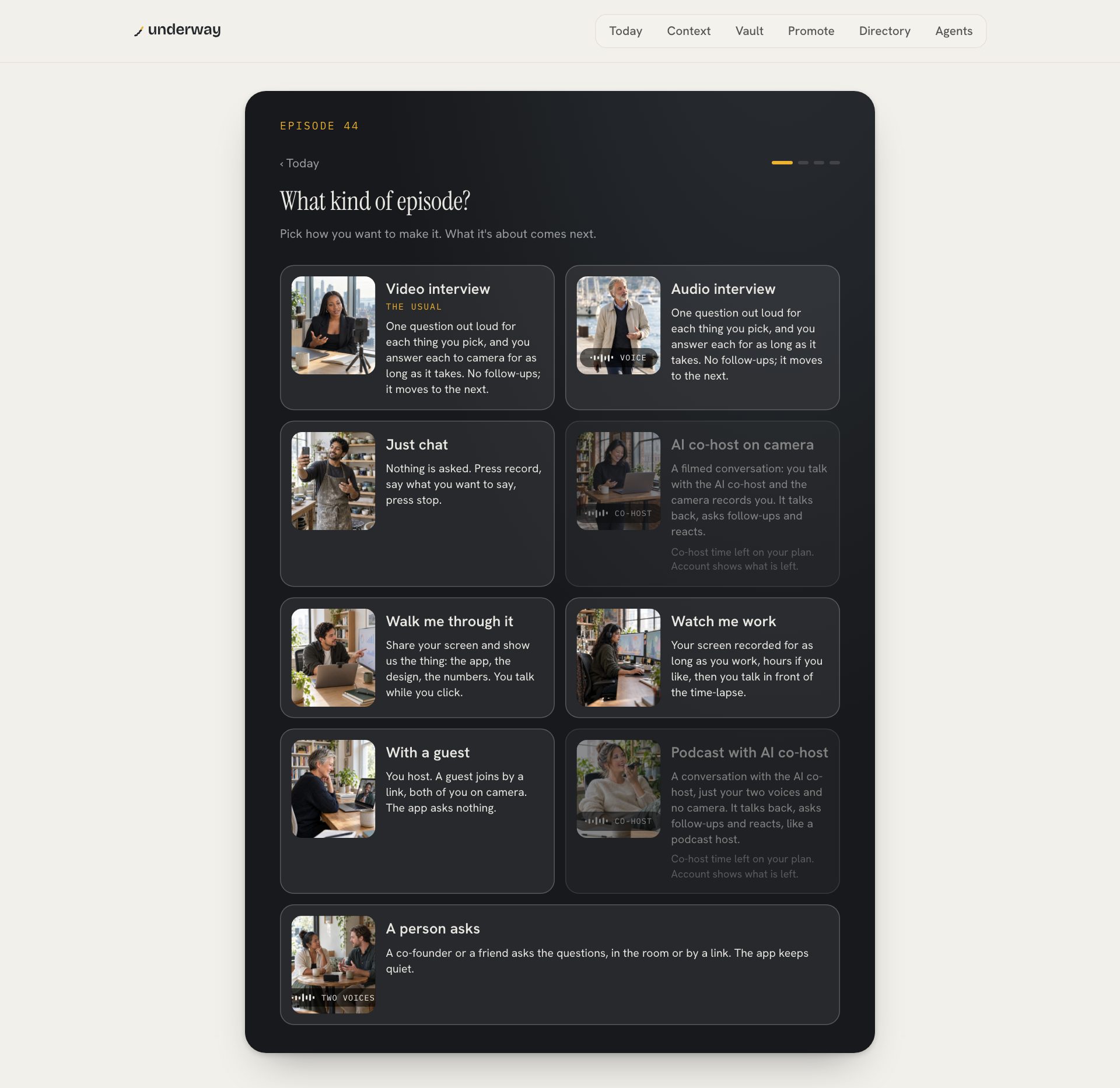
the interview in the chat is not a lesser episode. it is the thinking before the episode. you talk through the day in text, you get back what you said, and the link opens underway with that loaded, so when you press record the questions already know what the day was about.
set up a recording is for when you already know what you want. say a ten-minute podcast about the launch, landscape, just talking, and the link opens underway with those choices made. it is a shortcut past a few taps, nothing more.
why list your episodes in a chat at all
because the chat is where you already are. if you are writing a post, an investor update or a thank-you to a customer in claude or chatgpt, the episode you want to link to is one question away: what was the episode about the pricing change, and when did i film it. the answer comes back with the number, the name, the date and the link, and you never leave the chat to go and find it.
it is also a quick check that a series is still moving. newest first means the top of the list is the last thing you filmed, with its date beside it. episodes are counted, not days, so the number is simply how many you have made.
what pressing allow gives it, and what it never does
signing in is standard oauth with pkce: you sign in on underway's own site, underway shows you which app is asking, and you press allow. the chat app never sees your password. what it gets is a sign-in that lets it ask underway for your list of finished episodes, and nothing more.
- it can list your finished episodes: number, name, date, link.
- it cannot record. filming always happens in underway, where your camera is.
- it cannot publish, post or put anything on your page.
- it cannot delete anything.
- it cannot see your footage.
a sign-in lasts an hour and renews itself while the app is in use. leave it unused for ninety days and it ends, and the next time you ask, the app sends you to sign in again.
disconnecting an app
underway.life/connector has a section called apps you've connected. signed in, it lists every app you have allowed, with the date it last signed in, and disconnect beside each. disconnect ends that app's sign-in at once. the connector without an account keeps working either way, because it never knew who you were.
the same page has both addresses, the steps for claude and chatgpt, and what each tool does, so it is the one link to send anyone who asks how you set it up.
custom connector claude or chatgpt: does it matter which?
not to underway. the addresses are the same, the tools are the same, and the sign-in page is the same. pick the app you already have open most of the day, because that is where you will think to use it. if you use both, add it to both and allow each one; they appear separately under apps you've connected, so you can disconnect one and keep the other.
| claude | chatgpt | |
|---|---|---|
| where to add it | settings, connectors, add custom connector | settings, apps and connectors, create |
| extra step | none | developer mode on; choose oauth for the signed-in address |
| sign in | underway's own page, press allow | underway's own page, press allow |
| tools | interview, set up a recording, your episodes | interview, set up a recording, your episodes |
who this is for
a founder who keeps a chat window open next to the work. the hard part of filming an episode is rarely the filming. it is working out what today was about, and a chat you were already typing into is a good place for that to happen. the connector puts underway's interview there, then gets out of the way and sends you to the camera.
it is not a way to make episodes without filming them. there is no episode without you on camera, or on the mic for a podcast. the connector gets you to the record button with the thinking done; the record button is still yours to press.
the page with both addresses, the steps and your connected apps: underway in claude and chatgpt.
what the interview asks, and why it asks it: a journal app that asks you questions.
faqs
do i need an underway account to use the connector?
not for https://underway.life/mcp. the interview and set up a recording work without one. listing your episodes needs the signed-in address, https://underway.life/mcp/account, and an underway account.
can the connector record or post for me?
no. it cannot record, publish, post, delete or see your footage. it can interview you in text, set up a recording, and, signed in, list your finished episodes.
how long does the sign-in last?
an hour at a time, renewed by itself while the app is in use, for up to ninety days without use. after that the app asks you to sign in again.
how do i take an app's access away?
go to underway.life/connector, sign in, and press disconnect beside the app under apps you've connected. it ends that app's sign-in at once.
where is the custom connector setting in claude?
settings, then connectors, then add custom connector. paste the address, and with the signed-in one, claude opens underway for you to sign in and press allow.
where is it in chatgpt?
settings, then apps and connectors, then create, with developer mode on. paste the address and choose oauth for the signed-in one.