
Article
opus clip alternative: when you have no footage yet
28 October 2026 · 10 min read
Post on X
the right opus clip alternative depends on one thing: whether you already have long videos. Opus Clip takes a podcast, a webinar, a stream or an interview you've recorded and cuts it into short vertical clips with captions. if you have a back catalogue, that's a good job done well, and the closest swaps are other clippers: Klap, Vizard, Submagic, Riverside's Clipper, or an open-source tool if you'll run it yourself.
if you don't have the long video, no clipper can help, because there's nothing to clip. that's the gap underway fills. it starts from nothing: it interviews you, out loud, about your business and what you worked on, then cuts a numbered episode in the order you said things, and cuts Shorts from that episode to send people to it. we make underway, so this page says what each tool is for, from each one's own pages on 28 October 2026, and credits Opus Clip where it is better.
to judge the output rather than our description of it, a real series made with underway, every episode in order, is here.
key takeaways
- Opus Clip and every clipper on page one start from a recording you already have. they're the right tool for a back catalogue of podcasts, webinars or streams.
- underway starts before there's a recording. it asks you questions and gets the footage, then makes the episode and the Shorts from it.
- Opus Clip's free plan keeps media for 3 days and puts a watermark on its animated captions. Starter, at $15 a month, removes the watermark.
- for a free opus clip alternative with no watermark, open-source clippers exist, but you run them yourself with your own keys.
- underway starts at $29.99 a month with a 7-day free trial. it doesn't clip videos you upload, so it isn't a like-for-like swap. it's a different starting point.
what Opus Clip does well
Opus Clip is a clipping tool. you upload a file or paste a link (YouTube, Zoom, Riverside, StreamYard and many more on Pro), and its ClipAnything model picks the moments worth sharing and cuts them into short clips. ReframeAnything keeps the speaker in frame when a wide video becomes a tall one. captions go on automatically and you can edit them. brand templates hold your fonts, colours, logo and intro or outro, and on Starter and up it posts to YouTube Shorts, TikTok and Instagram for you, with Pro adding LinkedIn, X, Facebook and a scheduler.
it has also added an agent. Agent Opus, which Opus calls the first AI video agent for social media, starts from an idea or uploaded audio and makes short videos from it, and its B-roll powers Pro's AI video B-roll. that's a different job from clipping: it generates a video around a prompt rather than cutting one you filmed.
if you record a weekly podcast or run webinars and want Shorts out of them without cutting by hand, Opus Clip is a strong choice and you may not need an alternative. it's at its best with a lot of long footage and not enough time to watch it back.
why people look for an opus clip alternative
the searches tell you the reasons. "free" and "free no watermark" are about price: Opus Clip's free plan watermarks its animated captions and deletes media after 3 days. "reddit" is people wanting a view that isn't a vendor's, which is fair, because almost every list on page one is written by a clipping tool that ranks itself first. "open source" is people who would rather run something themselves.
there's a quieter reason underneath, and it's the one this page is for. a clipper is only as good as what you feed it. a founder who wants to post about their business usually has no podcast, no webinar and no stream. they have a day of work. Shorts cut from a video that was never made aren't a pricing problem, and switching clipper doesn't fix them. what's missing is the long video, and the reason it's missing is usually that sitting in front of a camera with nobody asking anything produces a few awkward minutes and then nothing.
underway: an opus clip alternative that starts with no footage
underway gets the footage first. it reads what you connect, read only: GitHub, your calendar, email you forward, Slack, your shop or payments, your website. before your first episode you film episode zero, a short interview about what you're building and who it's for, which becomes standing context for every interview after it. so when you sit down, it already knows what you're working on.
you pick what the episode is about from topics it suggests, or type your own, and it asks one question out loud for each thing you picked. the question stays on screen and you answer for as long as it takes. if you'd rather be pushed, there's an AI co-host instead, a live conversation that follows up on what you say. both work on camera or voice only, whenever suits you.
then it cuts the episode itself: filler, restarts and dead air out, cut on full sentences, captioned, your episode card on the front, and always in the order you said things. underway never moves your best line to the front of an episode. the episode is numbered, so episode 47 follows episode 46, and it stays in your vault, private, until you choose to post it.
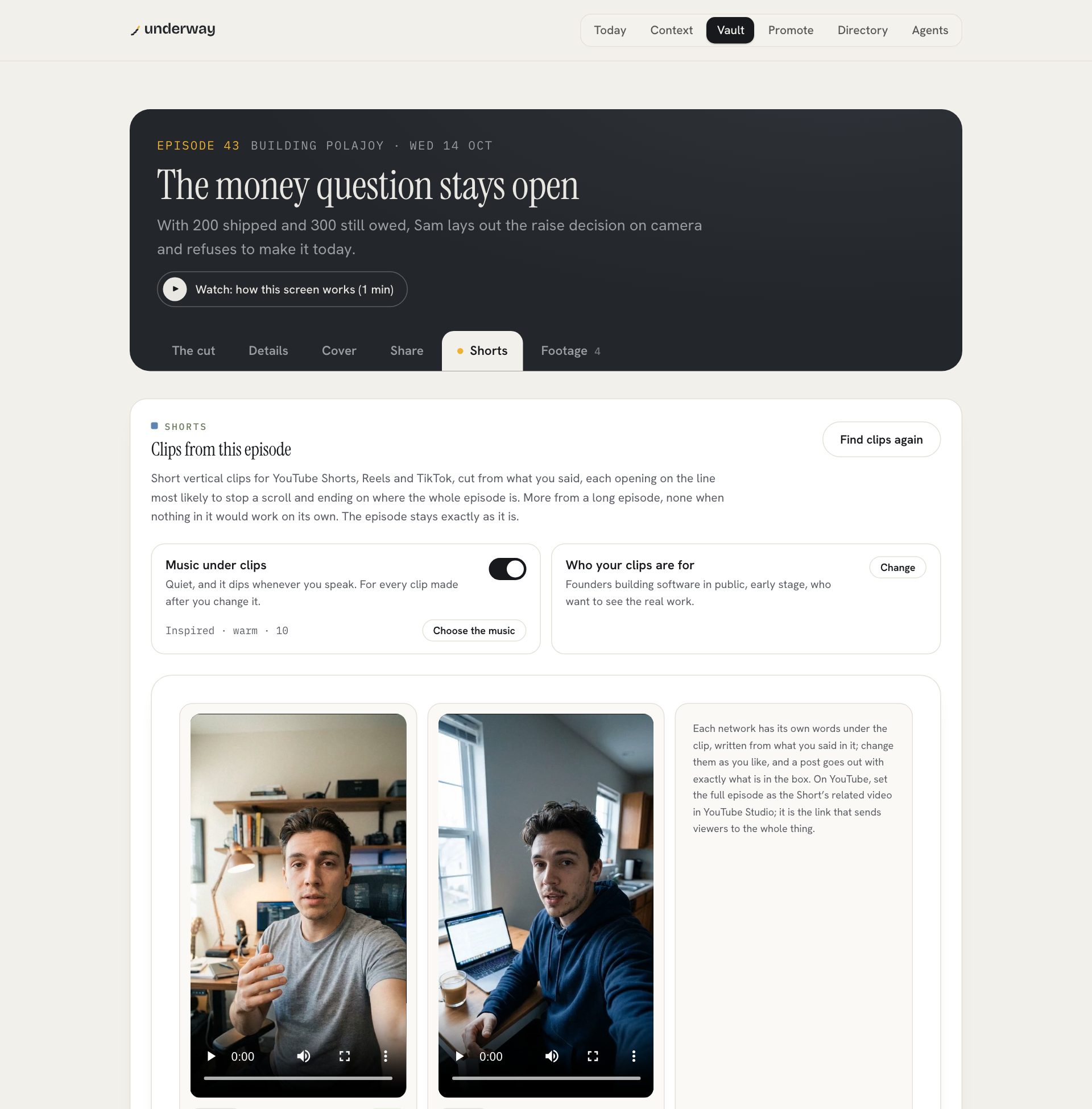
the Shorts come after, and this is where it overlaps with Opus Clip. press Find clips on a finished episode and it cuts short vertical clips from what you said, each opening on the line most likely to stop a scroll and ending on where the whole episode is. it can return none, and says so, when nothing in the episode would work on its own. each network gets its own words under the clip, written from what you said.
opus clip alternative compared: Opus Clip and underway
the two tools on the questions that decide between them. Opus Clip's side is from opus.pro, its pricing page and its agent page, read on 28 October 2026.
| Opus Clip | underway | |
|---|---|---|
| starts from | a long video you upload or link | nothing; it interviews you |
| what it makes | short clips; Agent Opus makes videos from a prompt | a numbered episode, then Shorts from it |
| order | clips open on any moment | the episode stays in the order you spoke; Shorts may open on any line |
| what it reads first | your video | episode zero, your connected tools, your day |
| posting | Starter: Shorts, TikTok, Instagram; Pro adds more and a scheduler | Series: one tap to the networks you connect |
| watermark | on the free plan's animated captions | every episode carries a small made with underway mark |
| from, per month | $15 Starter, $29 Pro | $29.99 Founder, $299.90 a year |
| free to try | free plan, no card, 3-day storage | 7 days, card needed, nothing charged until day 8 |
the watermark row is worth being straight about. underway's episodes carry "made with underway" in the bottom-left corner on every plan. it's small and it's how people find us, but if a clean export with no mark at all is the reason you're searching, underway isn't the answer to that search.
other opus clip alternatives, briefly
if you do have long videos and want a different clipper, these are the usual names. each one's details are from its own page on 28 October 2026. we haven't tested them side by side, so this is what each says it does, not a ranking.
- Klap: turns videos into Shorts, priced by clips. Basic is $14 a month, Pro $39 and Pro+ $94, as shown billed yearly.
- Vizard: a free plan with 60 minutes of uploads a month, exports at 720p and 3 days of storage; the paid Creator plan lists no watermark. it adds subtitles, reframing and B-roll.
- Submagic: best known for captions, with Magic Clips for cutting long videos. Starter is $19 a month or $12 billed yearly, and every paid plan lists no watermark.
- Riverside's Clipper: one of Riverside's agents, launched this week. it finds the best moments in your Riverside recordings, older ones included, and cuts them for social. on every Riverside plan, with a 14-day trial.
- SupoClip and other open-source clippers: free, no watermark, and yours to run. SupoClip needs Docker and your own transcription and AI keys, then makes captioned vertical clips. the cost is setup and upkeep instead of a subscription.
every one of them starts from a video that already exists. that's the line underway sits on the other side of.
which is right for you
| choose | why | |
|---|---|---|
| a back catalogue of podcasts or webinars | Opus Clip or another clipper | it's built to find moments in long footage |
| live streams to clip | Opus Clip | it takes links from the big streaming tools |
| clean exports, no mark, low budget | Submagic, a paid Opus Clip plan, or open source | underway's episodes carry a small mark |
| a regular episode about your business, with no footage yet | underway | it asks the questions and gets the footage |
| you never know what to say on camera | underway | you answer questions rather than present |
| a story told in order, for an audience, investors or hires | underway | nothing reordered, every episode numbered |
some founders will want both: a clipper for the podcast or webinars they already run, and underway for the episodes that are just them. they don't compete for the same footage.
what underway costs
every new account starts with a 7-day free trial of Founder, Series or Studio. you add a card at the start and nothing is charged until day 8; cancel before then and you pay nothing. Founder is $29.99 a month or $299.90 a year: the interview, the finished episode, Shorts when you press Find clips, the words for every platform, your page and every connection. Series is $79.99 a month and adds one tap to post to the networks you connect, the weekly round-up and the podcast feed. Studio is $129.99 a month and adds things like YouTube thumbnails with your face in them and motion graphics on your episodes. your raw recordings download on every plan.
what results look like
the clearest result we can show is our own. Rich Lovatt, who makes underway, films a numbered series about building it, with it: each episode an interview about that day's work, cut and captioned without opening an editor, with Shorts cut from the episodes. they're on the series page in order. a pile of clips is a set of moments. a series is one story, told while it's still happening, and the clips point back to it.
faqs
what is the best opus clip alternative?
if you have long videos, another clipper: Klap, Vizard, Submagic or Riverside's Clipper, or SupoClip if you'll run it yourself. if you don't have long videos yet and want a regular episode about your business, underway, which interviews you and makes the episode and the Shorts.
is there a free opus clip alternative with no watermark?
open-source clippers such as SupoClip are free and add no watermark, but you run them yourself with Docker and your own keys. Vizard has a free plan with 60 minutes of uploads a month; its watermark-free exports are on the paid plan. Opus Clip removes its watermark from Starter, $15 a month.
does Opus Clip have an AI agent?
yes. Agent Opus makes short videos for social media from an idea or uploaded audio, and it powers the AI video B-roll on Opus Clip's Pro plan. it's separate from clipping, which cuts a video you already have.
can underway clip a video I upload?
no. underway cuts Shorts from the episodes you film in it. for a podcast, webinar or stream recorded elsewhere, use a clipper such as Opus Clip.
do I need footage before I start with underway?
no. it starts from nothing and gets the footage by asking you questions, on camera or voice only. you film episode zero first, about what you're building, and every interview after it builds on that.
is underway private until I post?
yes. every episode stays in your vault until you publish it, on every plan, and your raw recordings download whenever you want them.
try underway free for 7 days
if the problem isn't clipping but having nothing to clip, try a week of being asked. sign up, film episode zero about what you're building, and see a finished episode a few minutes after you stop talking, then press Find clips. you add your card at the start and nothing is charged until day 8. everything stays private until you choose to post it.
start your 7 days and film episode zero today.
where to go next
if you're comparing editors as well, the shortlist ranked by how much editing each leaves you is the best descript alternatives.
if you record guests and want them clipped, the comparison with Riverside's agents is riverside alternatives.
why a founder's own story, told as it happens, works as marketing: founder-led content.
From the series
Founders’ episodes, written up.
Every public episode on underway has a page of its own: the video, then the same account in writing, checked against what the founder actually said.
Browse every series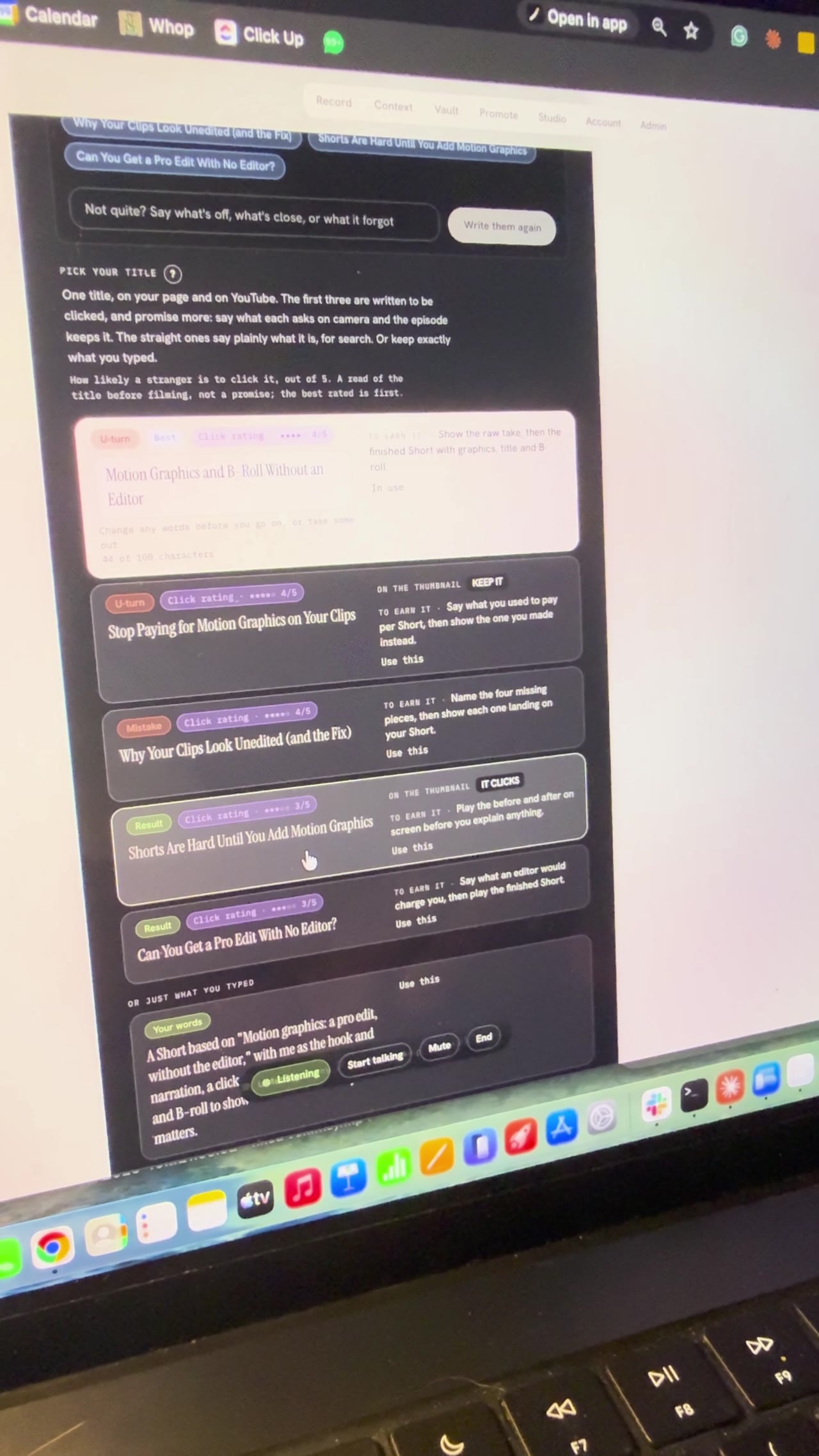
Building Underway
Setting up a video by talking to my AI director
I gave a first look at the Underway Crew, the director and producer inside Underway, and used an AI director to pick my YouTube title and sections live on camera. Bert, the director, offered three ideas, then found the feature videos in my vault, and we picked Motion Graphics, A Pro Edit Without the Editor to remake with me as the hook and narration. It wrote five title options, I chose Motion Graphics and B-roll Without an Editor, and it broke the episode into six sections. I locked in filming it in sections and stopped at the set up your shot screen, so part two comes next.
Building Underway
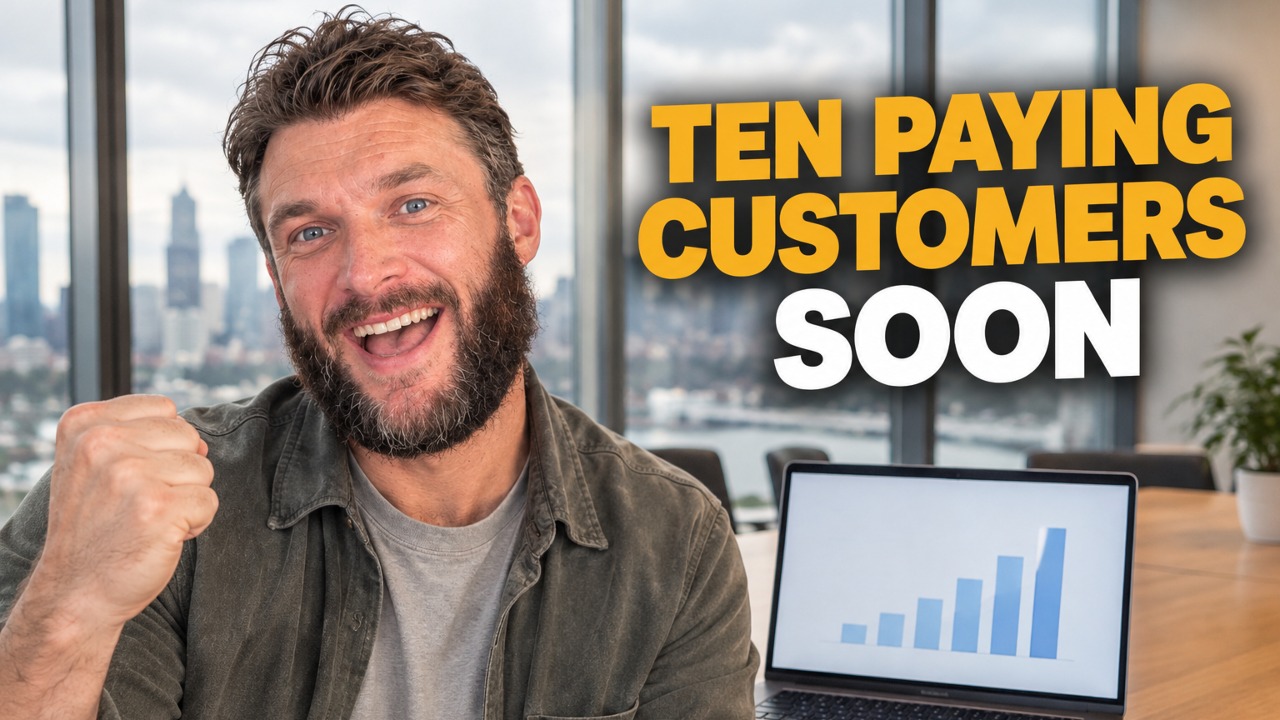
SaaS pricing for a higher tier, nearing 10 paying customers
I talked through how I'm pricing Underway's next tier while closing in on the goal of 10 paying customers I set when series one opened. There are somewhere around 15 to 20 people on trial and very few have cancelled, and most signups are now on the $129.99 plan with a seven day free trial, even though people close to me still say they don't quite grasp what Underway does. I'm also in the early stages of a higher-priced membership that acts like a director and producer in your pocket: it researches your niche, brings you video ideas when you say you're ready to film, and talks you through the recording section by section. I'm using it on myself while I build it.
Building Underway
AI podcast host that interviews you: my build so far
Tonight was a hell of a long one. Continued build from the evening as well. GPT looked at my site and codebase and came back with some legit ideas. Both videos on the site are fine, it said, but nothing shows what being on the inside looks like. Especially the podcast path for founders who want to talk but don't want to be on camera. I thought working on the podcast would be simple compared to video. It wasn't. Far behind, and way more fiddly than I imagined. In my head it wasn't just rambling into a mic. You're speaking to something that knows your business, what you've said, what you've achieved. What I built is Just Chat. Tired, don't want the camera, you just talk like someone's in the room asking you questions. It remembers last night's lag, the interview scaffolding I stripped out, the patent lawyer, all of it. You can have the app host, or someone in the room, or send a link so they join without installing anything. I've also made topics simple. It suggests some, or I type "let's talk about hiring" and we go. Tonight I want to record another episode with Just Chat itself so you can hear how it comes out. The breakthrough for me is wanting that same tech on the video side. Right now video questions are still a bit robotic. You pick four, it asks, you tap done. Fine, but after Just Chat it feels different. Downside of all this is it ends up quite expensive. We will see. Episode 16 (1 of 2 filmed on 7 Sept).

Building Underway
Posting Is Hard Until an AI Agent Directs You
Underway Producer is the AI video director I built that picks up what I'm filming, sets me up and directs me through each take out loud. It connects to my email, GitHub, Linear and Vercel, so the agent speaking to me knows what my day held. Each take comes out as a fully edited long episode with captions, shorts and clips, thumbnails, the copywriting for every social post, an SEO article, and it posts to all my channels in the right format. I filmed alone for years with no plan and bad lighting, and most of that footage never left my camera phone.
Building Underway
Making a launch video with AI in one shot: GPT-6 Astra
GPT-6 Astra dropped a few days ago. I kept seeing people on X say they'd one-shot a launch video with it, and the clips looked wild. So I gave it a go. Sent what came back to my fiancée. We both just sat there for a second. She said she was proud of me, because it finally looked like the thing I've been trying to build and the problem it solves. Also added two bits that feed into the patent application: a watcher that bumps you when you hit a milestone so you can record the feeling right then, and a habit former that learns how you like to film. Episode 12 done.
Building Underway
AI that suggests video topics from your past episodes
I said on the last episode I'd do the podcast next, but I lied. I had something else I wanted to show you first. It's a suggested topics tab. It reads everything I've said in every episode and picks up the things I never tied off, like when I say I've been thinking about something but haven't decided. The one it gave me was whether the videographer shoot still happens. I booked him for next weekend, then GPT-6 Astra one-shotted something I said I'd pay a lot for, and I never said on camera whether I kept the booking or cancelled. It quoted me back to myself, "I haven't made my mind up yet". So I can just do a whole episode on that and close it off. If it suggests an old topic I know I'm not going back to, I can remove it. That doesn't mean something like it won't come up again, it just gets replaced. Then I clicked stop sharing and the timer kept going. It didn't say I'd stopped. When I came back to the tab I think it had. We'll watch this back and see. Another bug. Episode 14 done.