
Article
build in public video, made daily without editing
4 September 2026 · 10 min read
 By Richard LovattLinkedIn · Updated 14 October 2026
a build in public video is you, on camera, saying what happened in your business today: what shipped, what broke, what you decided. underway is an app that makes one for you whenever suits you. it asks you a few questions out loud about the day you actually had, you answer, and a few minutes later a numbered, captioned episode is ready. you never write a script and you never open an editor.
it is for founders at any stage, and for anyone documenting a build: a saas, a shop, an agency, a studio, a business that is ten years old and trying something new. you start with a 14-day free trial of the founder plan, and nothing is charged until day 15.
the rest of this page is what a buyer wants to know first: why build in public video works when it is kept up, why it usually stops, how underway works step by step, how it compares with descript, opus clip, loom and hustl, what it costs, and what happens to your footage.
why build in public video works, when you keep it up
a text update can be written by anyone, about anything, at any time, including afterwards. a video of you saying what broke today, filmed today, can only have been made by you, today. that is the whole case for video: the face and the voice are the proof. people who follow a build want to know what happened next, and they believe it more when they can see the person it happened to.
the second half of that sentence matters more than the first. a build in public video works as a series, not as a one-off. episode 46 is watched by the people who saw episode 45 and want to know how it turned out. one polished video a month does not build that audience. a plain one, most days, does.
why it usually stops: filming yourself is four jobs
it rarely fails for camera shyness. it fails because filming yourself is four jobs, and after a day of building nobody wants four more.
- deciding what to say. a blank camera gets a presentation, and a presentation is what makes build in public sound like marketing.
- setting up. light, framing, a quiet room, a phone that is charged.
- filming. usually three times, because the first take started mid-thought.
- editing. cutting the false starts, adding captions, a title, the right shape for each network. this is the job that kills most channels.
underway is built to take three of those jobs away and shrink the fourth to a few seconds. you still show up and talk. everything around the talking is done for you.
how underway makes a build in public video, step by step
- connect what you already use, if you like: github, your calendar, your meeting recorder, stripe and the rest. every connection only reads, and it is on every plan, the trial included. what each one finds lands in a tray, and you keep or drop each line.
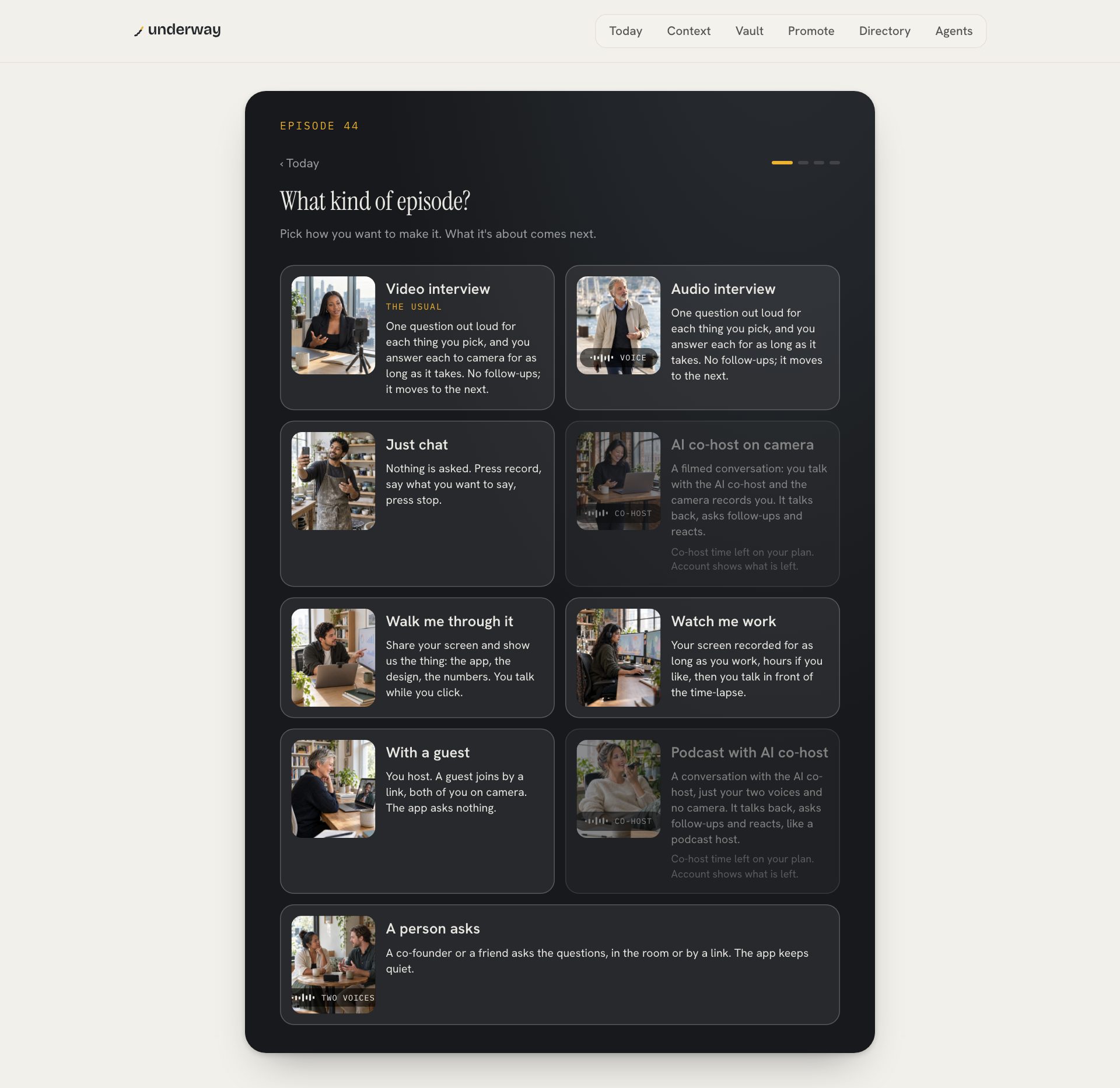
- press record an episode on today and pick the kind of episode: a video interview, an audio interview with no camera, just chat, a walk-through of your screen, a conversation with the ai co-host, or a guest by a link.
- pick what it is about: topics from your season, lines from your day, or a sentence in your own words. each thing you pick becomes one question. the questions are written before you start and shown to you, so you can change any of them.
- answer. each question is asked out loud, one at a time, in the voice you chose for the series. you answer for as long as it takes, and it moves to the next. there are no follow-ups and no countdown, and it ends after the last question.
- get on with your day. the episode is cut and rendered on the server while you do something else, usually a few minutes.
- watch it, then keep it private in the vault, put it on your page, or post it. the words for youtube, linkedin, tiktok and instagram, x, reddit, snap, a podcast and an article are written from what you said.
the opening question is written so that the first thing you say names its subject. what's the state of the signup emails today gets an answer someone can follow with no context. how did today start gets a shrug and a pronoun. that is how an episode avoids starting mid-thought without asking you to record an intro to camera.
what the edit does for you
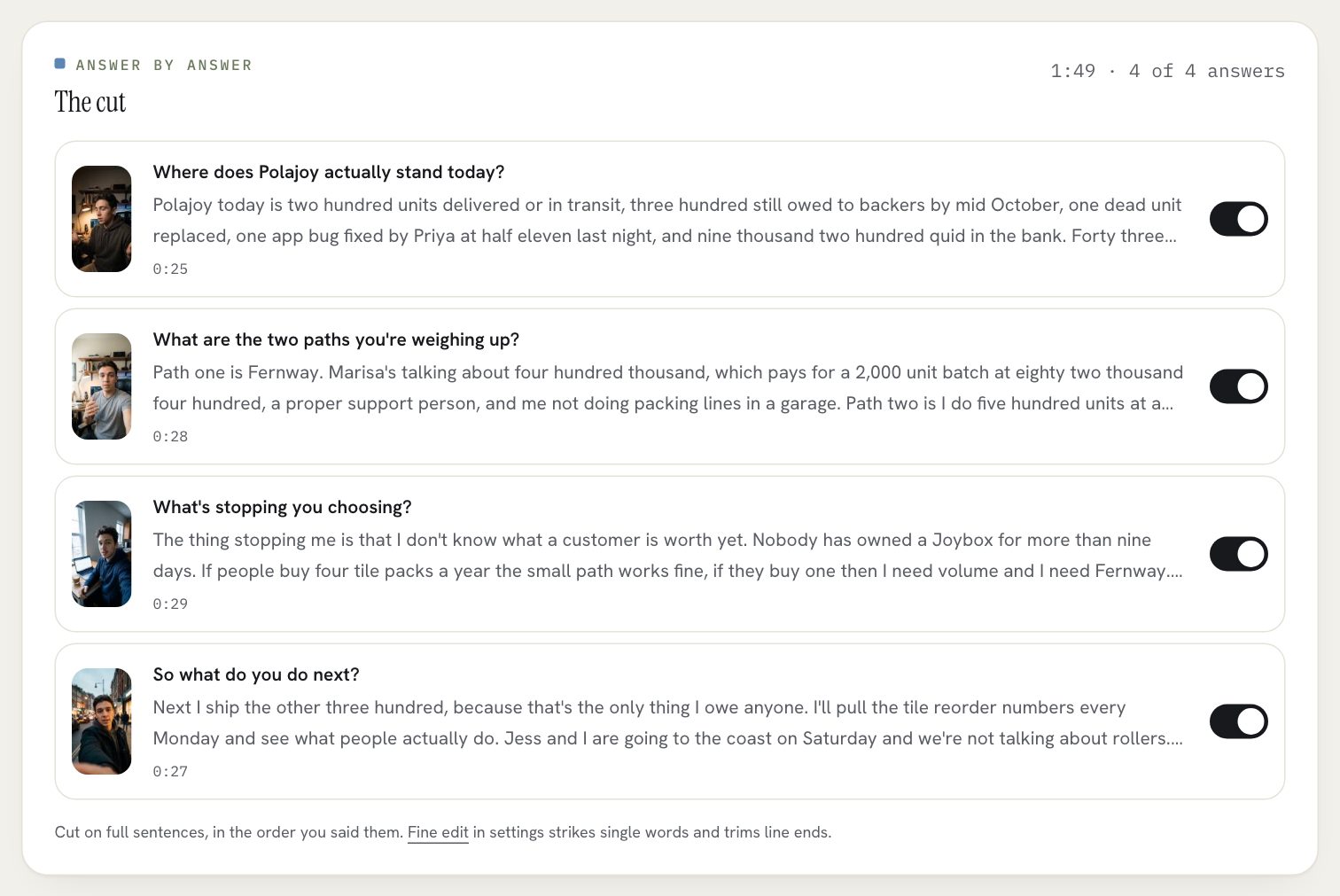
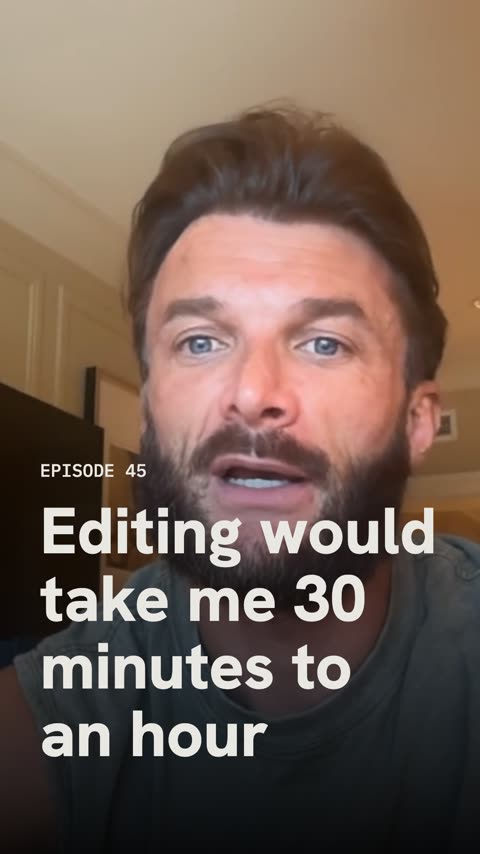
the cut is your answers, in the order you said them. it cuts on full sentences so nothing is clipped mid-word, takes out the ums, the false starts and the long pauses, burns in captions, opens with a title card carrying your series name and the episode number, and puts a small made with underway mark in the corner. your brand, set once, goes on the card and the captions of every episode after that.
if a whole answer wandered, switch it off on the cut and the episode updates. if a single word should go, the fine edit strikes it. nothing is ever reordered to make a better hook, nothing is added, and no words are put in your mouth. that is the diary's rule, and it is why a series of these reads as honest rather than produced.
the shapes a build in public video can take
most lists of build in public video ideas are lists of topics. topics are not the hard part. the hard part is a shape you can keep making on an ordinary tuesday. these are the shapes underway makes, and what each costs you.
- the daily interview, portrait or landscape. pick one thing for a short one, six for a long one. time from you: the answers.
- episode zero, the opener of the series: what you are building, who it is for, what they do instead today, where it honestly stands, the hardest part and what you are setting out to do. it is the place a new viewer starts.
- walk me through it: your screen full frame, you in a round bubble in the corner. for a demo, a design review or the thing you shipped. on a computer.
- watch me work: your screen recorded for as long as you work, hours if you like, as a time-lapse, then you talk in front of it. on a computer.
- talk about it: a moment you caught on your phone, a freestyle or a screenshot plays behind you while you explain it.
- an audio interview: the same questions, just your voice, for the days the camera is not happening. it still gets a video for youtube, with the waveform and captions.
- a conversation with the ai co-host, on camera or voice only: a live conversation that listens, reacts and follows up. it runs on co-host minutes, an hour a month on founder.
- on series, the week in one cut and the month in one film arrive on their own, cut from the episodes you already made.
the variety comes from the days, not from a content calendar. every one of these starts from something that already happened, which is why each is quick: you are not inventing material, you are answering for it.
build in public video tools, compared honestly
people looking for a build in public video tool usually weigh underway against an editor, a clip tool, a screen recorder or a time-lapse app. each is good at its job. the question is which job is stopping you.
| underway | descript | opus clip | loom | hustl | |
|---|---|---|---|---|---|
| what it starts from | nothing: it asks you questions about your day | a recording you made | a long video you already have | you, recording your screen and camera | your mac screen while you work |
| who decides what to say | you, prompted by questions from your day | you | you, before you filmed | you | nobody: there is no talking |
| editing | done for you, in the order you said it | you edit, by editing the transcript | it cuts clips for you from the long one | light trims | none: it speeds the session up |
| what you get | a numbered episode with captions, a card and the words for each network | whatever you edit | short clips with captions | a link to share | a time-lapse video |
| a running series | yes: numbered, in order, in a private vault | no | no | no | no |
| pick it instead if | you like editing and want full control | you already record long videos every week | you need to show a colleague something now | you only want to show the screen, no voice |
the honest version: if you record plenty and need it cut, buy a clip tool. if you enjoy editing, descript is excellent. if your problem is that nothing gets recorded at all, that is the problem underway is built for.
what it costs
- every account starts with a 14-day free trial of founder. you add a card at the start and nothing is charged until day 15. three days before, an email says the date and the amount and how to cancel, and cancelling is one tap.
- founder, $29 a month or $290 a year: the daily interview by voice, camera or screen, an episode minutes after you finish, your page, the words for every platform, an hour of ai co-host conversation a month, every connection, and posting to your own accounts.
- series, $79 a month or $790 a year: everything in founder, plus the week in one cut, the month in one film, the podcast feed, one tap to youtube, linkedin, tiktok, instagram and x with the audience numbers that come back, pro youtube thumbnails, the series deck and three hours of co-host time.
- raw footage is downloadable on every plan. what you pay for is the work done on it, never access to your own face and voice.
privacy: nothing goes out until you send it
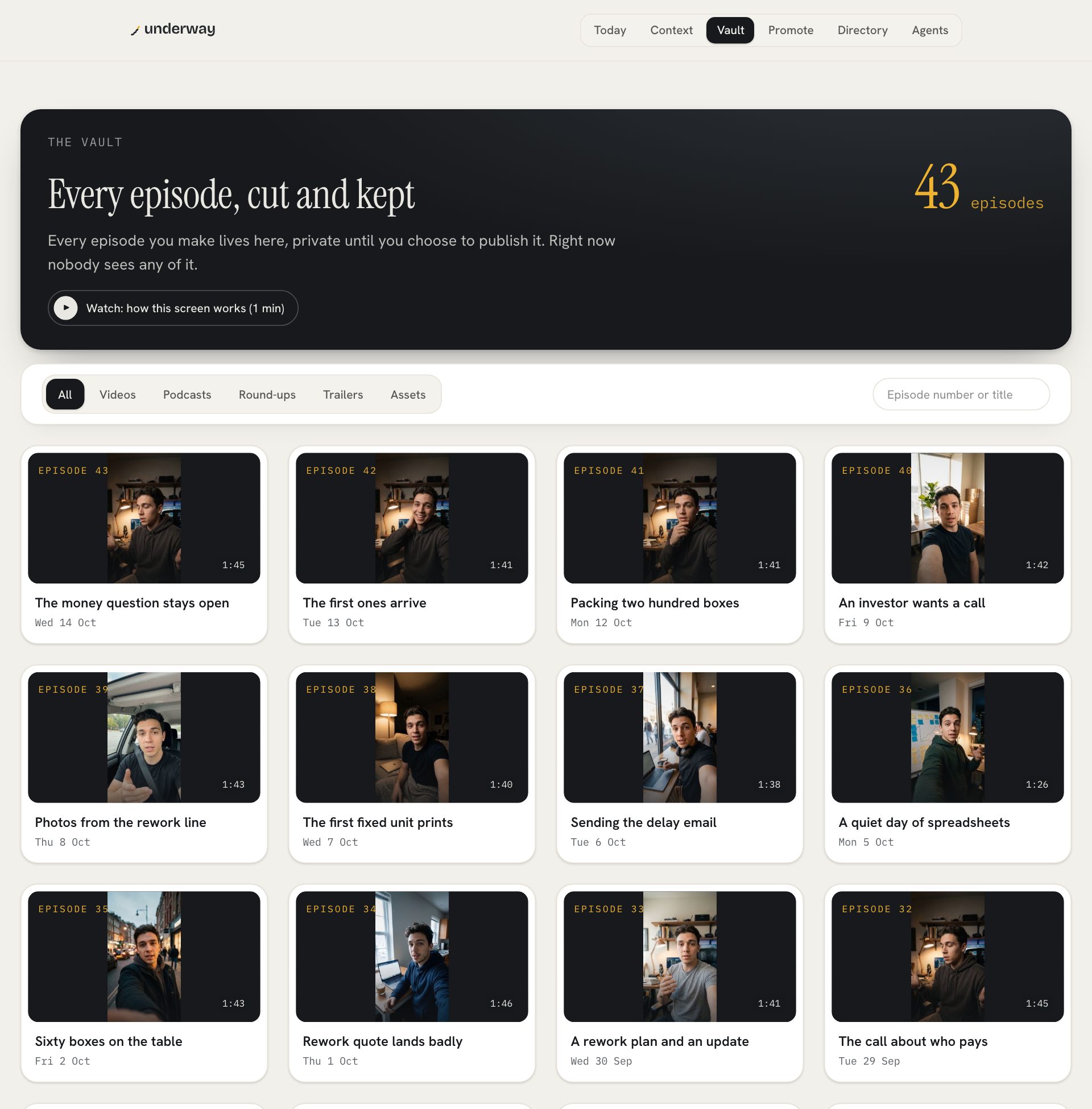
every episode is private until you publish it, on every plan. it sits in the vault, numbered and dated, and nobody sees any of it until you choose. going public is your call: one episode at a time, or the whole vault at once, oldest first, with every filming date kept. plenty of founders film in private for months before a launch, and that footage is the origin story nobody can film later.
the camera only records when you press the button, and a red light says so. what your tools turn up is read so the questions are better, never shown in the episode, and other people's voices from meetings never become footage. any episode can be deleted from the bottom of its page, which removes the video, the transcripts and everything cut from them.
how long should a build in public video be?
as long as you talked, with the filler cut out. each thing you pick is one question, so one pick makes a short episode and six a longer one. the edit has no time budget of its own and never cuts real content to hit a length.
do i have to be on camera?
no. the audio interview asks the same questions and makes a podcast episode with the questions kept in, and it still gets a video for youtube with the waveform and captions. the camera is the usual because the face is the proof, not because it is required.
can i show my screen?
yes, on a computer. share your screen during any video answer and the episode cuts to it while you talk, or pick walk me through it and the screen is the whole frame with you in the corner. before anything is shown you choose the whole screen, a window, a tab or only the parts you box.
what if i miss a day?
nothing. episodes are counted, not days, so the next one is simply the next number. the streak counts against what you said you would do, weekdays by default, and one tap of pause keeps it through a holiday.
where do i post it?
the portrait cut suits tiktok, reels and youtube shorts, and a landscape episode suits youtube and linkedin. on founder the words for each place are written and you post them; on series one tap posts to each connected account.
does it cost anything to try?
the first 14 days are free, with a card added at the start and nothing charged until day 15.
the plans, side by side, and what each one includes: pricing.
the same idea without a camera, for the days you would rather talk than be seen: a podcast without showing face.
this is part of underway's guide to building in public: how to build in public.