
Article
build in public tools, honestly compared
4 September 2026 · 7 min read
 By Richard LovattLinkedIn · Updated 14 October 2026
build in public tools fall into six kinds: places to post, schedulers, tools that turn commits into posts, clip tools, communities and trackers, and tools that get the material out of you in the first place. underway is the last kind: it interviews you about your work, out loud, and cuts your answers into a numbered video or podcast episode, with Shorts and the posts for each network. most founders need two of these kinds, not six.
here is the landscape, honestly, with who each tool is for and where underway is not the right buy, then how underway works, what it costs and what stays private.
which build in public tools do you actually need?
start from what stops you. building in public rarely fails for lack of a scheduler. it fails on the day there is nothing written, nothing recorded and no time to do either. the tool to buy first is the one that fixes your bottleneck.
- nothing to say, or no time to work out what to say: a tool that asks you, like underway.
- plenty of code, no words about it: a commit-to-post tool, like BuildCast or Build in Public.
- long recordings and no clips: a clip tool, like Opus Clip or Descript.
- posts written, sent at the wrong times: a scheduler, like Typefully.
- no accountability: a community with a streak, like WIP.
- no audience you own: a newsletter, on Beehiiv or Substack.
the build in public tools, kind by kind
places to post. X is where the #buildinpublic crowd posts daily, and Indie Hackers is where founders write up milestones and numbers. they are free and they are where the audience is. they are a stage, not a habit: nothing about them helps you show up.
schedulers. Typefully says it lets you write drafts, schedule posts, publish and see how they did, across X, LinkedIn, Threads, Bluesky, Mastodon and Instagram. a scheduler is excellent once you have the words. with nothing in it, it is a calendar.
commit-to-post tools. BuildCast says it turns commits, pull requests, issues and releases into posts with AI captions and sends them to thirteen networks. Build in Public, at buildinpublic.so, says it turns your commits into content, with a five-day trial. they are the right buy if your work is all in GitHub and you only need it written up. they don't put you on camera, and a feed of commit summaries is not a story.
clip tools. Opus Clip, Descript and the rest take a long recording and cut it into short ones, find the highlights and add captions. they are good at what they do. they assume the long recording exists. if you already record a weekly hour, a clip tool is the right buy and underway is not.
communities and timelines. WIP is a group of makers who post their todos and what they shipped, and keep a streak. Alongly is a free app where a build becomes a Journey people can follow, public or kept to a close crew. both are good for company on the way. the writing is still yours.
notes and dashboards. Notion, Google Docs and public revenue pages are fine for keeping track. a private written diary can be written afterwards, and a number is not something people follow. they work best as material for an episode rather than the whole channel.
ai video generators. avatars, generated b-roll, synthetic voices. the fastest way to make a build in public channel that nobody trusts. the value of the format is that a real person said a real thing on a real day.
| scheduler | commit-to-post | clip tool | community | underway | |
|---|---|---|---|---|---|
| examples | Typefully | BuildCast, Build in Public | Opus Clip, Descript | WIP, Alongly | underway |
| needs from you | the posts, written | your commits | a long recording | your updates | answers to questions |
| makes video | no | no | clips from yours | you upload it | the episode and its Shorts |
| pick it when | you write plenty | your work is code | you record plenty | you want company | nothing gets recorded |
a small build in public stack that lasts
the stacks that keep going are short. three pieces cover nearly everything, and each one does a job the others can't.
- one source of material. something that turns your working day into something worth showing, every time you sit down for it. without this, every other tool sits empty.
- one place you post, chosen for where your buyers already are: X for other builders, LinkedIn for business buyers, YouTube for anyone who searches for how things are done.
- one thing you own. a newsletter list or a page of your own, so the record does not depend on any one network's feed.
add a scheduler or a community when the habit is already there, not before. a tool bought to create a habit tends to become one more thing you feel behind on. a tool bought to support a habit you already have tends to earn its place.
and keep the record in order. a build told in numbered entries, dated, from the first one, is worth more at entry eighty than eighty loose posts, because someone arriving late can start at the beginning.
where underway fits among build in public tools
the gap is at the start of the chain: something that gets today's material out of you when you are busy and unprepared. underway asks, cuts and keeps. it never reorders your answers for a better hook, never adds words you did not say, and makes nothing up. it is not a scheduler either, though Series posts for you in one tap.
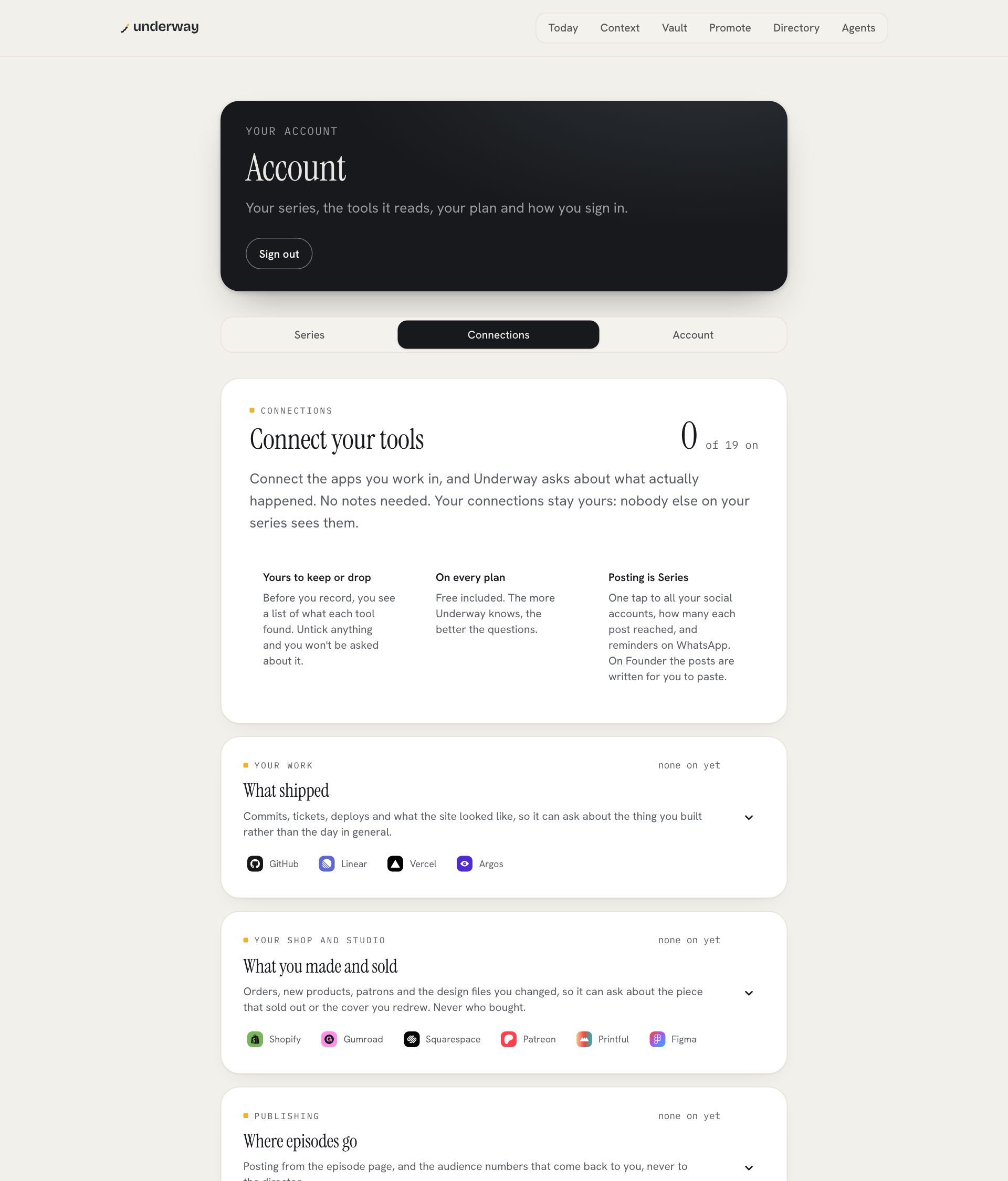
- connect what you work in, if you like: GitHub, a calendar, Stripe, a meeting recorder, or email you forward. it reads them so the questions are about the day you had. you can untick anything and it won't be asked about.
- pick the kind of episode and what it is about. each thing you pick is one question, asked out loud, in that order, answered for as long as it takes, with no countdown. the AI co-host is the other kind: a conversation that follows up.
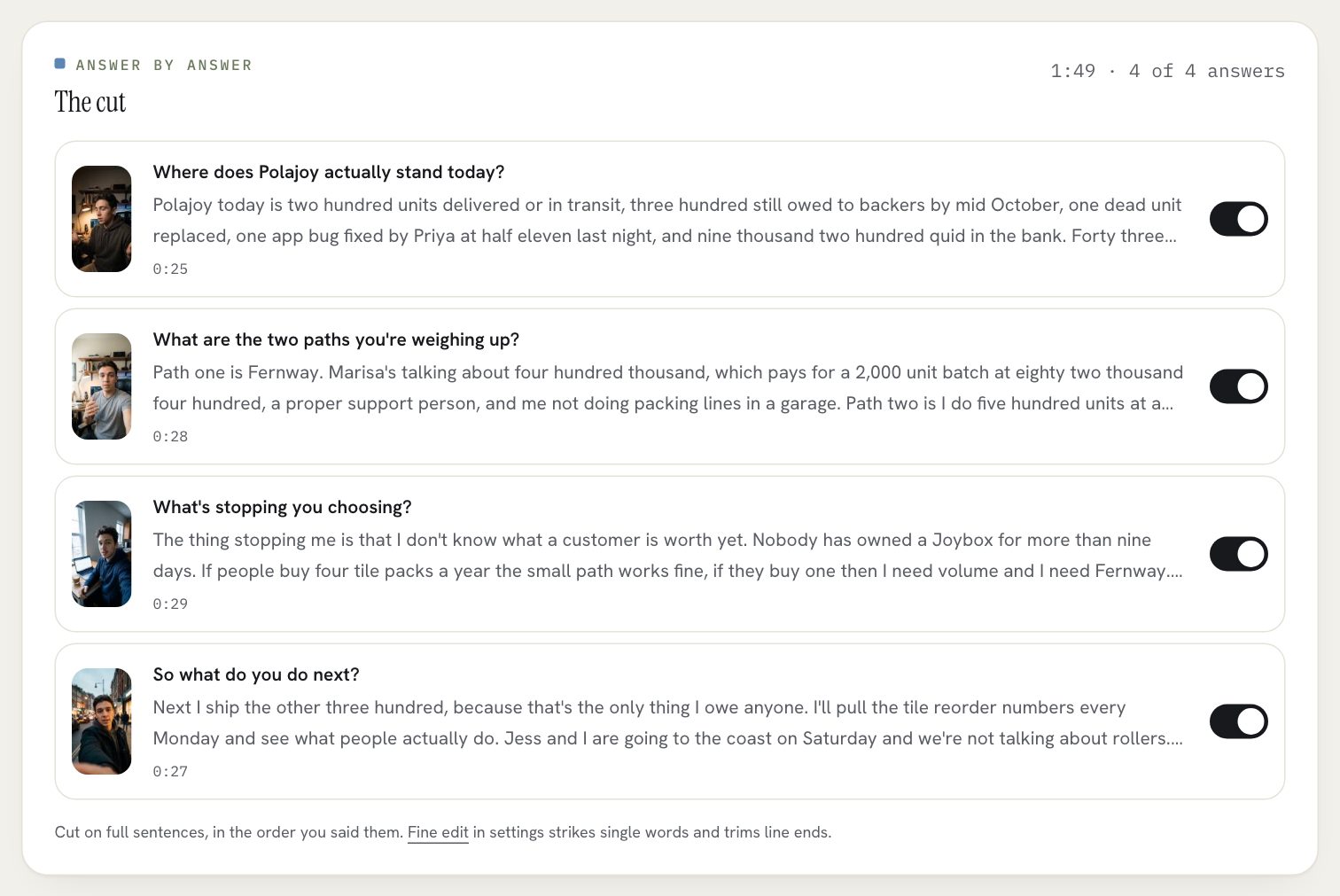
- minutes later the episode is cut on full sentences, in the order you said things, captioned and numbered. switch an answer off, or strike a line in the transcript, and the cut follows.
- the words for YouTube, LinkedIn, TikTok, Instagram, X and a blog are written from what you said, and Find clips cuts Shorts from the episode.
- it stays in your vault until you publish it, then lives on your page in order, with every episode numbered and dated.
what it costs
a new account is a 14-day free trial of Founder, with your card added at the start and nothing charged until day 15. Founder is $29 a month or $290 a year: the interview, an episode minutes after you finish, Shorts, the text for every platform, your page and every connection. Series is $79 a month or $790 a year and adds one tap to post to YouTube, LinkedIn, TikTok, Instagram and X, the weekly round-up, the month in one film, compilations, the podcast feed, Pro YouTube thumbnails and the series deck. raw footage is downloadable on every plan, because it is your face and your voice.
put next to the stack it replaces, it is one tool doing the part that usually stops people, and it can sit alongside a scheduler or a newsletter you already use.
what stays private
every episode is private until you publish it, on every plan. connected tools are read, never written to, and other people's words from a meeting are context for the questions, never footage. a shared screen shows only what you choose, and every screen in a file is checked for keys and passwords before it can go anywhere. any episode, or the whole account, can be deleted from the app.
faqs
what are the best build in public tools?
it depends on your bottleneck. Typefully if you need posts scheduled, BuildCast if you want posts from your commits, Opus Clip if you have long recordings to clip, WIP for accountability, and underway if nothing gets recorded in the first place.
do i need a different tool for every network?
no. one episode can carry the words for each network. underway writes them for YouTube, LinkedIn, TikTok, Instagram, X and a blog from what you said.
is underway a scheduler?
no. it makes the episode and writes the posts. on Series it posts to the networks you connected in one tap. if you already schedule posts, keep doing it.
can i build in public without showing my face?
yes. answer by voice and the episode is a podcast with the questions kept in, numbered like the rest.
can i start in private?
yes. every episode stays in the vault until you publish it, and on the day you go public the whole vault can go up at once, in order.
where to go next
both plans, and what each includes, are on the pricing page.
the apps compared, one by one: build in public app.
this is part of underway's guide to building in public: how to build in public.